How to Export Roundcube to PST Safely?


Roundcube is a popular web-based email client used by many hosting providers for managing emails in webmail. However, there are some circumstances when email migration has become a common requirement for individuals or organisations when there is a need to move the data between platforms. One of such requirements is to import Roundcube to an Outlook account. As we said, Roundcube is a webmail, and Outlook is a desktop-based email application; even though there is a webmail option, the user often faces the challenge during the transition. Therefore, the most reliable solution is to export Roundcube to PST, as PST is the native file format that supports Microsoft Outlook.
The guide here explains the why, when, and how to export the emails from Roundcube to PST format. Find the best way to execute this from the article here.
Why Export Roundcube to PST Format?
Roundcube is a popular open source webmail client that is used by many hosting providers and has millions of users. While it is easy to access the emails via browser, it does not have the option to get offline access like Outlook, Thunderbird, or Apple Mail has, for centralised management or for long term backup option.
The common reasons why users want to export Roundcube emails to PST format:
- To import Roundcube emails into Outlook.
- To create a secure local backup
- To get offline access to the emails
- For email migration to Microsoft Outlook or Exchange.
As we are discussing here the approaches to import Roundcube to Outlook, then exporting the emails to PST is essential.
What are the Challenges in Exporting Roundcube to PST Manually?
Roundcube stores the emails on the mail server and does not provide any built-in export features for a PST file. If you use the export option in the Roundcube webmail, it will export the emails to *.eml format. This makes the process complicated for non-technical users.
Here are the key challenges while performing the migration.
- No direct Roundcube to PST export option.
- If using a manual IMAP configuration approach, then technical knowledge is required.
- Risk of losing data or incomplete migration.
- Time-consuming for a large mailbox
These limitations are the reasons why users search for a safer option to import Roundcube to Outlook without data loss.
How to Manually Import Roundcube to Outlook using IMAP?
Let’s start with the common method of configuring a Roundcube email account in Microsoft Outlook with IMAP. It does not directly export Roundcube to PST, but later users can save the emails as a PST file if required.
Steps to Import Roundcube to Outlook Manually
- Open Microsoft Outlook.
- Go to File > Add Account.
- Select Manually set up or additional Server types.
- Choose IMAP.
- Enter Roundcube email credentials:
- Incoming server (IMAP)
- Outgoing server (SMTP)
- Complete the setup and sync emails.
After completing the configuration, you can drop the emails from Roundcube into the Outlook folder by creating a new folder.
Once the emails are synced:
- Go to File > Open & Export > Import/Export.
- Choose Export to a file.
- Select Outlook Data File (.pst)
- Export the Roundcube mailbox to PST format.
Limitations of the Manual Method: The method is not suitable for large or bulk mailboxes and is at high risk of sync error.
How to Export Roundcube to PST using a Professional Tool
To overcome the mentioned limitations to export Roundcube emails to PST format, use the Webmail Backup Tool. The tool has the option to export and also a direct IMAP option to get the emails in the Outlook account without any conversion.
The complete steps for the migration are here:
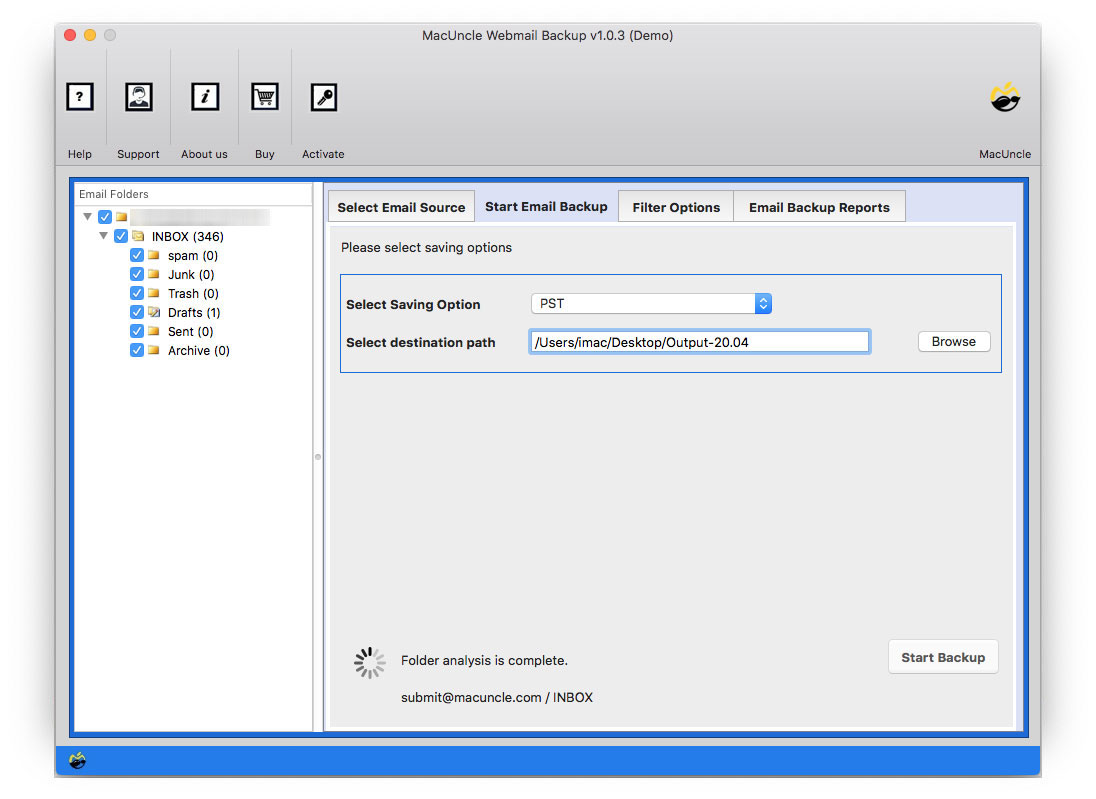
- Launch the tool to start the export of Roundcube to PST format.

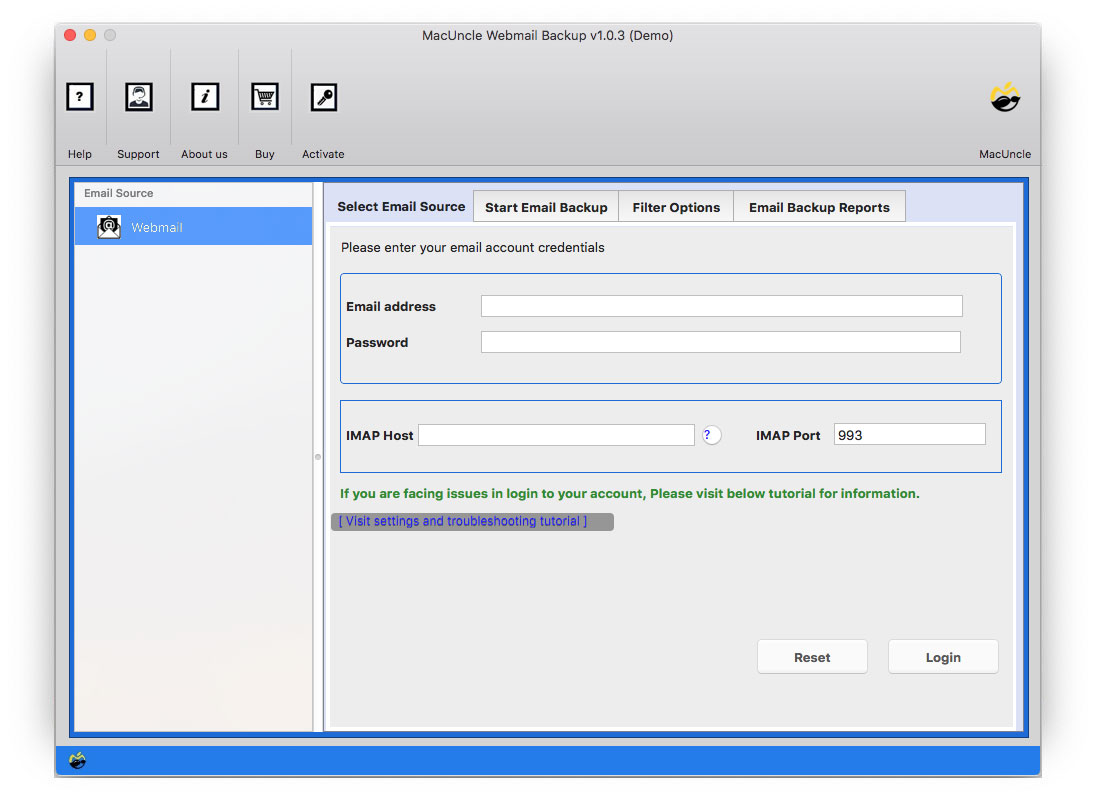
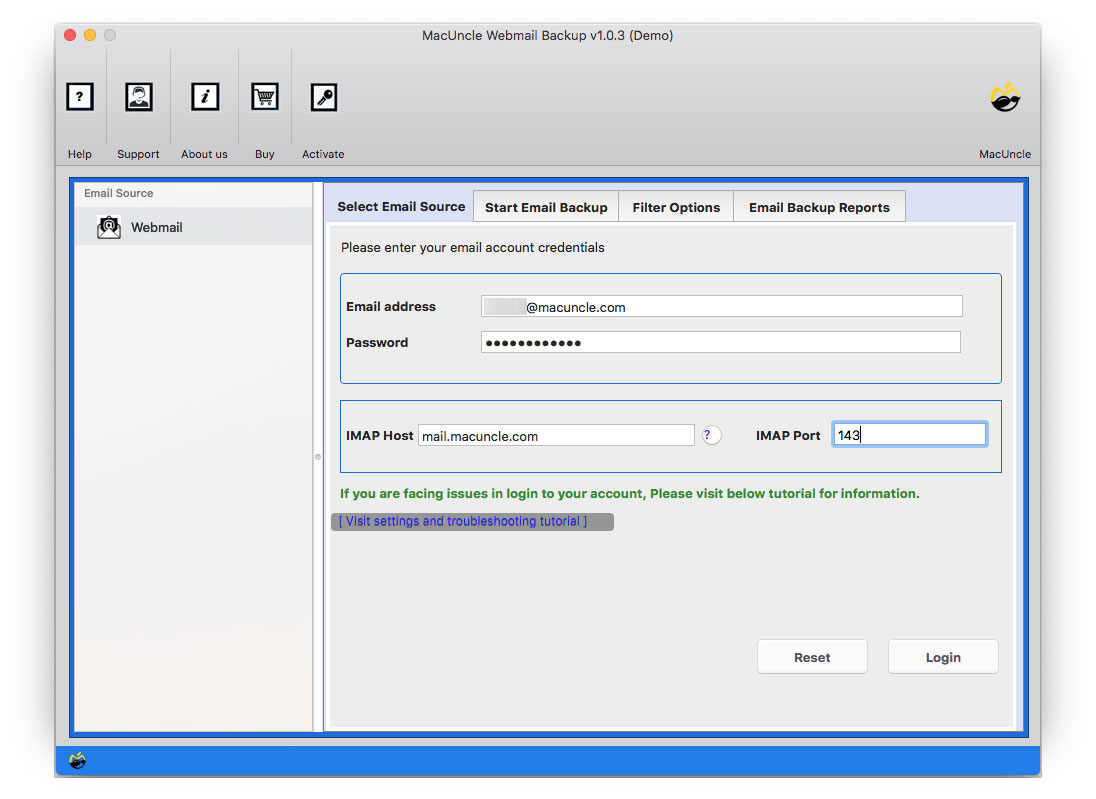
- Enter the Roundcube Webmail details. Press the Login button.
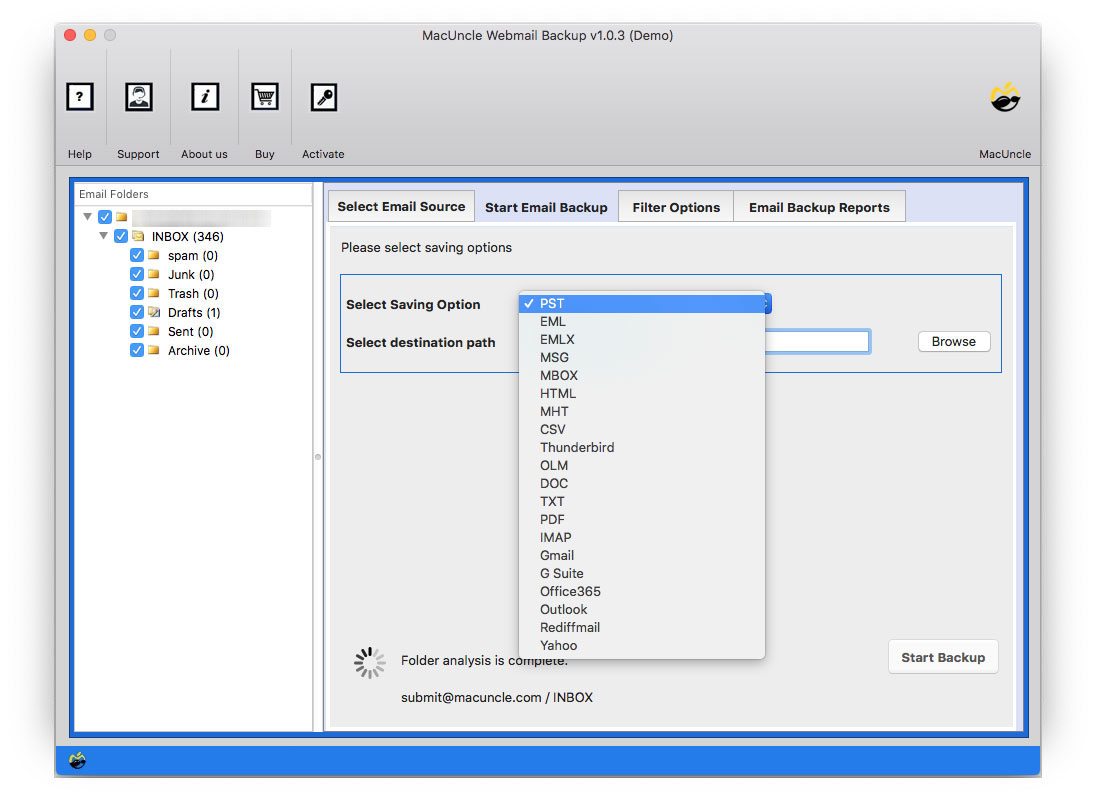
- Now choose the folder to export or import, and select PST or IMAP as per the requirement.
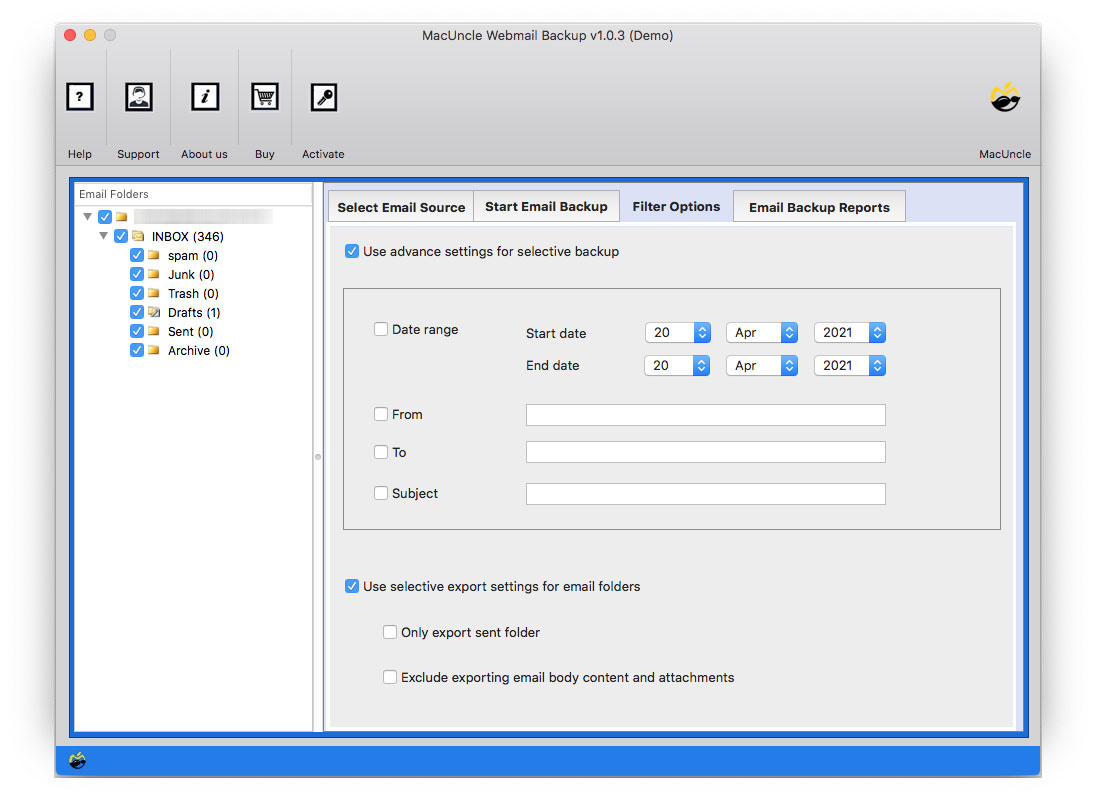
- Go to the Filter option for selective export email from Roundcube.
- Press the Start Backup button.
If you have exported the emails to the PST format, then you can easily import the PST file into Outlook with Outlook’s built-in import feature.
Frequently Asked Question
Q) Is it safe to export Roundcube to PST?
A) Yes, as long as we use the trusted method or the tool that preserves the originality of the email and data integrity.
Q) Can I export Roundcube emails directly to PST format?
A) No. Roundcube does not provide a native export option to PST. We need to configure Outlook IMAP or use a professional tool to directly export the emails.
Q) How to export Roundcube to PST, including the attachment?
Q) Use the software mentioned in the article to export all the data, including the attachments, without any data loss.
Conclusion
Exporting emails from Roundcube to Outlook can be very challenging due to the lack of native support. The manual method, i.e., the IMAP configuration, works for small and manageable mailboxes, but it is time-consuming and needs technical skills to complete the task. The safe and faster option is a professional tool, and you get both export and direct import in a single method. If you use the method to generate PST files, then use the Import/Export method to move the emails directly to Outlook.