How to Import OST File to Yahoo Mail Effortlessly?


Many Yahoo mail users wish to import their OST file into their Yahoo email account. Unfortunately, there is no clear-cut, well-established mechanism to do so. Here, we are going to discuss the possible ways with which this can be achieved, as the available manual method is too tedious, not direct, too complex, and pretty limited in its approach. In order to import OST to Yahoo mail, the best way is to pick a professional tool to do this effortlessly. This blog outlines and explores the best possible option to tell you how to import an OST file to Yahoo Mail.
Why Import OST Files to Yahoo Mail?
MS Outlook is the most sought-after email management system that is widely popular amongst most of the leading businesses today. It is considered a highly secure email management system to keep the enterprise data safe and boasts of its most reliable protection features that most businesses seek today. However, since many Yahoo users still prefer the traditional & highly user-friendly interface of the Yahoo mail client, Yahoo remains a preferred email client for many businessmen. Yahoo happens to be a cloud-based platform that offers 24*7 access from anywhere, and it has proven reliability over decades.
Manual Methods to Import OST to Yahoo Mail
Export the OST files using Microsoft Outlook.
Note: The method works if the OST file is connected to an active Outlook profile and is accessible. We can use Outlook to perform the migration of OST files to Yahoo Mail.
- Open Outlook with the profile connected to the OST file.
- Go to File > Open & Export > Import/Export.

- Choose Export to a file.
- Select Outlook Data File (.pst) and choose the folder to export.
- Enable Include subfolders if required.
- Choose a location to save the PST file.
- Press Finish to export OST files to PST.
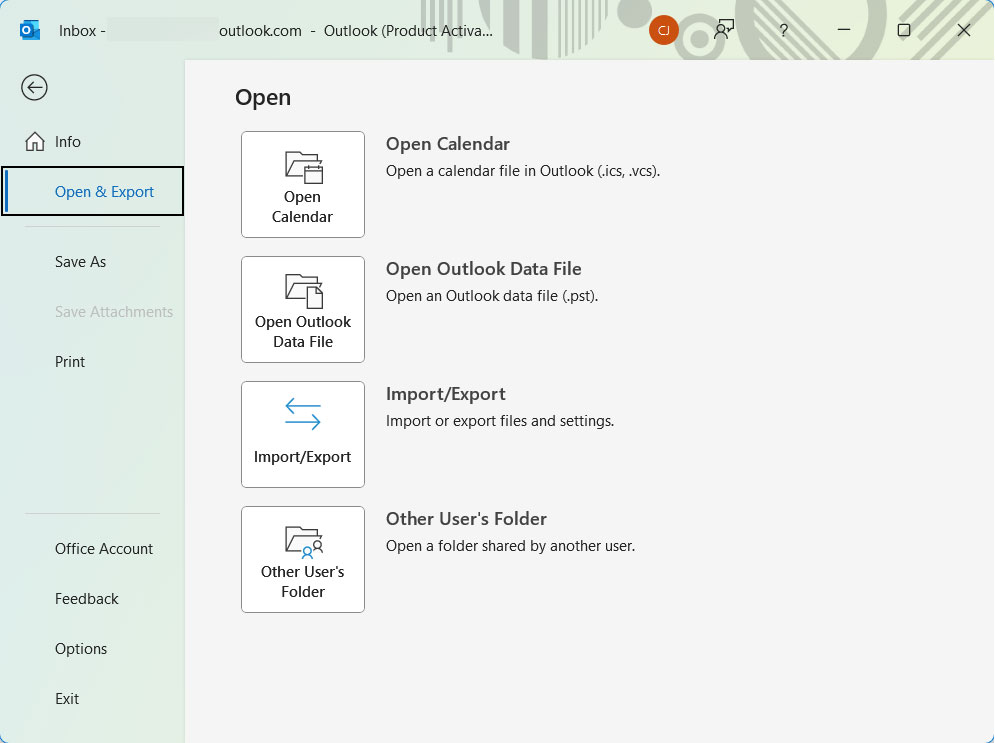
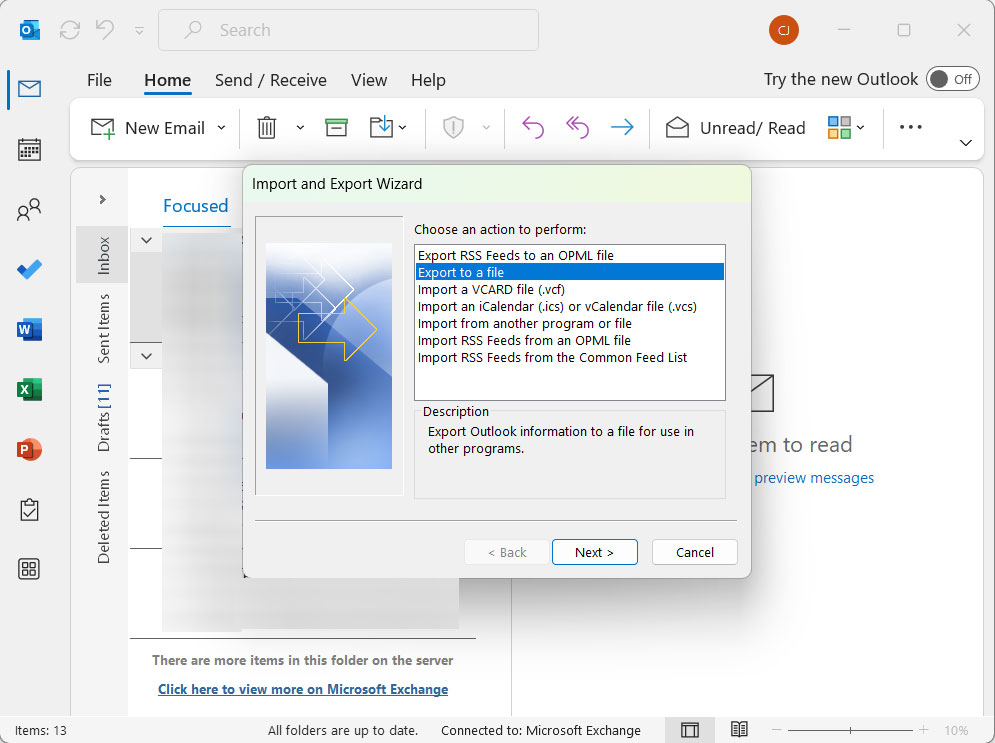
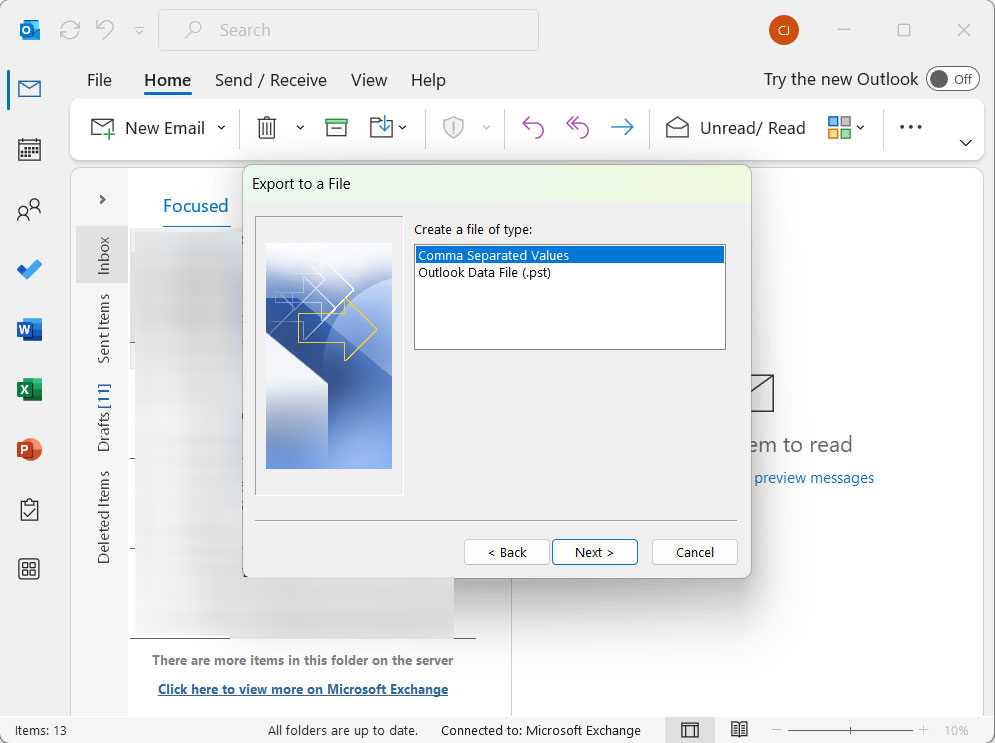
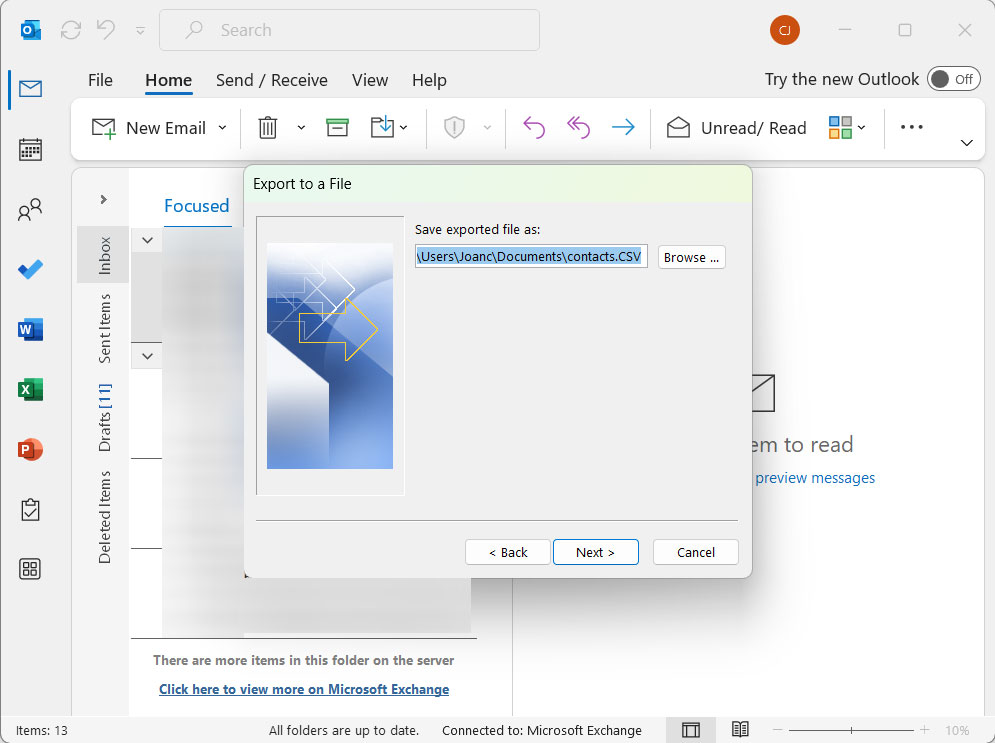
Add Yahoo to the Outlook Account
- Sign in to the Yahoo Mail account.
- Generate the App password from your Yahoo account.
- Open Outlook and go to File > Add Account.
- Enter the Yahoo Mail email address.
- If prompted, enter the Yahoo Mail password or App password.
- Complete the account setup, and soon Outlook will configure Yahoo Mail using IMAP.
Copy the Emails from PST to Yahoo Mail
- In Outlook, click File > Open & Export > Open Outlook Data File.
- Browse and open the exported PST file.
- The PST file will appear in the Outlook folder pane.
- Now, open the desired folder.
- Select the emails to import.
- Drag and drop the selected emails to the corresponding Yahoo Mail folder.
- Wait for Outlook to sync the emails with Yahoo Mail.
Limitations:
- It requires Microsoft Outlook to be installed and configured.
- Large mailboxes take a long time to synchronise.
- Folder structure and metadata will not remain intact.
- We cannot import orphaned or corrupted OST files.
How to Import OST Files to a Yahoo Mail Account?
To overcome all the above-mentioned limitations, we can use the OST File Converter. A tool that has the option to convert and migrate emails from OST files in batches. Use this software to convert and migrate emails from OST files to various file formats and email services in bulk without losing folder structures, email formatting and attachments.
Also, it is an easy way to import OST file to Gmail Accounts. It provides you with the ability to export OST data to multiple file formats and email services in just a few minutes.
Simple 4-Step Process to Perform the OST to Yahoo Migration
Here are the easy-to-perform steps to do this conversion using this recommended software, if you are wondering how to import an OST file to Yahoo Mail.
Download the tool and make use of the setup file to install the software on your Mac OS X.
- Start the software and follow the next step.

- Upload the OST files or folders on the panel.
- Choose Yahoo Mail from the options given in the Select saving options.
- Lastly, press the Export button to initiate the conversion.
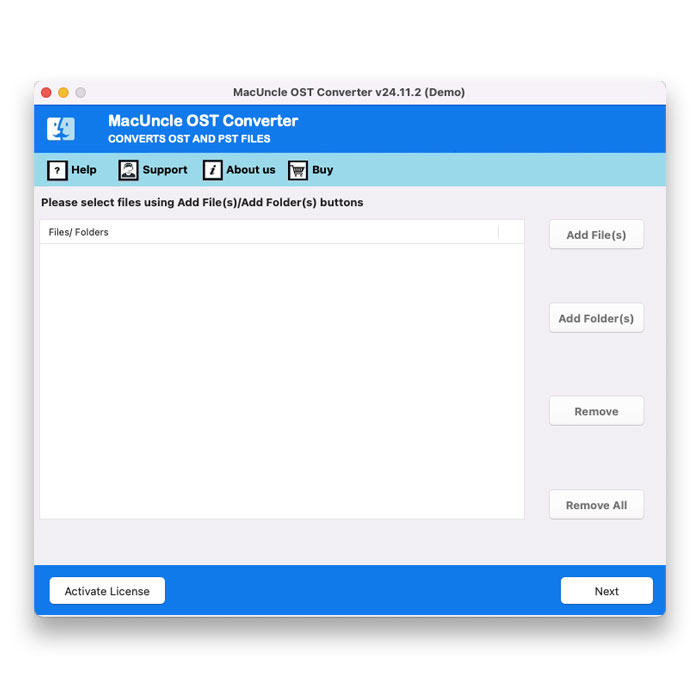
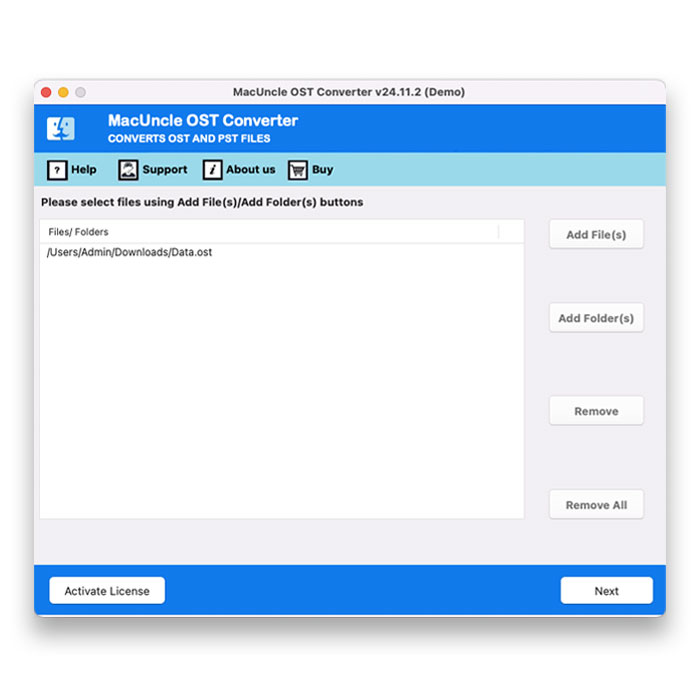
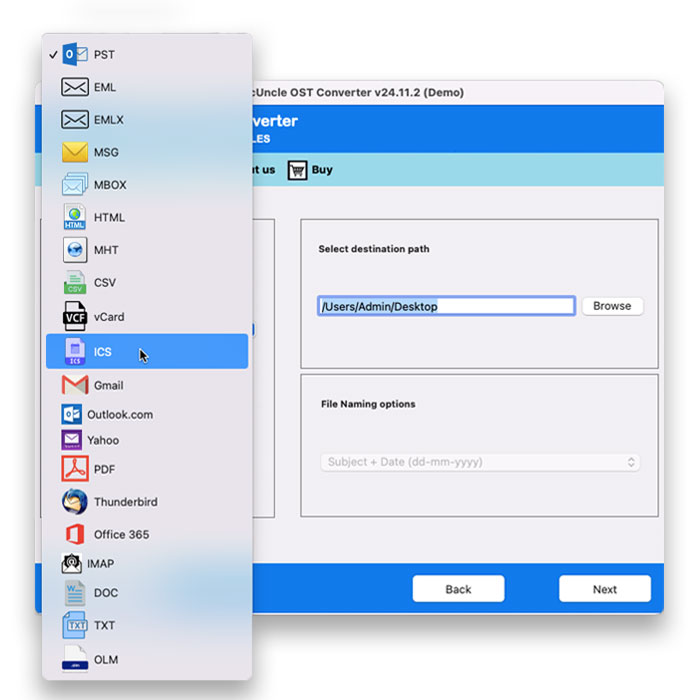
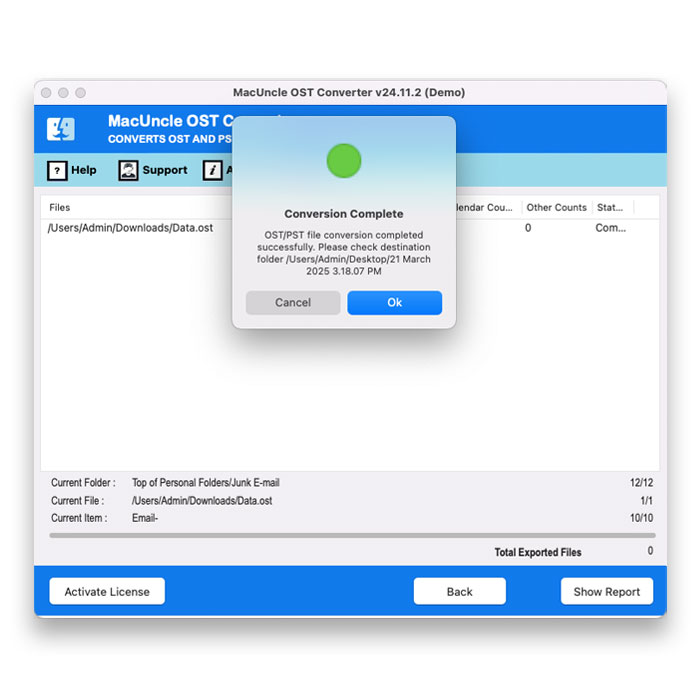
Post conversion, a message indicating successful completion will be displayed along with the resultant folder.
A User’s Real Case to Import OST to Yahoo Mail
Some time back, I attempted to import an OST to Yahoo Mail for different reasons. I had around 18k+ emails in my OST file, and I was anxious about migrating such a huge amount of email data. Luckily, the MacUncle tool really assisted me in my case. It provided me with a straightforward solution to convert OST files’ data into my Yahoo account.
Some Final Words
Know how to import an OST file to Yahoo Mail with a great software solution that’s available right at your disposal. Like you, there are so many other users as well who encounter such a problem on an everyday basis when uploading OST files to their Yahoo Mail accounts. In the absence of any direct manual way for doing this, the task comes down to being performed by the professional converter, and you are lucky to find a great one here that would enable you to convert OST files into your Yahoo Mail account in bulk with utmost ease.