How to Import Yahoo Contacts to Gmail Without Losing Data?


If you are switching the email service or want the contacts all in one place, what you need is to import Yahoo Contacts to Gmail account. Fortunately, both Google and Yahoo have built-in options that would make the process smooth and secure. The guide has all the methods to transfer Yahoo Contacts into Gmail without losing the data.
We will find out what method is best for us as per the requirements from the write-up below.
How to Import Yahoo Contacts to Gmail Accounts?
As we discussed before, the reason might be to get all the contacts to one place. Moreover, users want to move from Yahoo Mail to Gmail because Gmail offers better integration with other Google Services, such as Google Drive, Google Calendar, and Google Meet. If you import Yahoo Contacts to Gmail can simplify the email communication, we can automatically sync with Android devices, and centralise the contact management.
Instead of adding the contacts one by one, we can export them from Yahoo and transfer them directly.
Method 1: Export Yahoo Contacts and Import into Gmail Account
The one we are going to use here is the most common and free method to import Yahoo Contacts to Gmail.
Step 1: Export Contacts from Yahoo Mail
- Log in to your Yahoo Mail Account.
- Click on the Contacts icon.
- Select More Options.
- Click on the Export button.
- Now, select CSV for Yahoo format.
- Save the CSV to the computer.
Yahoo will save all the contacts in a CSV file. Now we need to import the Gmail Account. If you need detailed steps, follow the steps in this article – Import Contacts from Excel to Google.
Step 2: Import Yahoo Contacts into Gmail
- Sign in to Gmail.
- Select Contacts from Google apps, or visit contacts.google.com.

- Now, press the Import button.
- Click Select File and choose the exported Yahoo CSV file.
- Click on the Import button.
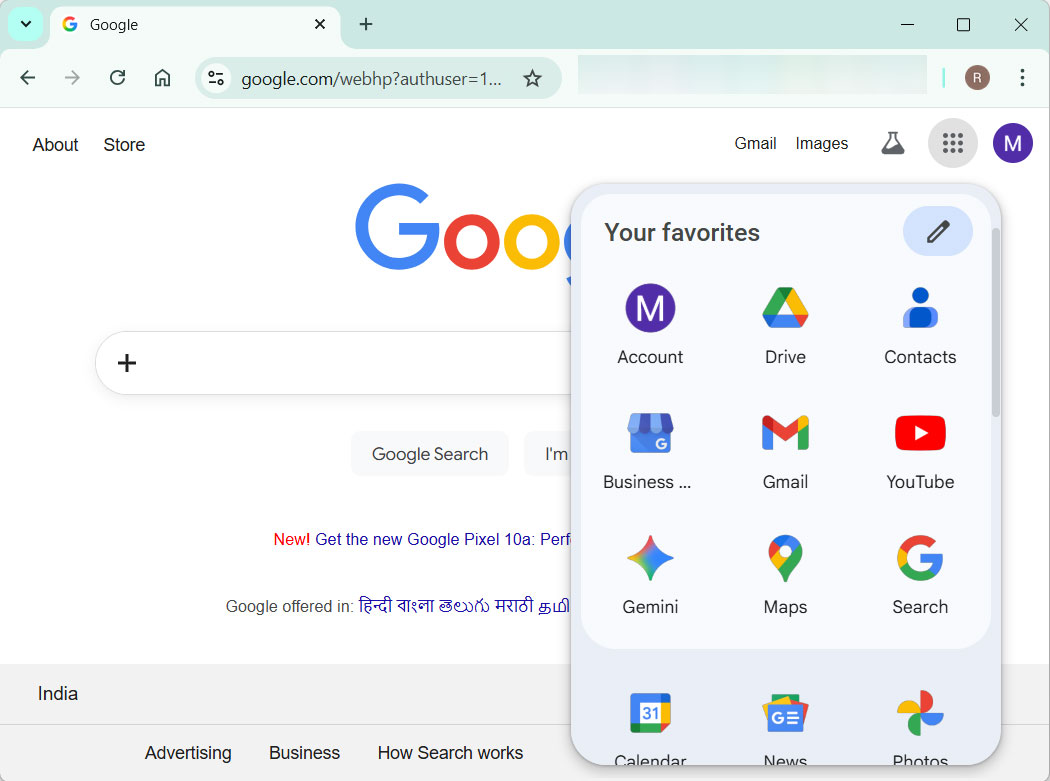
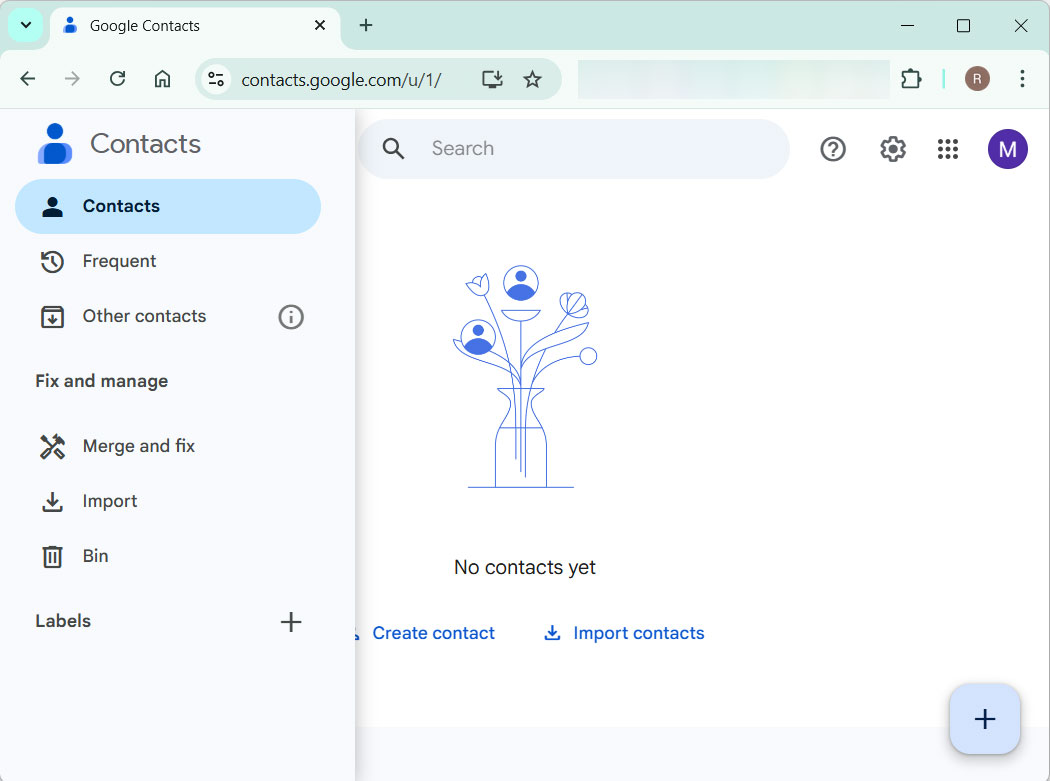
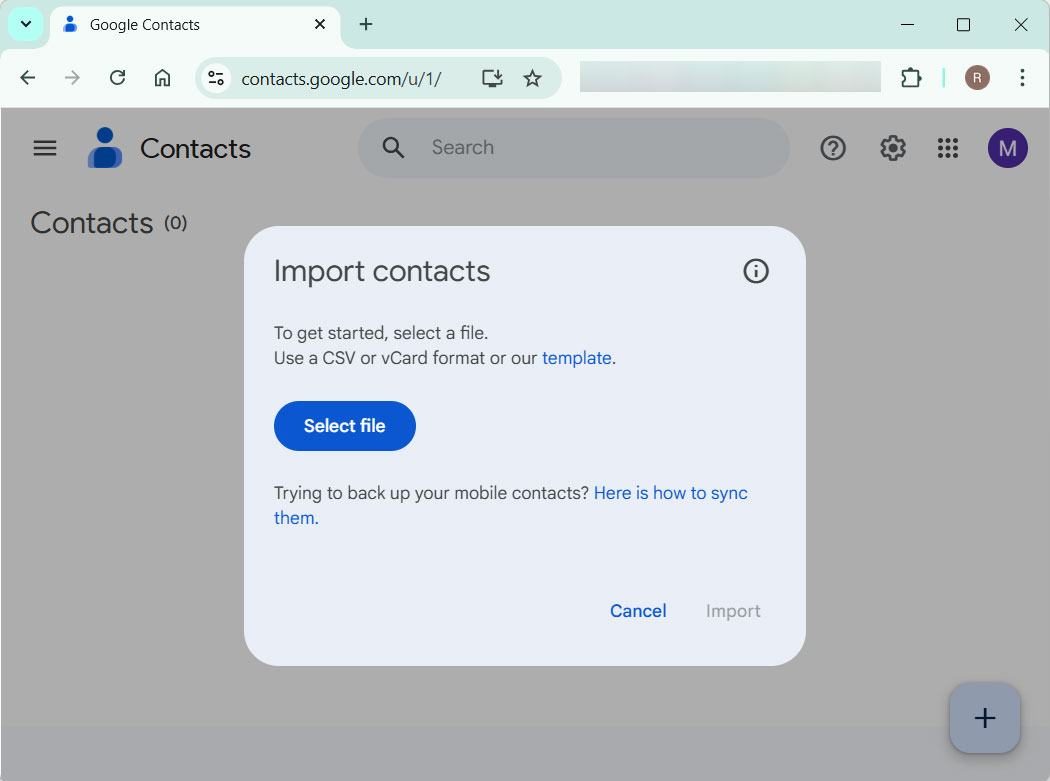
After completing the upload, Gmail will display the imported contacts under the new label. If you want, you can review and merge duplicate contacts.
Method 2: A Professional Way to Import Yahoo Contacts to a Gmail Account
If you want a quick process of the contacts, use the Yahoo Mail Backup Tool. It is the safest approach that can be done without the need of additional support. It has the user interactive interface with robust security. After the process is completed, the data will be well preserved and kept 100% accurate.
How to Transfer Yahoo Contacts to Gmail?
Follow the steps below to import Yahoo Contacts to Gmail:
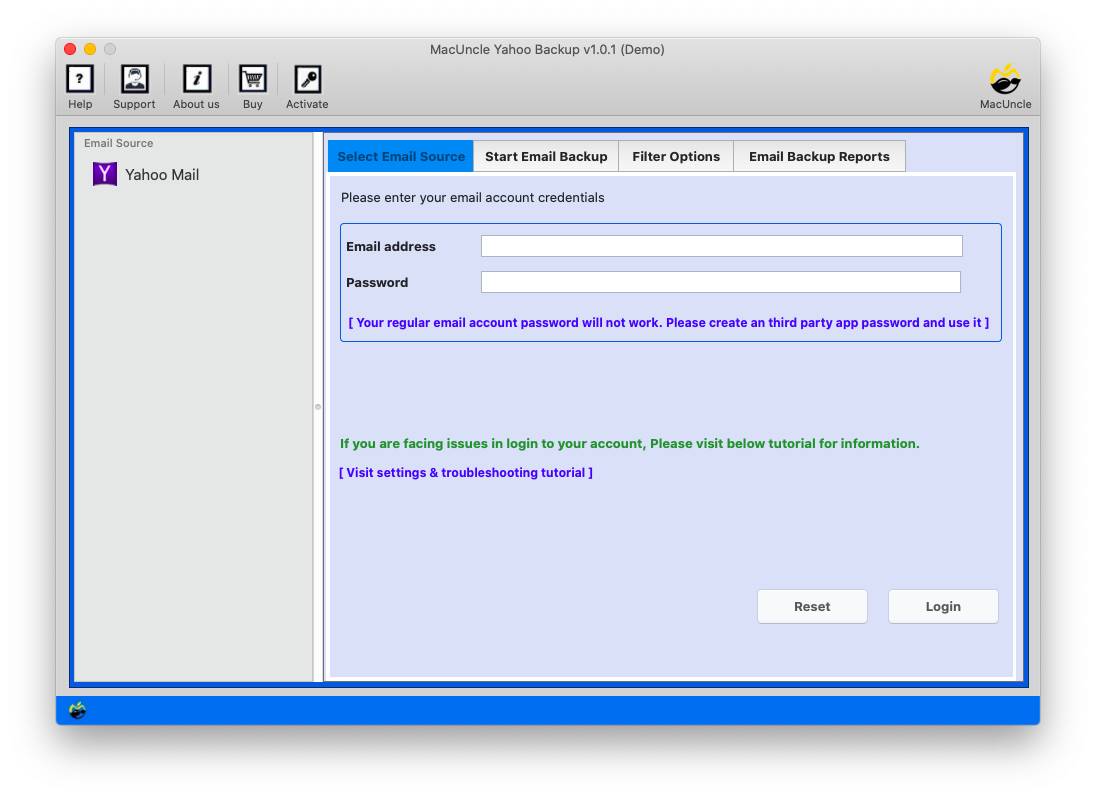
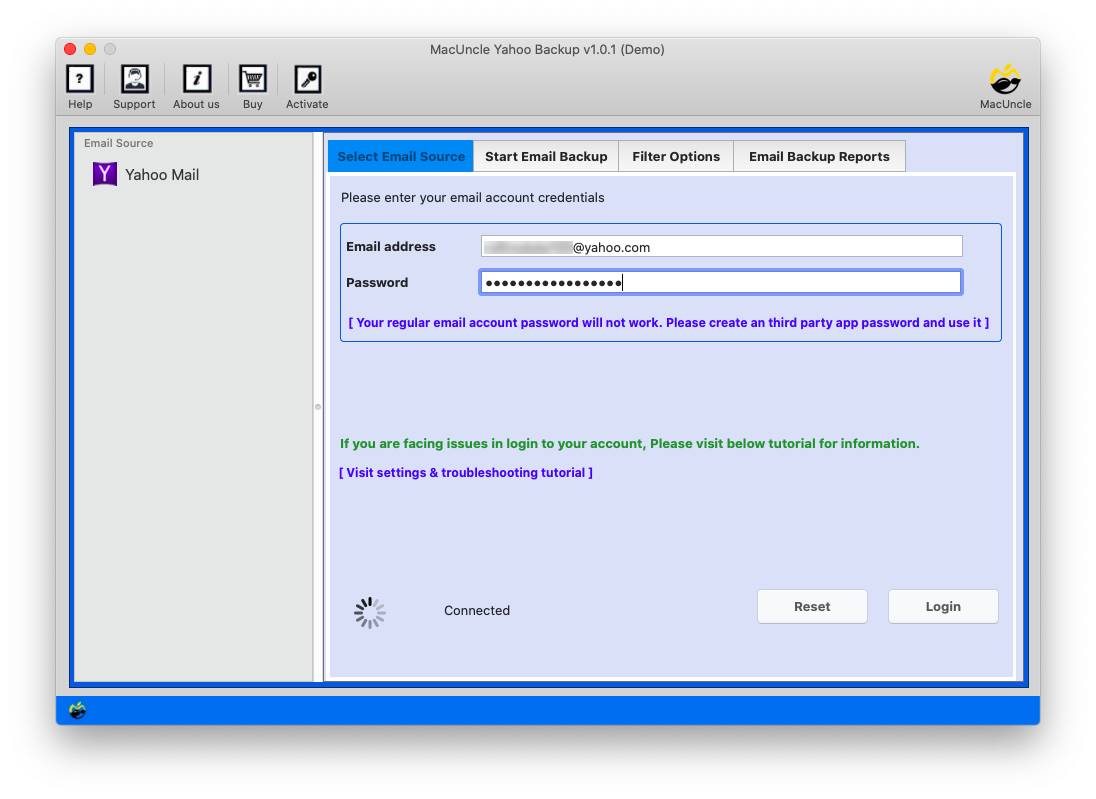
- Launch the software on the system.

- Enter your Yahoo Mail Account details and press Login.
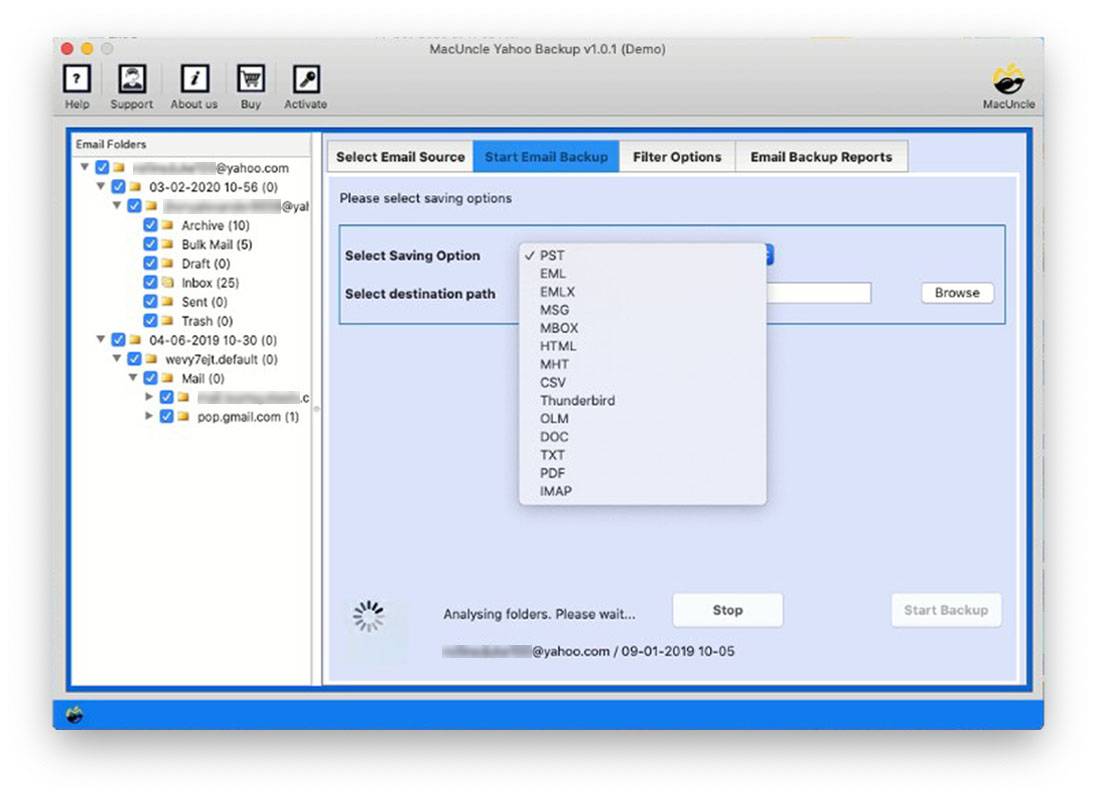
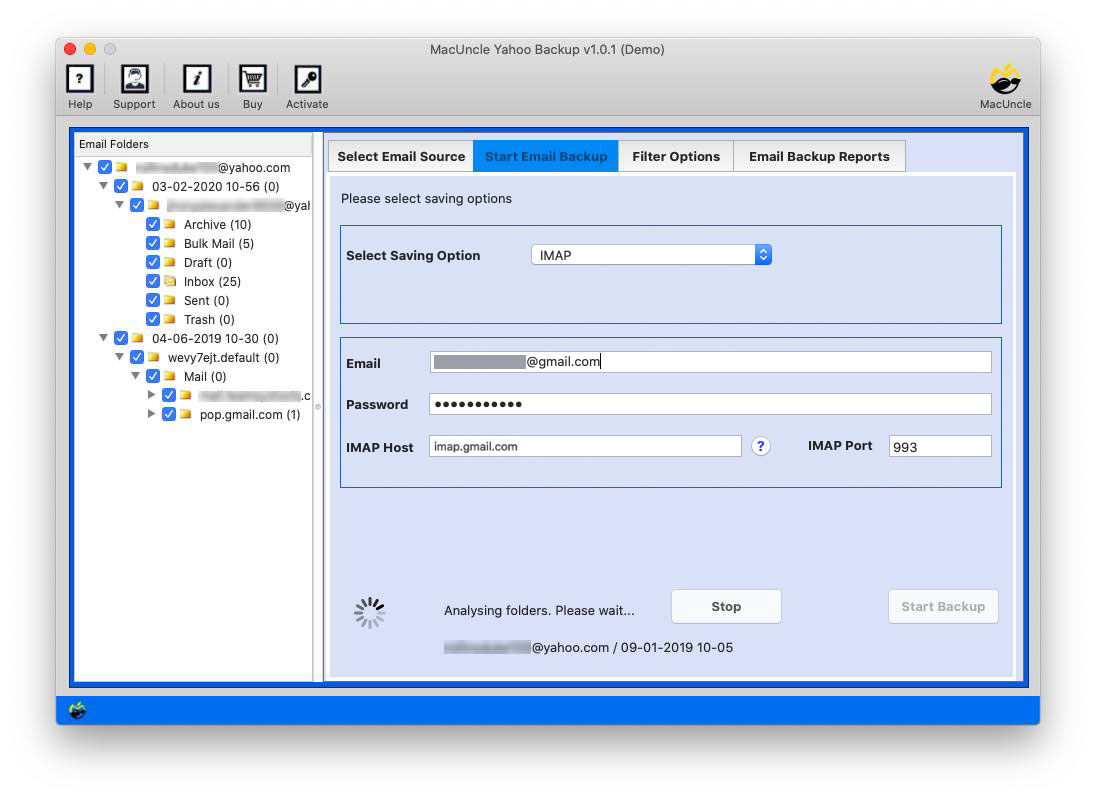
- Now, choose the Contacts folder and select IMAP as the saving option.
- Enter the Gmail details as per the instructions in Gmail Settings.
- Press the Start Backup button to start the process.
FAQs
Q) Will all contact details be imported during the transfer?
A) Yes, most of the contact details like name, phone number, company name, email addresses, etc. However, it is recommended to review the imported contact and check that all the details are there or not.
Q) Can I directly import Yahoo Contacts into Gmail?
A) There is no direct option that Google offers since Yahoo updated its security policy. The most reliable method is to use the CSV export method and then import it into the Gmail account.
Q) How to fix any duplicate contacts after importing to the Google account?
A) After importing the contacts, it is recommended to use ethe built in feature in Gmail “Merge & Fix”. It automatically detects the duplicate entries and the merge them into a single contact.
Q) Is it safe to export Yahoo Contacts and upload to Gmail?
A) Yes, it is safe as long as you download CSV directly from your Yahoo account and upload it to your Gmail account.
Conclusion
Exporting contacts from Yahoo to a CSV file and then importing the contact files to the Gmail account is the easiest and safest option. The process is very reliable, and you don’t have to be tech-savvy to import Yahoo contacts to Gmail accounts. In case of business accounts or large data volumes, you may consider collaborating with a professional who can guarantee a flawless transfer of contacts.