How to Split Thunderbird Mailboxes into Smaller Files?


Many people wish to split large Mozilla Thunderbird mailboxes, usually larger files with numerous emails, into smaller ones, for the purpose of achieving enhanced performance and also for avoiding any future risks of data corruption. Well! You can split emails in the Mozilla Thunderbird inbox folder by following the manual process by forming a subfolder in the IMAP account or in the Mozilla Thunderbird Local Folders. The professional approach to splitting Thunderbird mailboxes by date, size, & sender address is by using the suggested pro tool to prevent any data loss.
Why Split Large Thunderbird Emails?
Thunderbird uses the MBOX file format. Increasing mailbox size may cause sluggishness and difficulty managing your email. Following are some of the possible benefits of performing this splitting operation on an inbox file in the Mozilla Thunderbird email client:
- Low Risk of Corruption: Large inbox files could get corrupted quickly. Resultantly, it is suggested to do regular backups or perform the process of splitting the files into multiple folders to prevent a large single file from becoming very big in size and thus becoming prone to corruption.
- Comfortable backups: If your data is organised in manageable storage, then the backing up process gets too easy & fast, saving time & effort considerably, otherwise spent on backing up heavy files.
- Achieve simplified navigation & better data organisation: If your data has been organised in separate folders, then it is simpler to search & access it.
- Optimisation of the disk space: Splitting of your inbox folders assists in clearing up your disk space if your data has been split & exported. This declutters your space and provides room for new emails.
How to Split Thunderbird Mailboxes into Smaller Files Manually?
Here are the manual method steps to split large Thunderbird mailboxes:
- Open Mozilla Thunderbird.
- In the Local Folders section, right-click and create a new folder for the emails to be split.
- Open the mailbox and locate the emails to move from the main inbox.
- Right-click and choose Copy To > Local Folder > the newly created folder.
- After completing the copying, right-click the mailbox and select Compact to optimise the mailbox.
Challenges Faced While Following the Manual Approach
The limitations of the manual approach to splitting large Thunderbird emails:
- The process could be tedious, costing you a lot of time & effort that could lead to slowness of work processes as well as low performance problems.
- Manual splitting doesn’t give any size control to some of the files. The size of the split would be uneven; some could be large, and some could be small.
- If you perform this process manually, then there is always a chance of human error with potential data loss risk.
- If your files are very large in size, splitting those could cause lags, hangs & even crashes or corruption of the .msf files.
Apart from splitting the mailboxes to enhance performance, we can use other methods too, which are explained properly here – how to speed up Thunderbird email?
Experts’ Suggested Tool to Split Thunderbird Emails
If you are looking for an accurate, repeatable method of splitting up a mailbox. Without spending hours manually sorting through messages one folder at a time. The MBOX File Splitter performs the entire process on the MBOX itself. With the software, split large Thunderbird mailbox files based on a variety of parameters (date, size, folder, message count) and still maintain the folder structure and message format.
How to Divide Thunderbird Mailboxes into Smaller Files?
Simply follow the steps below to split large Thunderbird mailboxes:
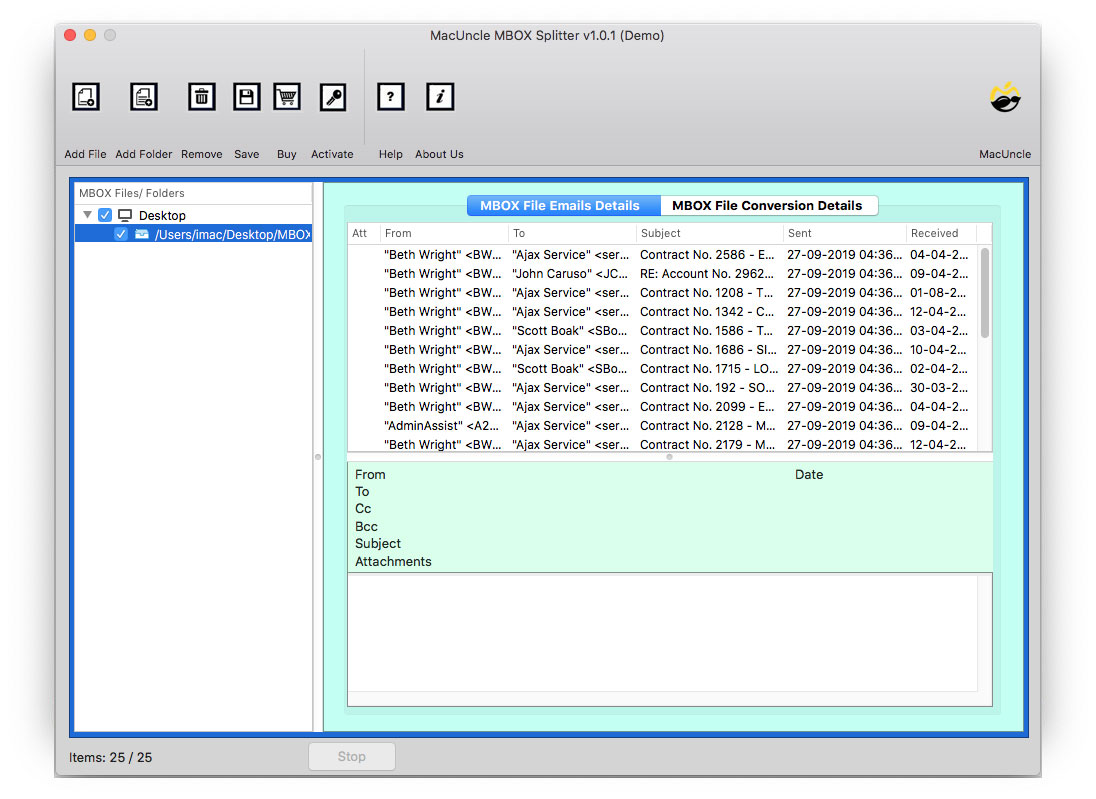
- Download the software and then start adding MBOX files.

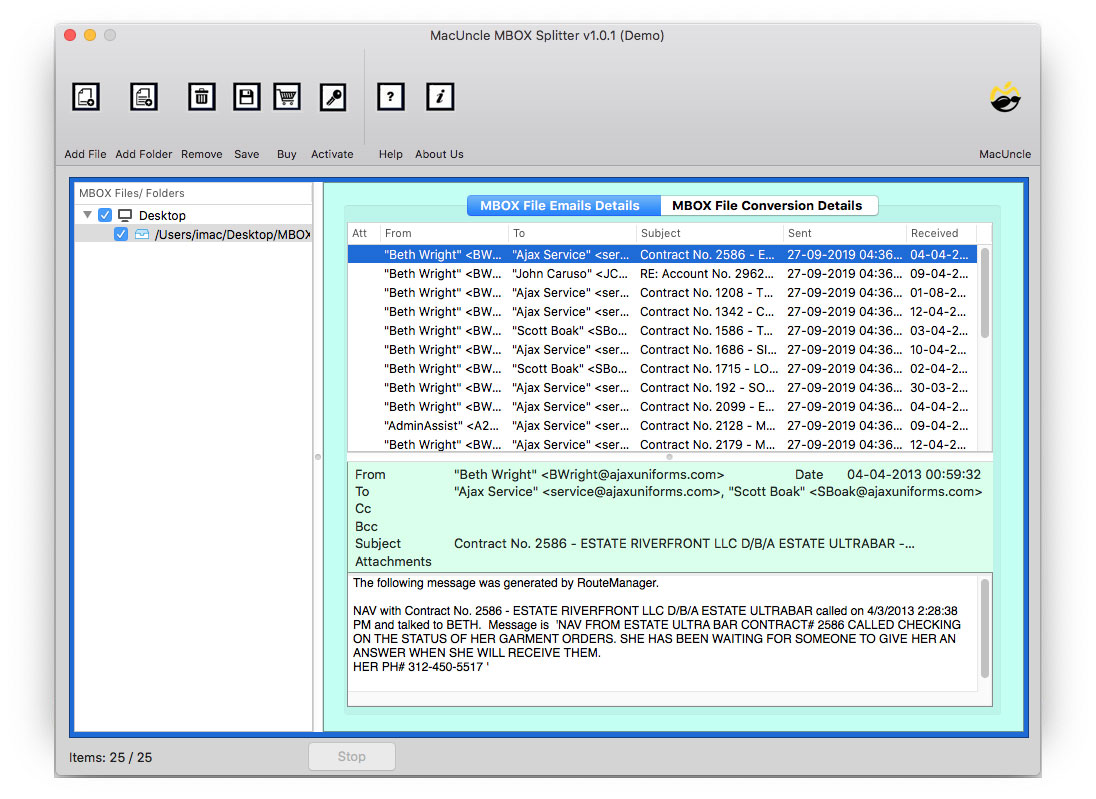
- Then, select the files by clicking on them.
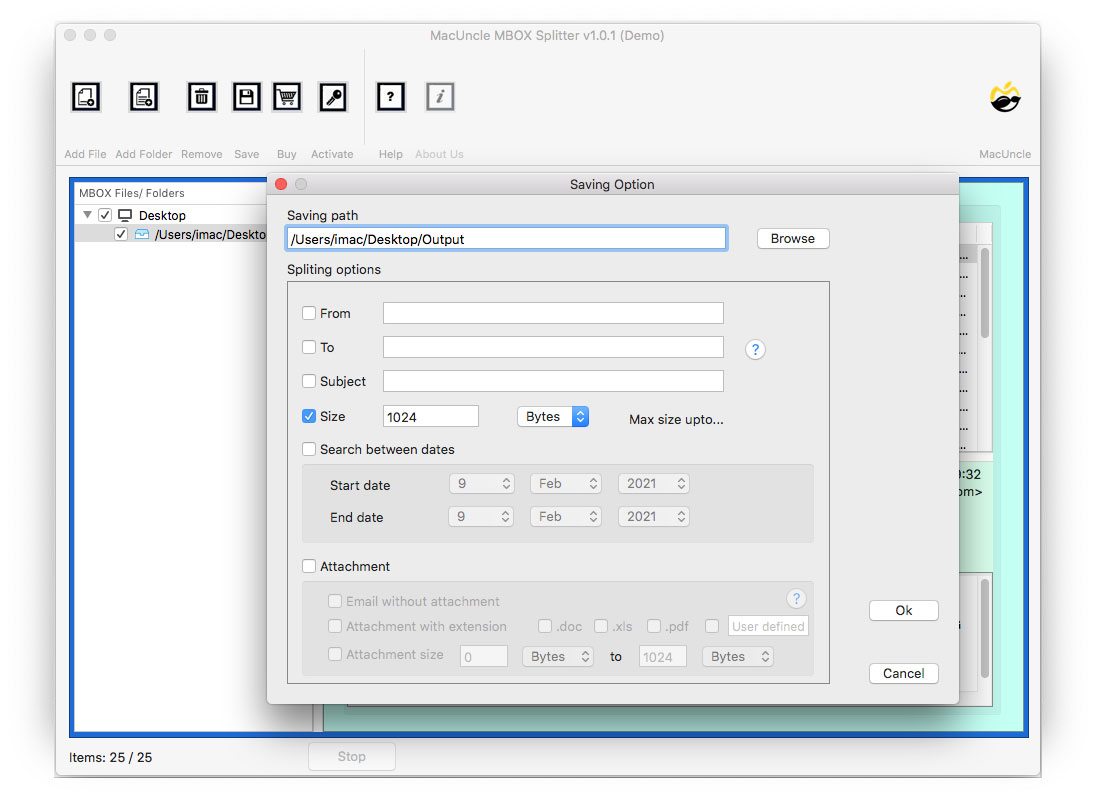
- Now, set the Saving Option, and after that, click Save.
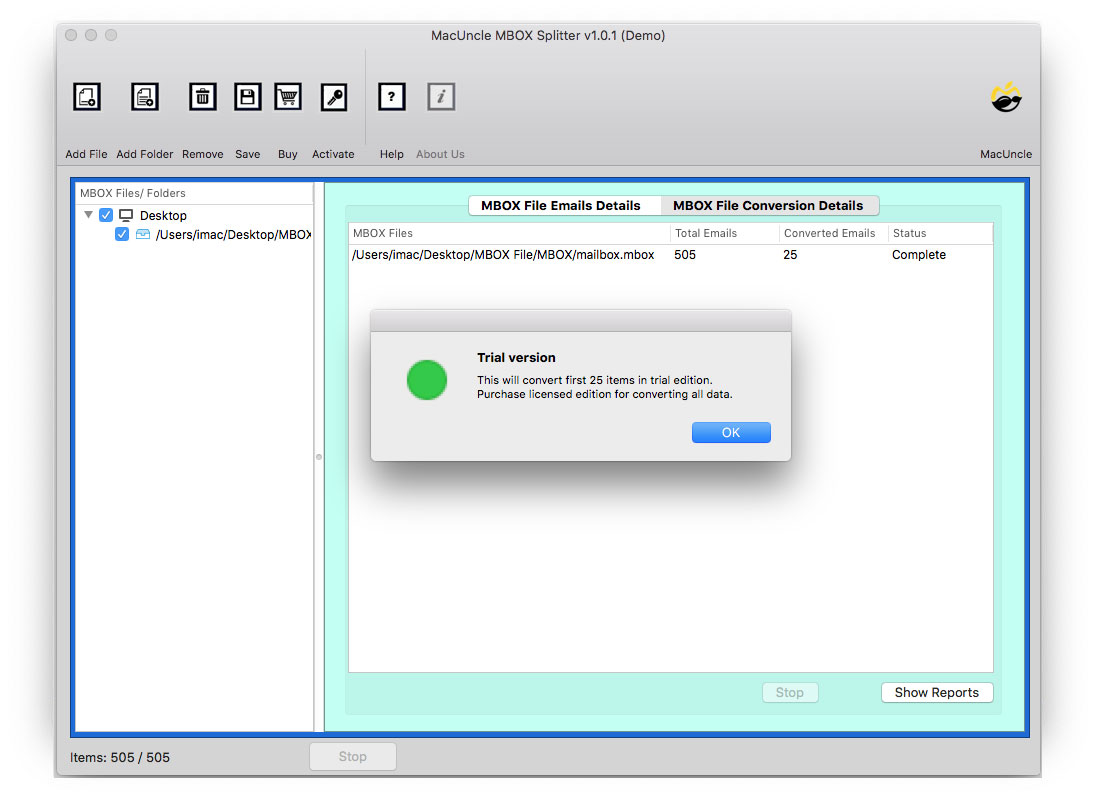
- Finally, hit the Ok button for splitting MBOX files.
Features of the Software
This great tool is endowed with great features, given as follows:
- You can split the Thunderbird’s MBOX file by size, year, & email address.
- This tool provides the Search Option for finding the required details.
- This tool keeps all messages, email attachments, & folders fully intact.
- The software supports Mozilla Thunderbird and other MBOX file tools.
FAQs
Q1) Will splitting my Thunderbird mailbox delete any emails?
A1) No, splitting simply tidies up the emails into smaller files and folders. If the splitting process is completed successfully, then all the messages/attachments/structure should remain intact. However, it is still best practice to always back up beforehand.
Q2) Is it possible to split Thunderbird mailboxes according to a sender’s email ID?
A2) Manually, no. Split based on sender isn’t available in the tools provided by Thunderbird. The dedicated tool here will include this feature as an option.
Q3) Is the manual method safe for very large mailboxes?
A3) It can be risky. An MBOX file, a very large file, is more susceptible to performance lag or crash, or email engine MSF index file corruption during manual copying of the file. For this reason, you are usually better off using some kind of dedicated splitting application for big operations.
Q4) Do I have to uninstall Thunderbird before I can use a third-party approach?
A4) No, but one should close Thunderbird when using the tool so that there is no file access clash.
Let Us Wrap Up
Prior to reaching this blog post, you were wondering how to split large Thunderbird mailboxes into smaller files. And here in this post, we explained to you about the entire process to split large Thunderbird mailboxes. You can even enjoy the privilege to check the working process of this suggested tool using the FREE demo version of it, that would cost nothing at all and permits you to check the process by doing it yourself with limitations. To avail all the features without any such limitations, you can purchase the license key of this software.