MacUncle CSV Splitter

(Average Rating 4.8 Based on 1427 Reviews)

CSV file splitter tool for Mac OS that allows users to split large CSV files into multiple smaller files.

  • Allows to Split CSV Files without Making Any Modification
  • Filter by Number of Rows to Split Large CSV Files
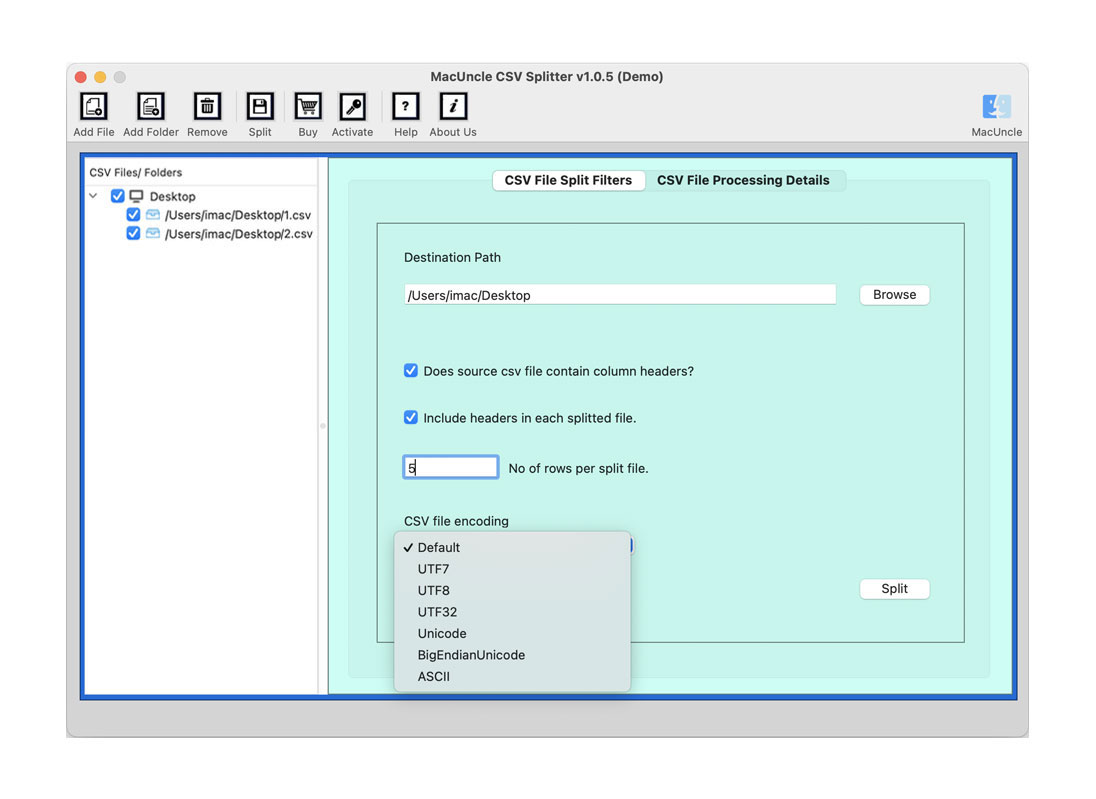
  • CSV Encoding: Default, UTF7, UTF8, UTF32, Unicode, Big Indian Unicode, and ASCII.
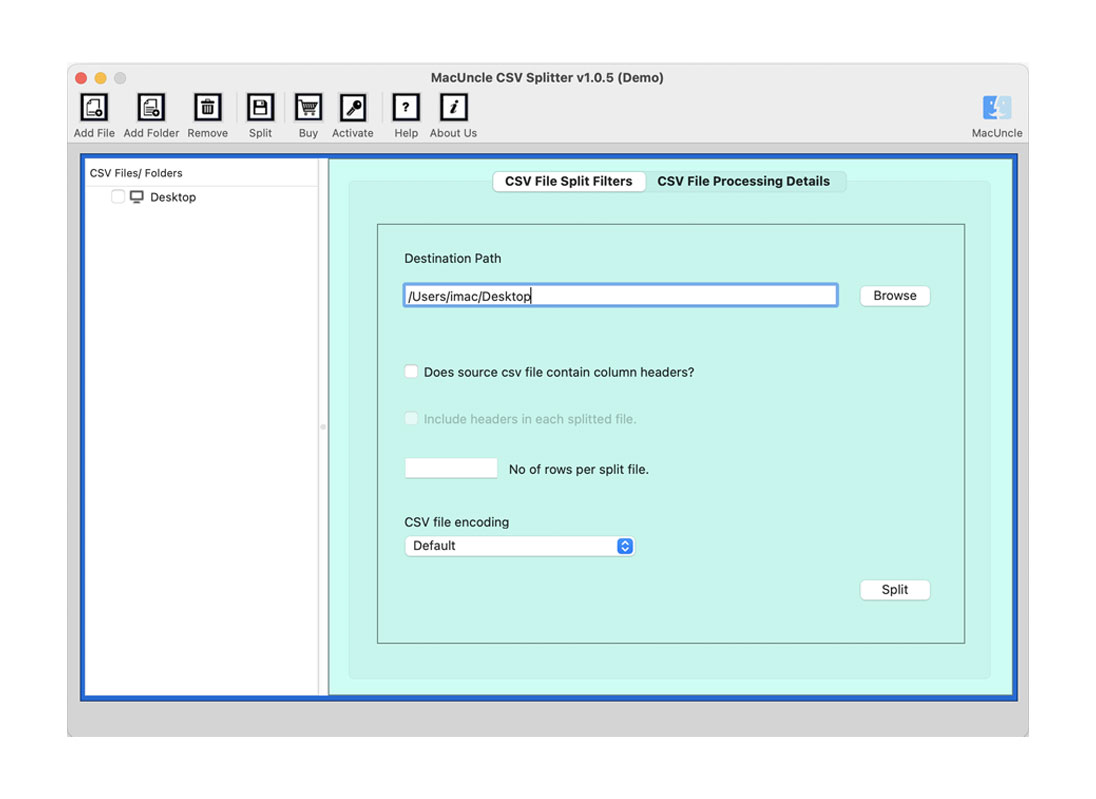
Split CSV File in 2 Step

MacUncle’s CSV Splitter for macOS takes a few steps to Split CSV Files

Download CSV Splitter Mac

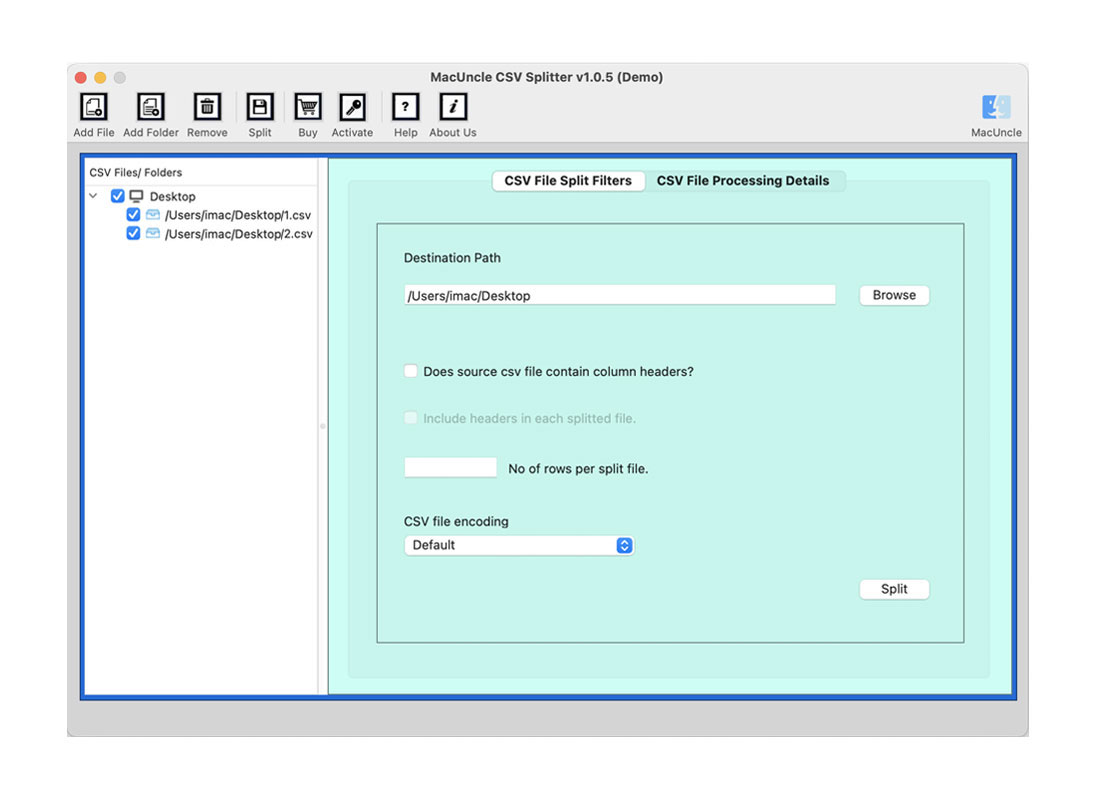
Download & install the CSV file splitter wizard on your computer. Upload CSV files by clicking Add File(s) or Add Folder(s) and select the destination path to save the result.

Set All Required Fields

Select "Does source CSV file contain column header" or "Include a header in each split file" as per your need. Then enter the required number in "No. of rows per split file". Further, press the Split button to start the CSV split process.

Mac CSV Splitter Tool – Features

Learn about the Advanced Traits offered by MacUncle to Split Large CSV File into Multiple Files Mac

Split CSV File Quickly

There is no need for any technical experience to use this CSV splitter Mac OS. Simply install the software and split CSV files with a few quick clicks. You will get a reliable solution in a couple of moments. Add the CSV file and choose the desired options for CSV file splitting.

Batch CSV File Split on Mac

CSV file splitter to separate various CSV files into tiny CSV files has the options such as Add File or Add Folder to pick multiple CSV files from the system. The split CSV tool for Mac allows a smaller CSV file to be exported from a large CSV file in batches by maintaining the properties of the file.

Preview All CSV Folder Data

Once the software selects large CSV files or the whole folder, the CSV splitter Mac tool allows you to preview the CSV on the left side of the software panel. Search the files with the help of an advanced search option, in the software interface panel.

Browse Destination Location

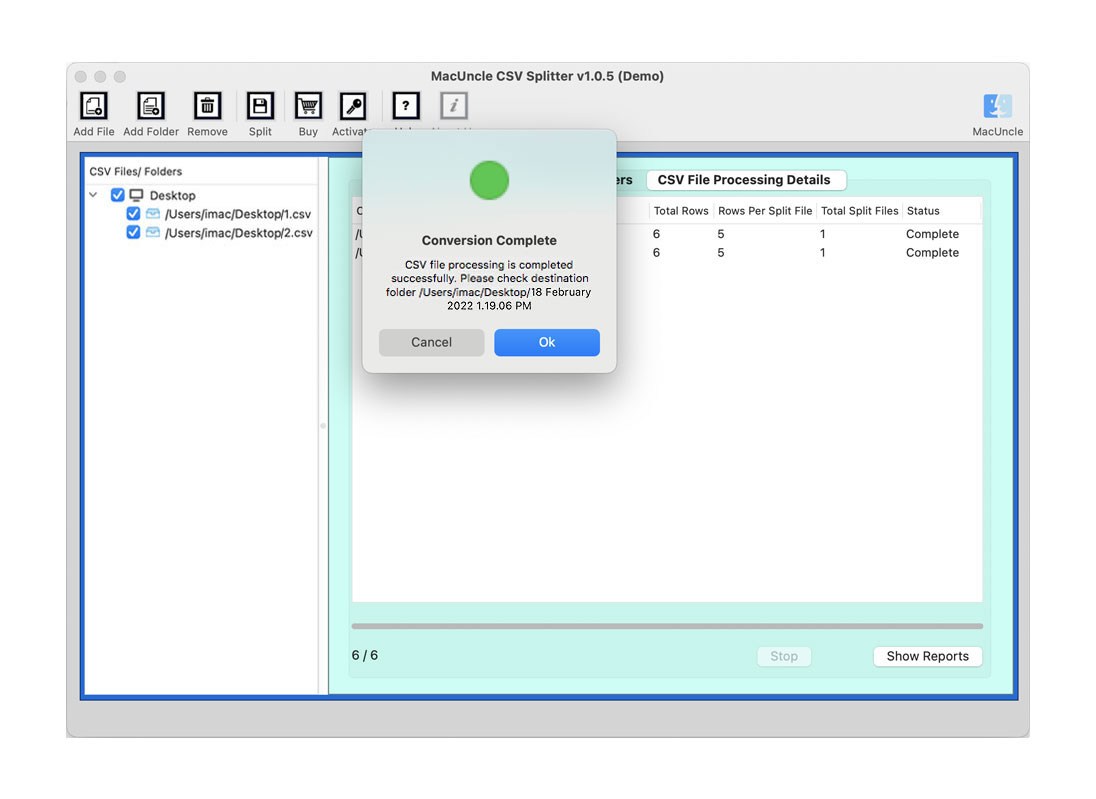
With this feature, users can browse the destination location to save the output CSV file to any location. Also, the Mac CSV splitter tool provides a default location to store the final result, i.e., the Desktop. After the process completes the final folder will appear on the screen.

No CSV File Limitation

CSV splitter for Mac can load unlimited CSV files of any size. When users have a large CSV and want to reduce the file size to make it, use the splitter software. Users can divide the comma-separated value file and store the smaller CSV files.

Split First 25 CSV Files for Free

A free trial version of CSV splitter wizard allows the user to save 25 split CSV files on their PCs. But for unlimited saving and division, the user has to purchase the full version of the app. Download CSV file splitter free demo version and install on your Mac system.

Divide CSV Based on Number of Rows

Mac CSV splitter tool allows the user to divide large CSV files based on the row number. CSV Files are tabular files, thus the user can set the field "No. of rows per split file" with the desired number. As per the entered row count, the software splits the file.

Compatibility with All Mac OS

MacUncle CSV file splitter runs smoothly on all the latest versions of the Mac operating system. The method stays the same no matter what version of Macintosh the user uses. It supports the version of macOS 10.10 Yosemite or later up to macOS 26 Tahoe. Download CSV splitter free demo version and check compatibility.

MacUncle CSV Splitter: Software Specifications

Understand Hardware and Software Requirement to Launch CSV Splitter

Split CSV Files

Version: v1.0.9
Size: 6.25 MB
Release Date: February, 2026
Software Download: Download Now Download Now


Trial Limitations: Free CSV splitter Mac Tool divides CSV files into multiple files as per the need. The Demo version permits splitting of 25 CSV files into smaller files. Purchase the license key to split unlimited CSV files at once.


Hard Disk Space: 400 MB of free hard disk space required
RAM: 512 MB of RAM (1 GB is Recommended)
Processor: Apple Silicon M-series (M1 or later)


Platforms: macOS 26 Tahoe, macOS 15 Sequoia, 14 Sonoma, 13 Ventura, 12 Monterey, 11 Big Sur, 10.15 Catalina, 10.14 Mojave, 10.13 High Sierra, 10.12 Sierra, 10.11 El Capitan, and 10.10 Yosemite.


Product Guide: Software Guide   Installation   Uninstallation   EULA  


Check CSV Splitter User Interface

Analyze the Software Interface with the Screenshots

add csv
select split filter
choose a location
press split button

CSV Splitter: Free vs Pro Edition

See the differences in features between these two to determine which will best serve your needs for contact conversion.

Features

Trial Version

Full Version

Number of CSV Files

25 Items / Folder

Unlimited

CSV File Size Support

Number of Items Processed

Split by Size, Date, Folder, Email ID, Category, etc.

Folder hierarchy

Data Integrity

Software Customization

Suitable For

Evaluation and Testing

Personal and Professional Use

Provides 24×7 Technical Support

Price

Free

$29

 Download

 Buy

Explore the CSV Splitter Conversion Process

Watch the Step-by-Step Demo

Helping Users Simplify Email Backup

Check out the ratings, reviews, and performance graph of the CSV Splitter Tool.

Performance

97%

Customer Satisfaction

93%

Output Accuracy

100%

Mac CSV File Splitter Tool - FAQs

Clear All Your Doubts First, and Then Buy CSV Splitter Full Version

Four Steps to Split a Large CSV File:

  1. Step-1: Download CSV Splitter and Install on Mac OS
  2. Step-2: Add CSV File/Folder into the Software Panel
  3. Step-3: Select an Option Such as Size, Year, Etc.
  4. Step-4: Browse Path and Start Splitting the CSV File

No. The tool supports any size of CSV files during the process of splitting CSV files.

There are no prerequisite CSV splitter for Mac.

Yes, MacUncle CSV splitter gives a secure environment to divide CSV files into smaller files with desired row count.

Yes, you will get the option "Include header in each split CSV file". Enable the option, and proceed with the steps.

Yes. You can split CSV files using a Number using the CSV splitter. Add the CSV dataset into the software interface and split the file instantly with ease.

What Customers Are Saying

CSV Splitter Wizard Full Versions User's Review