Create a secured backup of the Outlook Web App on Mac and Windows. With just a few clicks, safeguard valuable data such as emails, calendars, notes, etc. from Outlook.com. Download Outlook live emails to 25+ saving options and different email accounts.
Backup Outlook emails using the 3 Main Steps
Launch Software
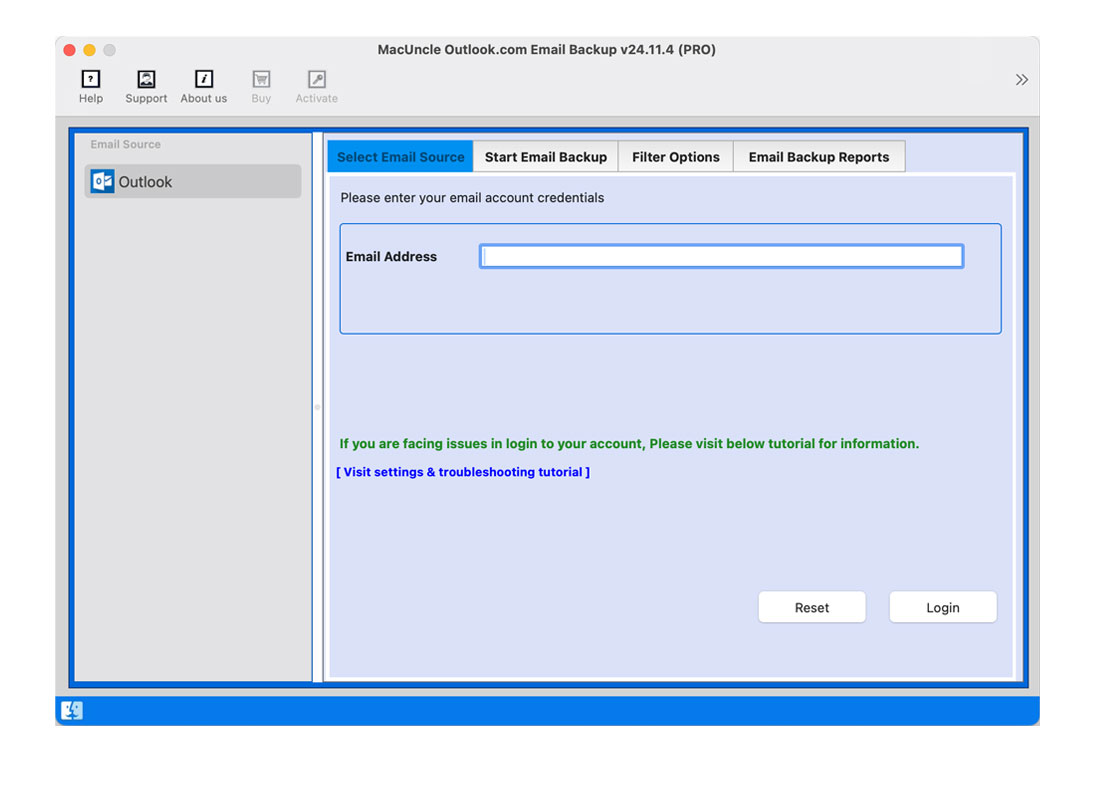
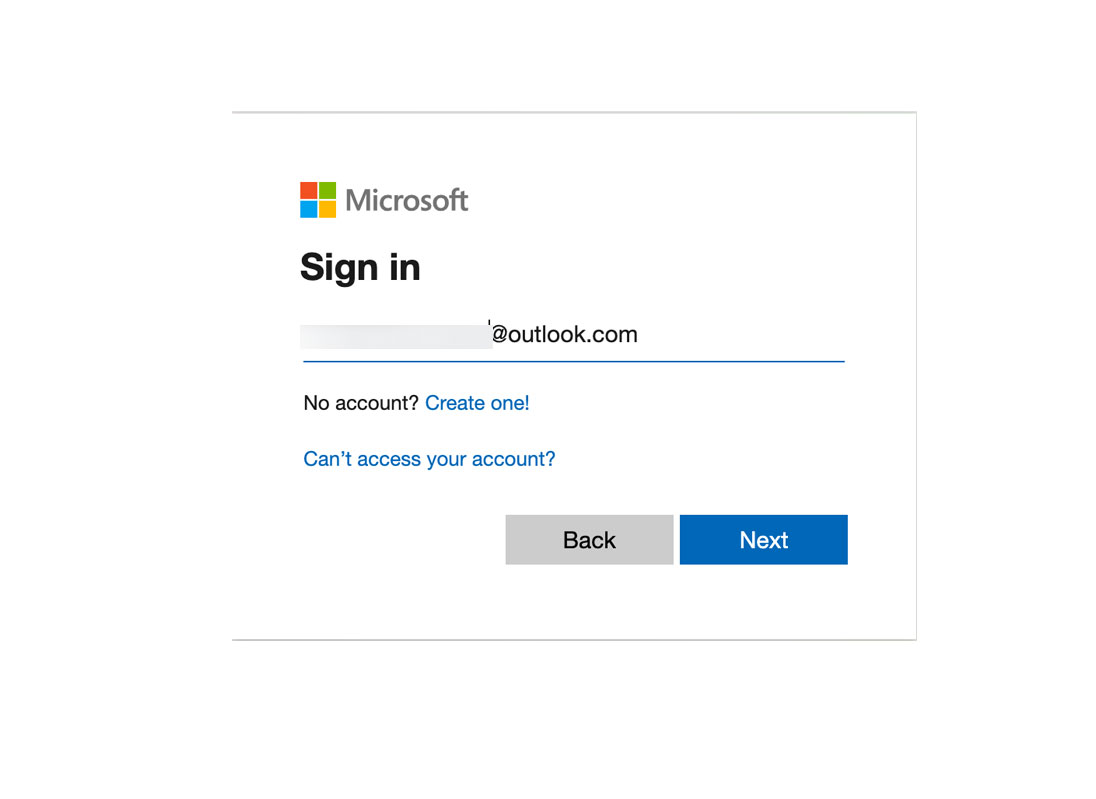
From the above links, download the desired version of the software. Complete the Installation and enter the Outlook.com/Hotmail.com account credentials. Press the Login button to access the data. Press Next button to proceed.
Select Saving Option
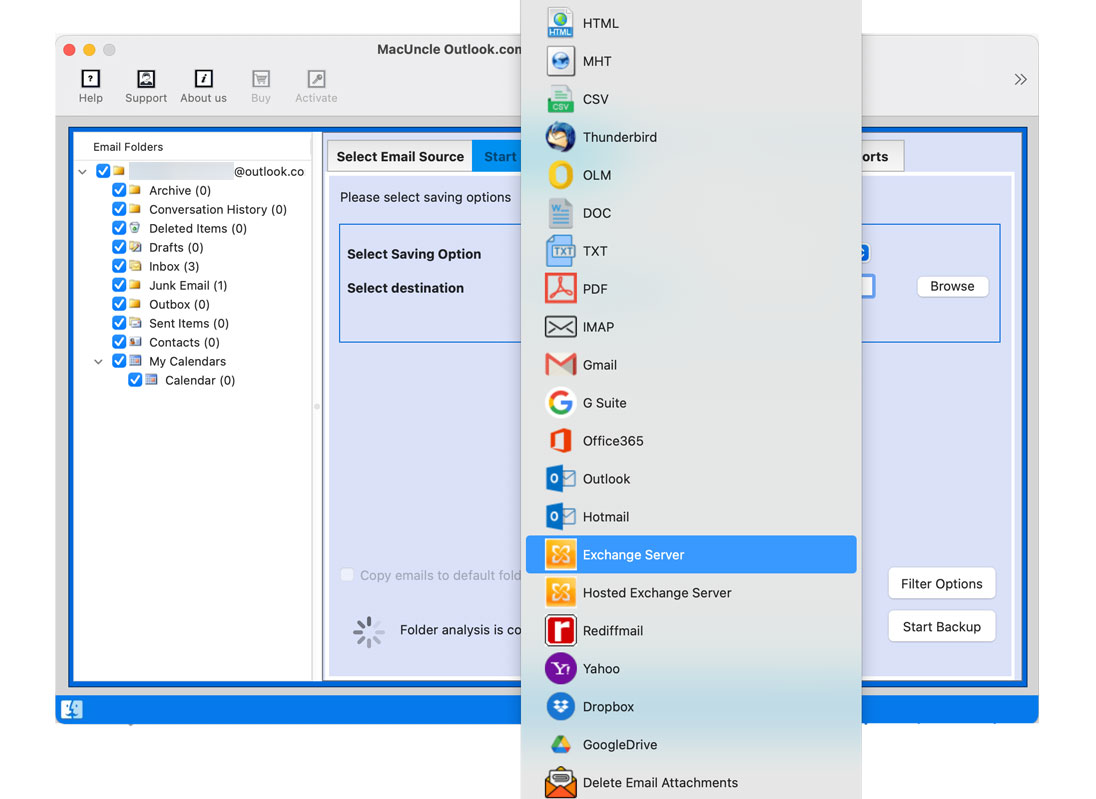
After the account data gets loaded to the panel, select the desired file(s)/Folder(s). Go to the Select Saving Option to choose the export option for the Outlook Web App Emails. Browse a storage location, if a file format is preferred. Go to Filter Options.
Backup Outlook.com Web Data
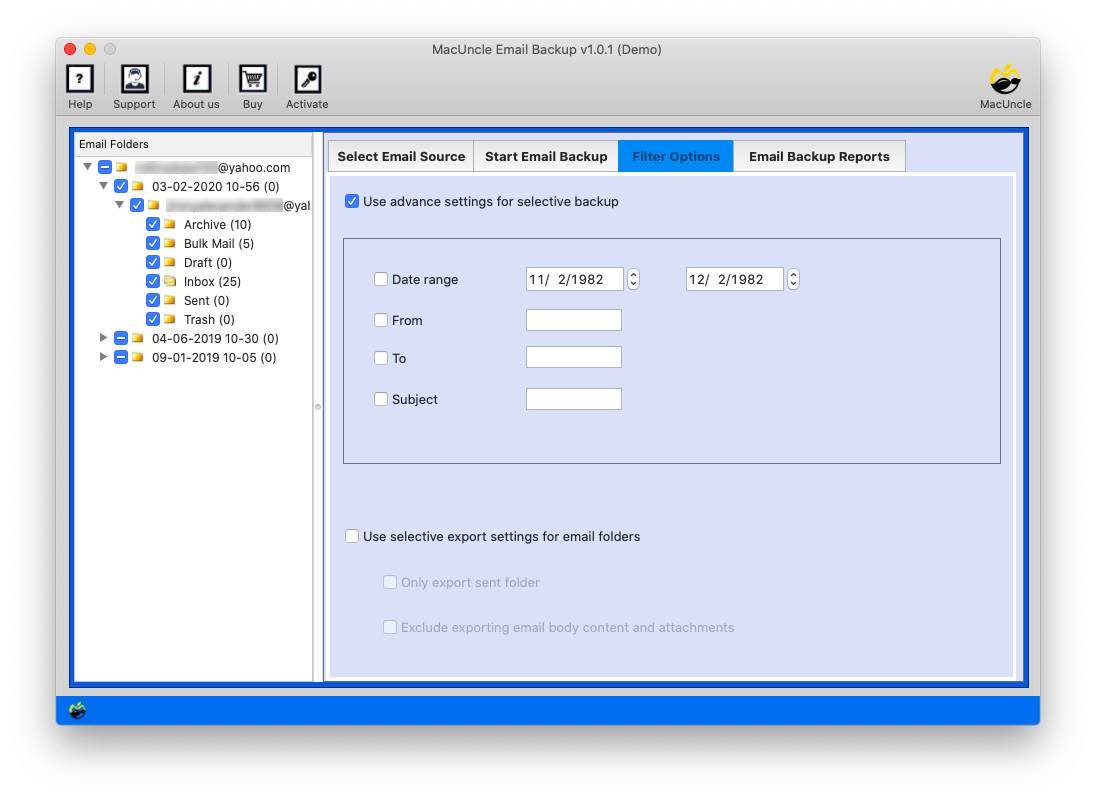
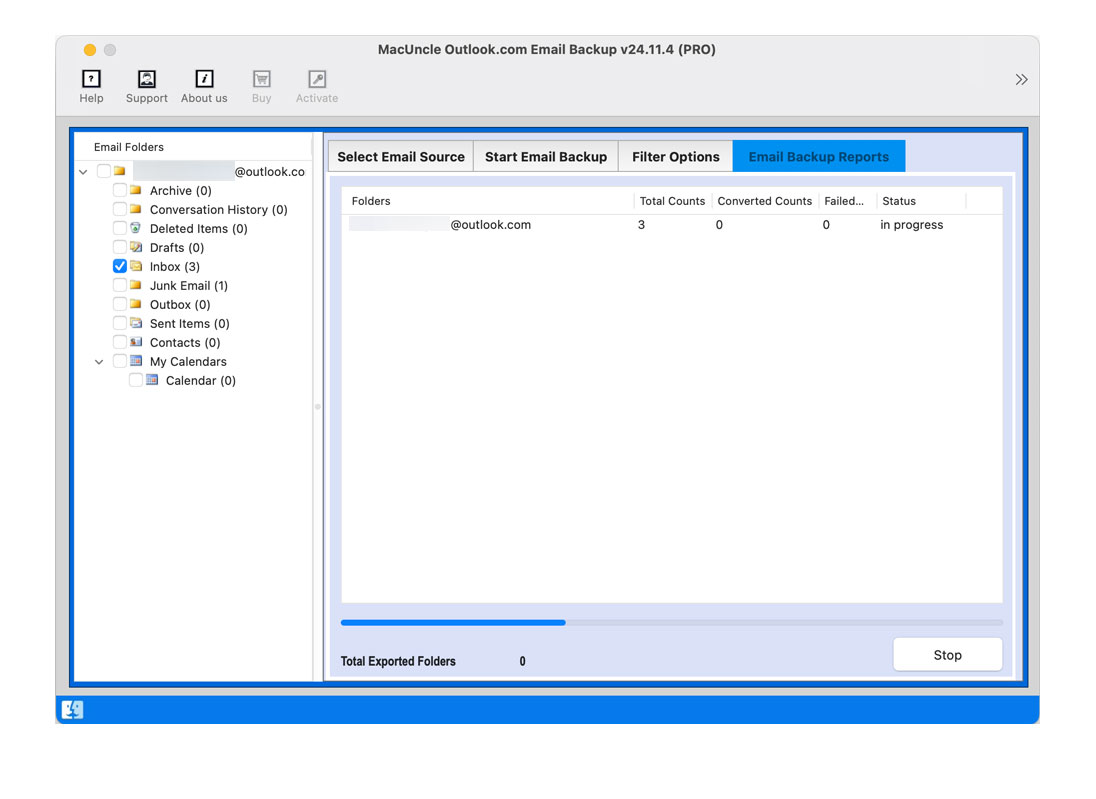
Use the Filter option for selective backup. Press the Export button to instigate the process of exporting Outlook.live.com emails. Click the OK button to confirm the backup process. The final folder with Outlook.com data will open instantly with a detailed log report.
Selectively Export Outlook.com Emails with Smart Filters
Outlook.com Backup Software maintains the original folder hierarchy of the OWA emails during the backup process. Thus, it gives an option for effortless management and easy retrieval of the backup data.
The Outlook.com Backup Software Empowers Users to Take Complete Control of the Emails
Mitigate the Risk of Data Loss
Any circumstance such as account suspension, technical glitches, or any accidental deletion can lead to permanent data loss within the Outlook.com mailboxes. Create a local copy of the emails, contacts and calendars. The local copy of emails ensures the continuous access to important data.
<
Transitioning from Outlook.com to Other Emails Clients
Switching from one email client to another, the migration of the existing data can be a complex issue. MacUncle Outlook.live.com Backup Tool makes this transition easy by creating the ready-to-import file containing the emails, contacts, and calendar events.
Effortless Archiving and Organization
Over time, like any other email account, Outlook.com mailbox can accumulate a significant amount of data. The software enables to archive emails selectively based on criteria such as date range, sender, or recipient. Thuse, it is easy to refer to and retrieve past communication.
Backup Outlook.com to Enhance Security
The Outlook.com Backup Tool allows you to save the account information locally, which acts as an extra layer of security. As a result of this secure backup, the chances of unauthorized access to the data in your Outlook.live.com account are minimized.
Here are Some of the Major Benefits of Backup Outlook Web App Emails with MacUncle
Granular Outlook.com Emails Backup
As the tool loads all folders in the Outlook Web Access account, the user is free to choose the desired folder for backup. With this feature, only the selected folder will be exported from the account. Allows to tailor the backup to exact user requirements and saves storage space.
Self-Guiding Software for Effortless Backup
Outlook.com Backup Tool eliminates the need for any technical expertise. The clean and intuitive interface takes you through the backup process step-by-step. For seasoned computer users or computer novices, the software provides a platform for simple and secure backup of Outlook data with minimal effort.
Flexible Export Options – File Format
Among the 25+ saving options are the exclusive file formats. Get the common email file format such as PST (Compatible with Outlook data), MSG (Outlook message format), EML (Universal Email Format), MBOX (Archiving format) etc. Also, export Outlook Web App emails to document formats such as PDF, DOC, TXT, etc.
Backup Outlook Web Emails to Other Email Providers
Use Outlook.com Backup Tool to migrate emails to other email providers such as Gmail, G Suite, Yahoo, Rediffmail, etc. Without any file conversion directly move the emails from Outlook to the selected email account as desired. Most importantly you can transfer OWA Emails to another account with the software.
Advanced Filtering
The Advanced settings provide an option for selective backup of Outlook Web Access emails. Apart from selecting each folder, get the in-depth filtering features such as Date Filter, Emails from Sender or Receiver, with specific Subject, etc. Use the filter option to avoid any unwanted emails from taking up the storage space.
Bulk Export Outlook.com Emails
With the help of selective and filter options Outlook.com Backup Tool gives the advantage of bulk export. Backup Outlook Web App emails in batches all at once without the need for repetition. With this feature, manage a large volume of emails effectively and maintain a clear record in a location as per the user’s demand.
Stop Outlook.com Backup Process
MacUncle Outlook Web Backup Tool performs the export process live and provides user control. The whole Outlook.com backup process is showing in the interface with an option to stop. This allows users to stop the Outlook web app backup process at any point if user missed something or made any mistake.
Details Report After Outlook Web App Backup
Back up Outlook Web Access Emails and get the complete detailed information in the log report. Get the post-backup report offering a comprehensive overview of the complete backup process within the software interface. The log report will mention the storage space along with any error occurrence in the process.
Software Specifications
Download Outlook.com Emails to Multiple File Formats
| Version: | v25.5.1 |
| Size: | 125.04 MB |
| Release Date: | February, 2026 |
| Software Download: | Download Now Download Now |
| Trial Limitations: |
The Free demo version of MacUncle Outlook.com Backup Software allows you to test the software and check all the capabilities. Limited Backup: Back up the first 25 emails from Outlook.com and choose the preferred export format or move the emails to another account. |
| Hard Disk Space: | 400 MB of free hard disk space required |
| RAM: | 512 MB of RAM (1 GB is Recommended) |
| Processor: | Apple Silicon M-series (M1 or later) |
| Platforms: | macOS 26 Tahoe, macOS 15 Sequoia, 14 Sonoma, 13 Ventura, 12 Monterey, 11 Big Sur, 10.15 Catalina, 10.14 Mojave, 10.13 High Sierra, 10.12 Sierra, 10.11 El Capitan, and 10.10 Yosemite. |
| Product Guide: | Software Guide Installation Uninstallation EULA |
Examine the Software Interface through Screenshot Viewing
Understand the Benefits of the Free and Premium Editions
|
Features |
Trial Version |
Full Version |
|---|---|---|
| Backup Emails |
25 Items / Folder |
Unlimited |
| Export Outlook.com Emails to 20+ Options |
|
|
| Advanced Email Filters |
|
|
| Maintain Folder Hierarchy |
|
|
| Preserve Email Attributes |
|
|
| Full Data Export |
|
|
| Selective Outlook.com Folder Backup |
|
|
| Software Customization |
|
|
| 24*7 Free Technical Support |
|
|
| Priority Technical Support |
|
|
| Price |
Free |
$29 |
Watch the Video and Understand the Working of the Software
We Specialize in Assisting Customers
Check Ratings and Reviews of Outlook.com Backup Wizard.
Performance
96%
Customer Satisfaction
93%
Output Accuracy
100%
Frequently Asked Questions
Get the Tool for Mac or Windows as per the Need and Follow the steps:
Yes. With the MacUncle tool, you can customize your backup. Either select the folders or use the filter to set specific criteria to export the desired emails.
It lets you back up all the emails including attachments, contact information, calendar entries, etc.
With Outlook.com Backup Software user gets a wide variety of export formats such as EML, MSG, PST, PDF, Doc, etc.
Customer Feedback
John
United Kingdom
The bonus for me was that I could migrate my Outlook.com emails to another e-mail client. I have no time or hassle in saving the procedure. The software appears to be secure, and the customer support was prompt when I had a question.
Jane
Italy
It's a lifesaver. In fact, with the fear of losing all those critical emails from Outlook.com, it has quickly and easily backed those up. Good that it allows me to choose different file formats and also filter through the date range. Great peace of mind!