Migrate Bluehost Email to Google Workspace with Efficiency


If you wish to make the move from Bluehost to Google Workspace, you might find that shifting from an email service that your company has been utilising for a long time to a new one could be quite challenging. You have to meet the data demands of several users in that case, and still try to keep the downtime as short as possible (ideally zero) during the migration. Here, in this blog, we will be showing you the best ways to migrate a Bluehost account to a Google Workspace account. You will learn the manual procedure for doing this. Additionally, we are even going to recommend a tool that will help you migrate Bluehost email to Google Workspace fast & secure. So, without further ado, let us get started.
Bluehost is among several popular web-hosting service providers, powering over 1 million websites. Bluehost also offers a webmail service, facilitating user-to-user communication and information access from anywhere, at any time. However, many users look to switch from Bluehost to Google Workspace because Gmail is a more appealing choice due to having superlative features, all provided free of cost. We will detail the top reasons Gmail is the choice of destination for so many users.
Why Move from Bluehost to Google Workspace?
Users have loads of reasons to think of migrating from Bluehost to Google Workspace as a very good idea. In this section, we narrow it down to the reasons the largest number of tech experts endorse making this switch.
- Gmail’s free version covers the cost of quality. Its free version includes an impressive 15GB of storage.
- Being a cloud email solution, access to the email data is available from any Location with a good internet connection.
- A Google Workspace mailbox also has great spam filters, which improve & add to the already existing robust security of the users’ data.
These are a few of the key reasons why customers want to move their data to Gmail. Let us continue the blog below and check all the possible solutions to make the switch.
Manually Migrate Bluehost Email to Google Workspace
Here are some cost-free manual operations that you can try:
- Log in to your Gmail account.
- Click on the Gear Icon > See all Settings.
- Go to Accounts and Import > Add a Mail Account
- Enter the Email Address and the password for the newly added email address.
- Enter the POP Server if you select the Secure Connection (SSL).
- Click the checkbox for Leave a Copy of the Retrieved Message on the Server so you can access your mail on any device whatsoever without much hassle.
- Lastly, click on the Add Account button.
The aforementioned manual procedure for accessing the Bluehost account in Gmail isn’t quite reliable and certainly not foolproof, as it carries many drawbacks & shortcomings. Let us see some of those below.
Limitations: The above-shared manual process is highly cumbersome and takes up a lot of time since it consists of several steps. You will need adequate technical know-how to implement this manual approach, as it is the one that needs maximum involvement from the user end and is therefore susceptible to user mistakes. This makes the manual approach quite unattractive for the users. This is why, in the subsequent section below, we will give you the best professional approach to migrate Bluehost email to Google Workspace.
Export Bluehost to Google Workspace with Expertise Method
Email Backup software happens to be the best tool to back up your emails from cloud-based email services & email servers to local Mac drives. This tool will let you download email messages from cloud-based mail services in different file formats. Furthermore, you can use the software to migrate emails from one client to another, like from Bluehost to Google Workspace, with ease.
This software is the most powerful utility that lets you back up emails from different email clients in various file formats. You can store & safeguard critical email data using this convenient & versatile interface, with all your messages saved with original formatting, email attachments, & metadata as well.
In 5 Steps: Migrate Bluehost Email to Google Workspace
Download, install & launch the software on your system.
- Launch the software on the system.

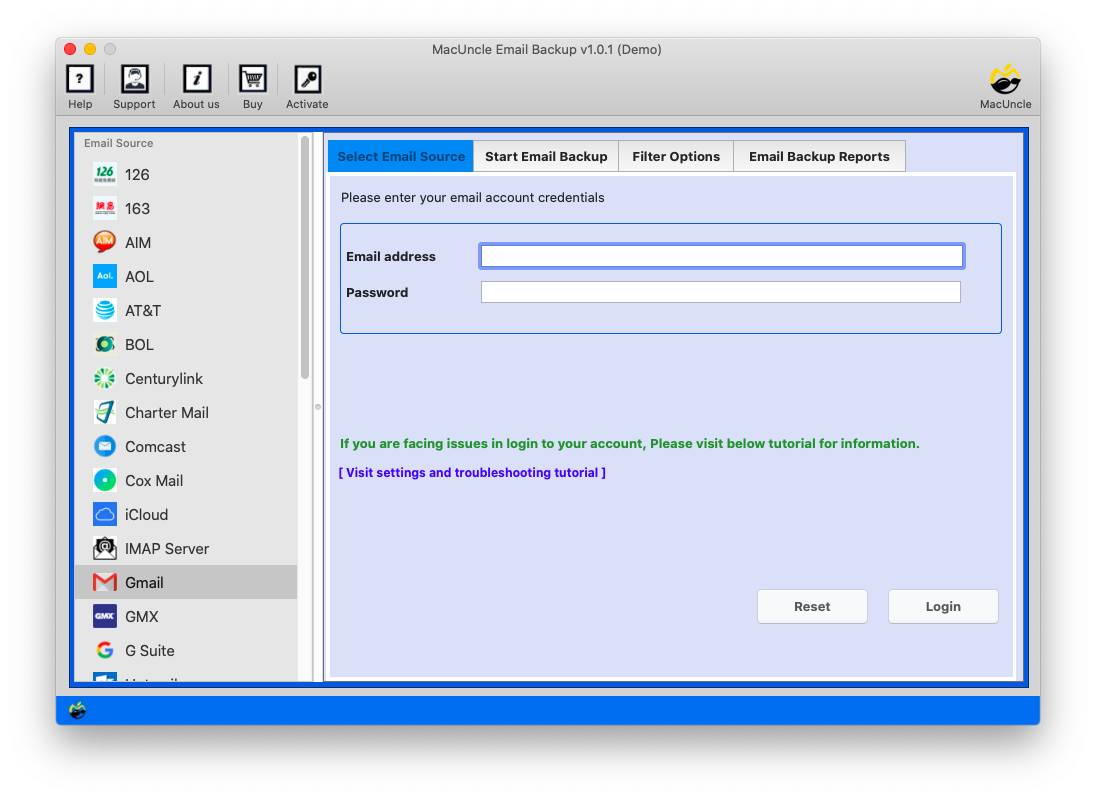
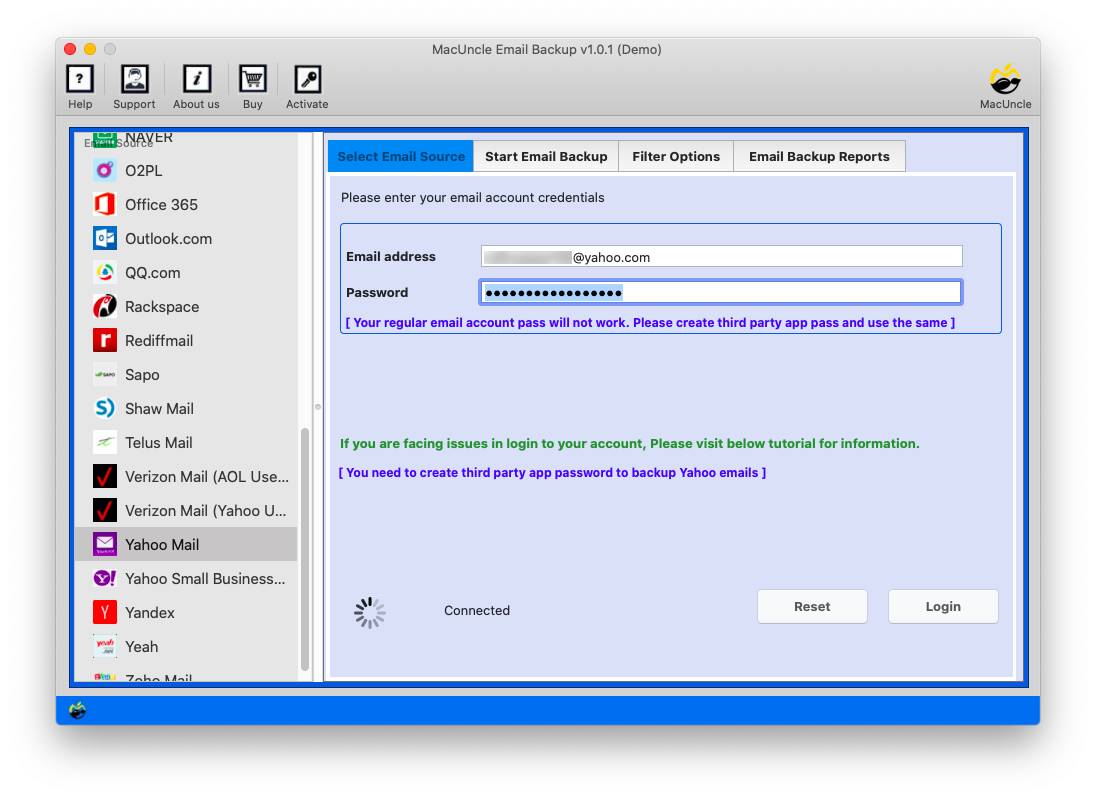
- Choose Bluehost, enter login details and then press the Log in button.
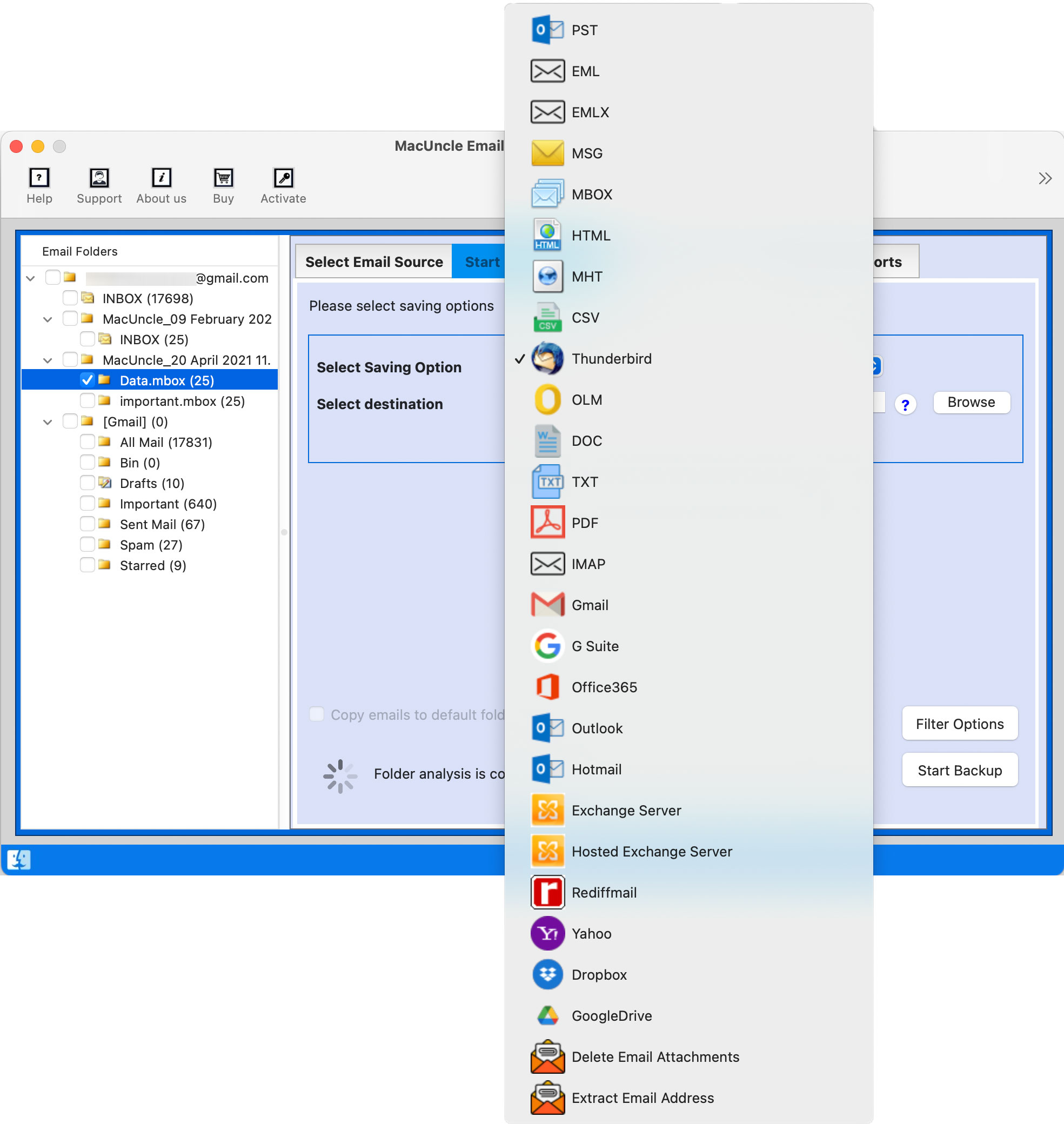
- Select Gmail from the options.

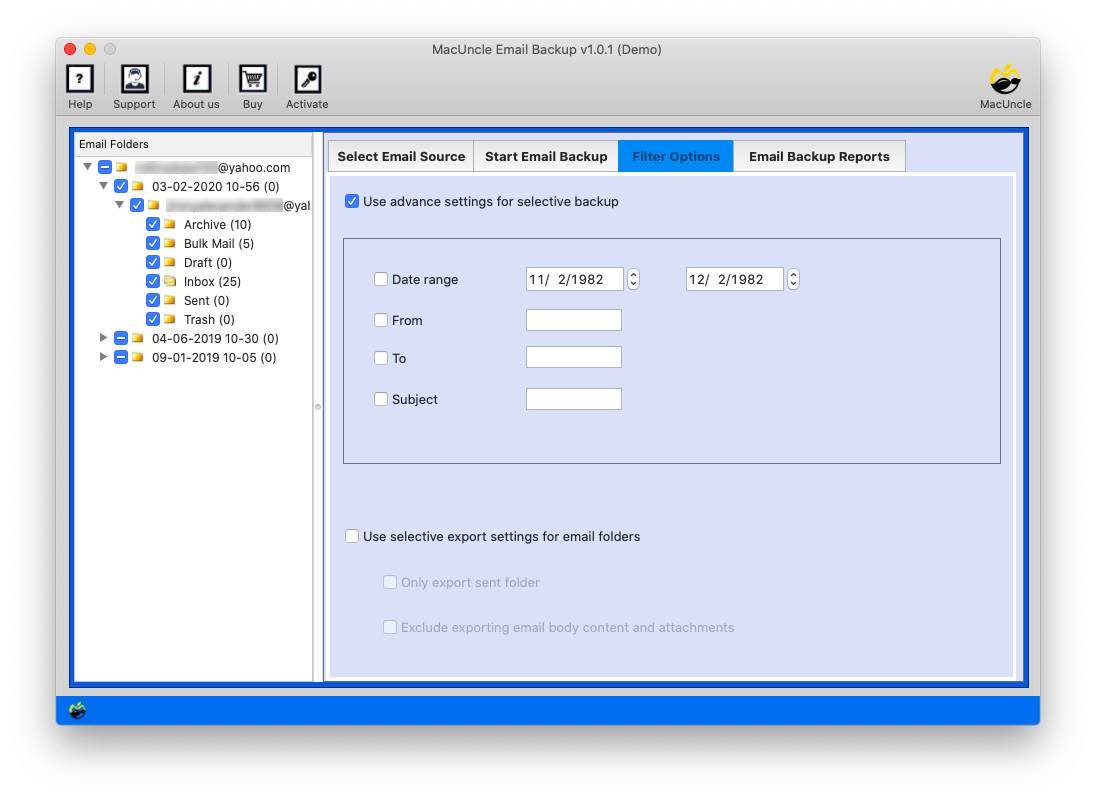
- If needed, configure filters to selective migration.
- Press the Start Export button to begin the backup process.
FAQs
Q) Can I migrate Bluehost email to Google Workspace manually?
A) Yes. You can import emails manually from Bluehost into Google Workspace by using the POP3 that Gmail has. This will only import the emails and not the contacts, calendar, or other mailbox information.
Q) Does the manual method transfer all my emails?
A) The manual POP3 approach mainly imports mail into Gmail and might not bring all subfolders or preserve the existing folder structure if the Bluehost mailbox is not configured to do so.
Q) Can I migrate multiple Bluehost email accounts at once?
A) Manual method: you have to set up every mailbox separately, so it is time-consuming if you have more accounts to migrate. A professional migration tool is a better solution for bulk email migration.
Q) Will I lose my emails during the migration?
A) No, if implemented properly. Back up the Bluehost mailbox before starting the migration to prevent accidental loss of data.
Q) Why select an expert tool for migration instead of the manual procedure?
A) This professional tool simplifies the migration by transferring big mailboxes, maintaining full email metadata, including folder hierarchy structure, supporting multiple accounts, and minimising errors when compared to the manual migration method.
Q) What data can a professional migration tool transfer?
With the tool, you can export all mail, attachments, hierarchy of mail folders, dates, and other mailbox metadata, without distorting your data.
Conclusion
In this blog, we saw how to migrate Bluehost email to Google Workspace. We learnt to perform this operation using both the manual method as well as by using the automated tool. Now, you have to choose the one that suits you better. For users or businesses that have more than one mailbox, large volumes of email or many email folders, utilising a professional migration tool provides a quicker, more reliable and safer solution. It automates the entire process of migrating Bluehost emails to Google Workspace and helps maintain folder structure and email hierarchy intact, including attachments, metadata, etc. Simply choose the email migration solution that’s suited to your needs, and migrate seamlessly to Google Workspace.