Can EML Files Be Malicious? Know the Risks Before You Click


In today’s ever-evolving cyber landscape, one common query has always raised eyebrows among multiple email users and digital forensic professionals. Can EML files be malicious? Under multiple circumstances, an EML file can potentially serve as a threat to your other data as well. To understand how and why this can happen is key to protecting your important and confidential data.
Can EML files be malicious even though they are just email messages? And the answer is yes. While EML files themselves are plain-text formatted files, and there could be multiple attachments, phishing links, or any malware scripts, it may affect all your data, and sometimes it becomes very difficult to even access your data.
There could be many hidden dangers, just like executable files, if mishandled or opened using any unsecured or outdated tools. The concern can only be addressed if you know how to handle the affected EML data from the mailbox. Let us get started with this article to know all the reasons, solutions to fix this query and ways to scan EML files for viruses.
What is an EML File?
EML (.eml file format) is a widely used format to store email data by a large number of email clients to access their data effectively. It is used by some popular platforms such as Microsoft Outlook Express, Mozilla Thunderbird, Windows Live Mail, and multiple other services store their mailbox data in EML format. It includes emails, including all the metadata, attachments, documents, and embedded or external hyperlinks. These files are very handy for archiving email, legal evidence and email migrations. But unfortunately, cybercriminals target these files as they are very easy to access.
Are EML files Safe to Open?
No, they are not always safe. EML files are plain text files, so opening one will not run any code like a program would. EML files can have attachments and links, and these can be bad. You should be careful with it. So whether an EML file is safe to open or not really depends on these things:
- Where the EML file came from.
- Whether the EML file has attachments or scripts.
- Depends on what you use to open the EML file.
- You should be careful if you do not know who sent the EML file or where it came from.
- If you are not sure, you should treat the EML file like any email attachment that you were not expecting.
Can EML Files Contain Viruses?
The answer to this question is yes. As your EML files may include attachments or HTML formatting, hackers often use them to embed phishing links, malware and types of malicious scripts. As soon as you open these files without any proper security or protocols, the virus may start affecting your entire mailbox data. To get rid of these inappropriate and affected data files, you need to deep scan the EML file for a virus.
Ways EML Files Can Be Dangerous
- Your EML files may contain harmful executables, embedded malware, and many harmful attachments.
- If some HTML-formatted email or any data is associated with your EML files, it may be phishing links.
- Attackers sometimes personalise or mimic your EML content and conversation. They may look normal, but they may contain viruses or can steal your credentials just by clicking on them.
How to Protect Your EML Files from Malicious Threats?
You can easily scan an EML file for viruses and eliminate the threat. MacUncle offers you the best EML Converter Software to convert your EML data into a format that is well-suited for your needs and preferences. You just need to download this tool on your system and load all your data easily to convert all of them into a format that is easy to use and also free from viruses.
Why is MacUncle the Best Tool to Handle Malicious EML Files?
- Reliable and trusted tool by multiple tech professionals.
- It is a standalone solution to get rid of EML files containing viruses all by itself.
- Keeps all your data safe and secure throughout the whole process.
- Maintains the originality, formatting, and hierarchy of your entire data.
- Allows you to load all your files with dual options.
Pro Tip: Malicious or suspicious emails often get downloaded multiple times, which leaves you with duplicate EML files that clutter the mailbox. Use EML Duplicate Remover to scan and identify the redundant files before or after the conversion.
Effortless Steps to Use This Amazing Solution
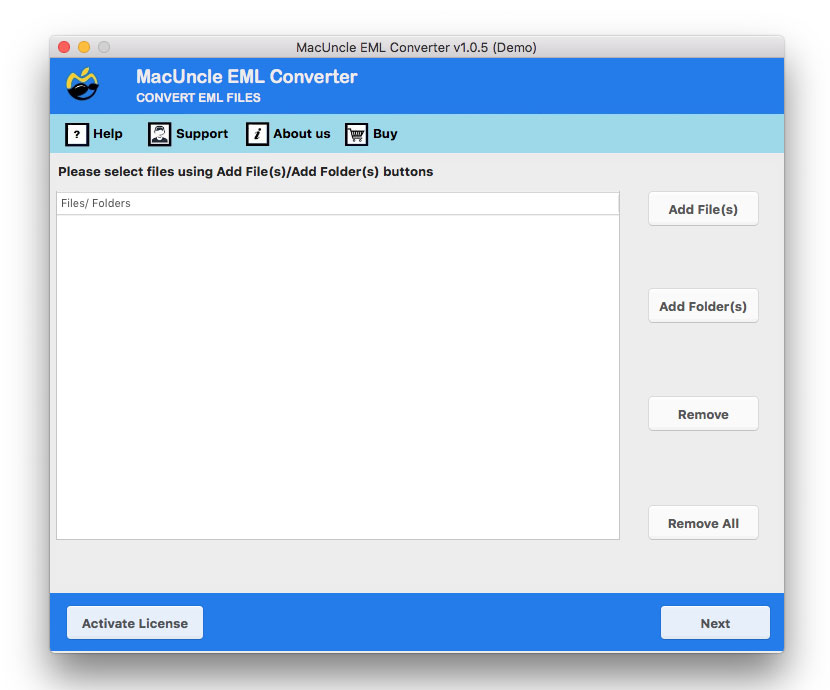
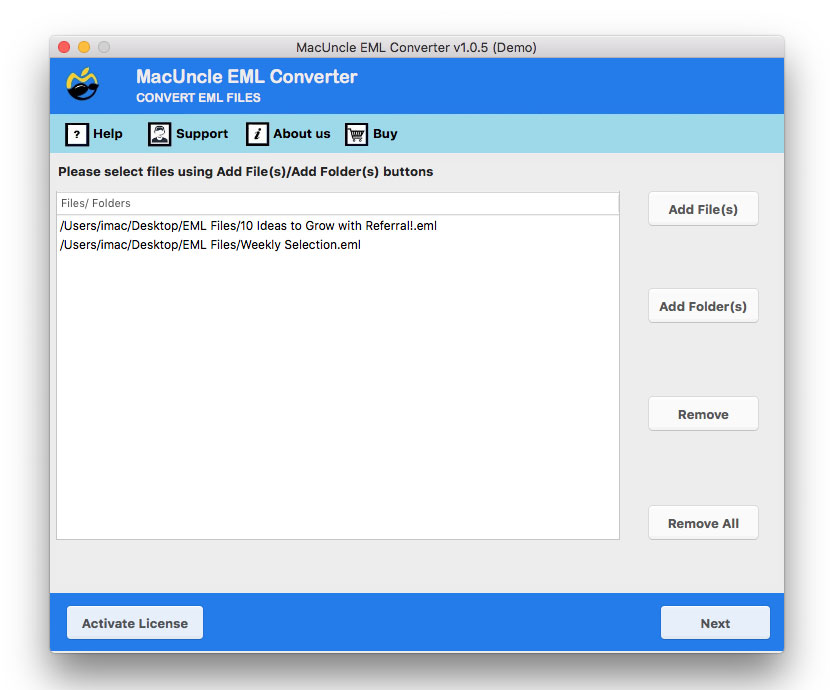
- Download the tool on your system and upload your affected data into the software.

- Preview and check all the uploaded files and click on the Next button.
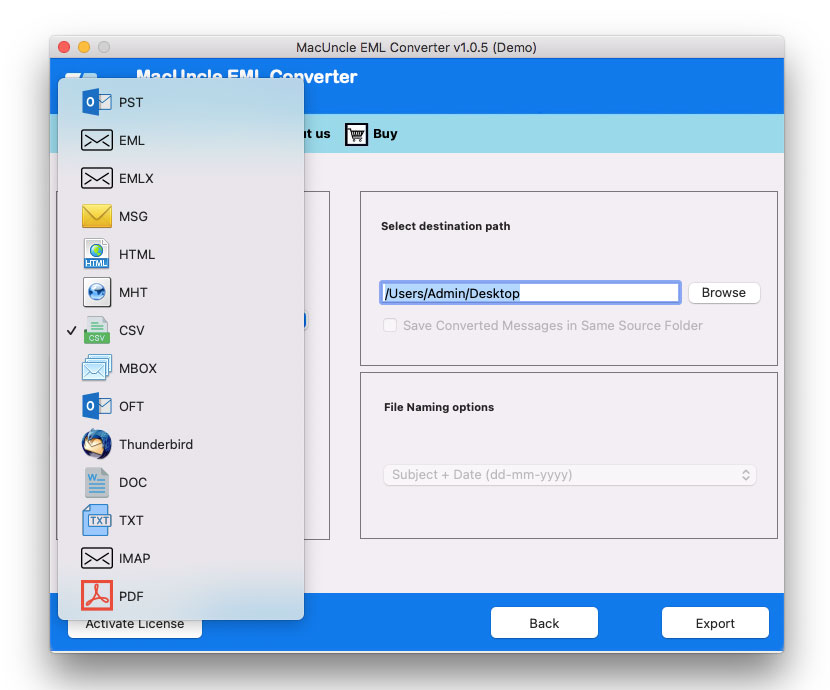
- Now, choose a file format from the given list to save your resultant data.
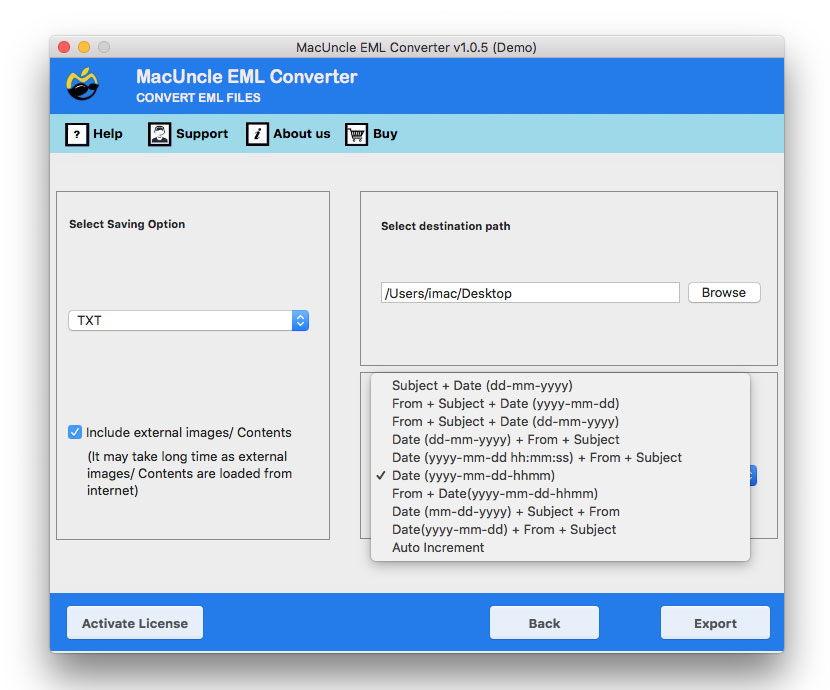
- Choose a file naming option and destination location.
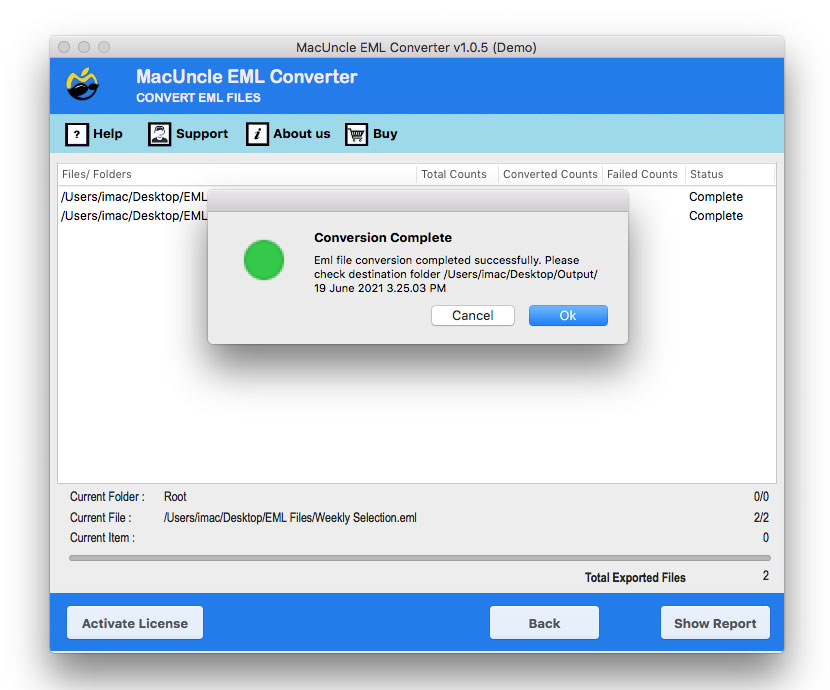
- Lastly, you will be notified once the procedure is complete.
Find out how to open EML file in browser, with multiple safe and reliable methods with a step-by-step guide.
FAQs
Q) Are EML files safe to open on their own?
A) Plain EMLs without attachments are usually safe, but any attachments, links or embedded HTML within can be dangerous.
Q) Does opening an EML file infect my computer?
A) Yes, if the file contains a malicious attachment and is opened without proper security precautions.
Q) How do I verify that an EML file is infected?
A) Scan with a virus scanner or use the tool mentioned here that allows you to preview its content before opening.
Q) Is it okay to open EML files from online sources?
A) No. Handle any EML files received from an unknown or untrusted source with the same amount of suspicion you would with any uninvited email attachment
Conclusion
In conclusion to this article, you can easily scan an EML file for a virus, convert your affected EML data and get rid of EML files that can be malicious. This blog is a roadmap for you to effortlessly make your data easy and safe to access. It makes your data free from viruses that no longer harm you other associated data. If you still have any doubts, you can reach out to our technical support team.