How to Convert Google Vault Chat Files to PDF?


Did you export the Google Vault data and are now facing the problem with the MBOX files? Here is the best workaround to convert Google Vault Chat MBOX files to PDF format. At the time of converting files into PDF, it becomes accessible Worldwide.
Google Vault allows exporting chat conversations as a file (e.g., MBOX), which is optimized to save the chat logs in the email format and keep the data saved. This is a good format to archive the chat logs, but not convenient to open or share without the appropriate program. This could have made it difficult for the user to use the chat conversation for legal and organizational purposes.
The translation of Google Vault chat files to PDF addresses the shortcoming by transforming the data into a universally accessible and readable document format.
What are Google Vault Chat Files?
Google Vault is the archiving and eDiscovery component of Google Workspace. It is mainly used by organizations to search and export Emails, chats, and files stored in Drive. When you export Google Chat data from Google Vault, you get it in MBOX format. It is a mailbox format that stores many messages in a single text file.
Use an email client to access MBOX documents. MBOX files are a broadly accepted email archive format, but there are some issues that users face while using them. You cannot open the file by double-clicking or print it:
This is the reason why converting Google Vault Chat files to PDF is very important to them in order to have a legal team, IT Admin, etc. So, let’s see why we convert to PDF and not other formats.
Google Vault vs Google Takeout
- You have a Google Vault Export if an IT admin or legal team pulled the data from the Vault console, not the personal Google account. And the zip file is unzipped to one or more *.mbox files.
- You have a Google Takeout export if you have requested the data yourself from takeout.google.com, and the download contains *.json files.
If the files you have are in *.json, then the guide is not what you need – navigate to Google Chat JSON to PDF instead. If you have *.mbox files, then read the rest of the article.
Why Convert to PDF for Google Vault Exports?
PDF format is the most preferred file format for document archiving for several important reasons.
- Universal readability: Open the PDF files on any device, OS, or browser without the requirement of any software.
- Print-ready: We can print the PDF files as they are. It is critical for the court’s legal purpose.
- Tamper-Free: We can make the PDF files digitally locked, making them legally reliable as evidence.
- Long-term Archiving: PDF files follow an ISO standard designed for long-term document preservation. It can embed metadata like author, date, and document properties.
Check out more articles: If you have downloaded the chats using Google Takeout instead of Vault, you can follow the step-by-step guide to convert Google Takeout files to PDF format.
Method 1: Use the Tool to Convert Google Vault Chat Files to PDF
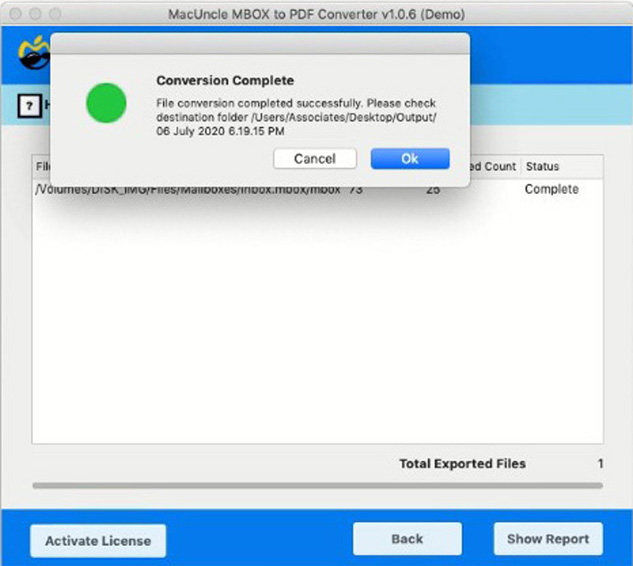
The most efficient method we can use here is the MBOX to PDF Converter by MacUncle. The tool is designed in a way that is equipped for this exact task. The tool can handle multiple files at once and generate accurate results. It saves crucial email information like message content and attachments during the conversion process. A simple user interface helps to convert files without any technical skills.
How to Convert Google Vault Chat to PDF Format
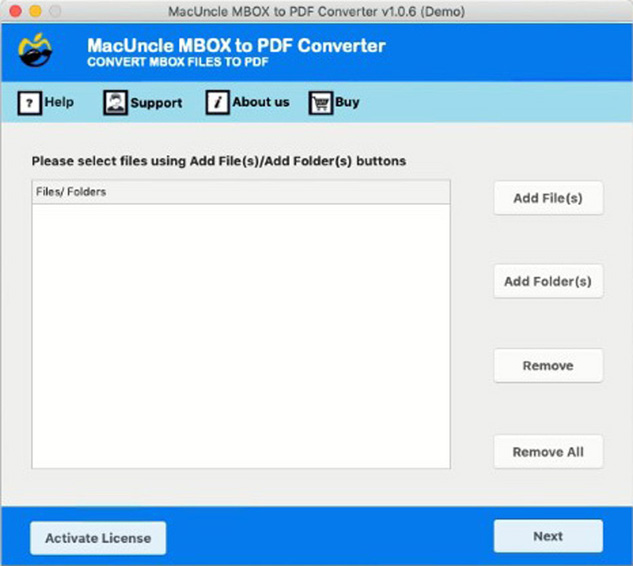
Download and install the preferred version of the software on the system.
- Launch the software on the system.

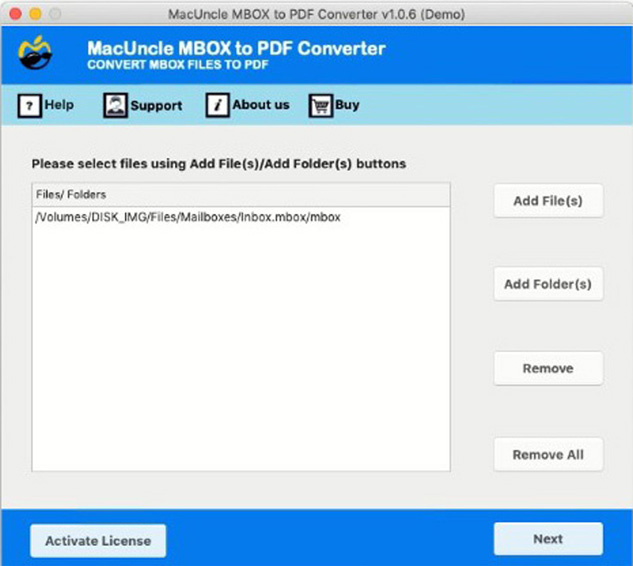
- Add Google Vault Chat MBOX files. Press Next.
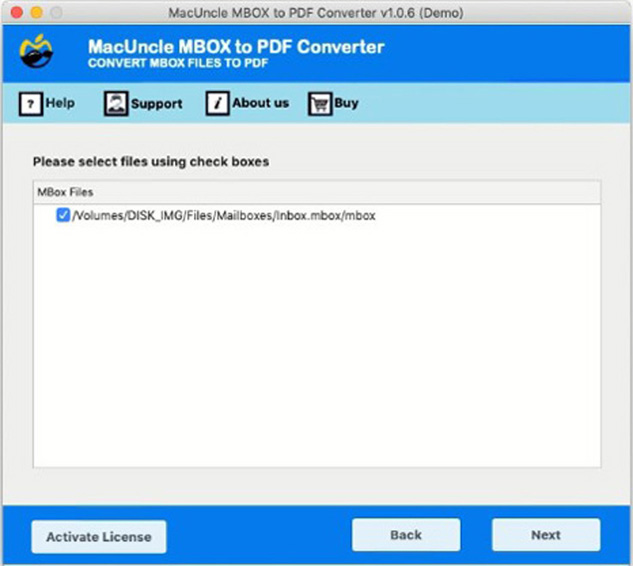
- Choose the desired file from the list. Again, press the Next button.
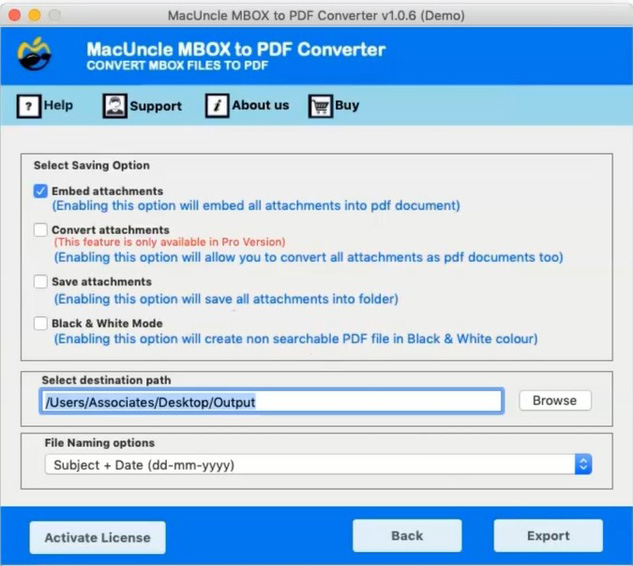
- Now, select any desired settings as shown here.
- Press the Next button to start the process.
Method 2: Use an Email Client and Then Print to PDF Format
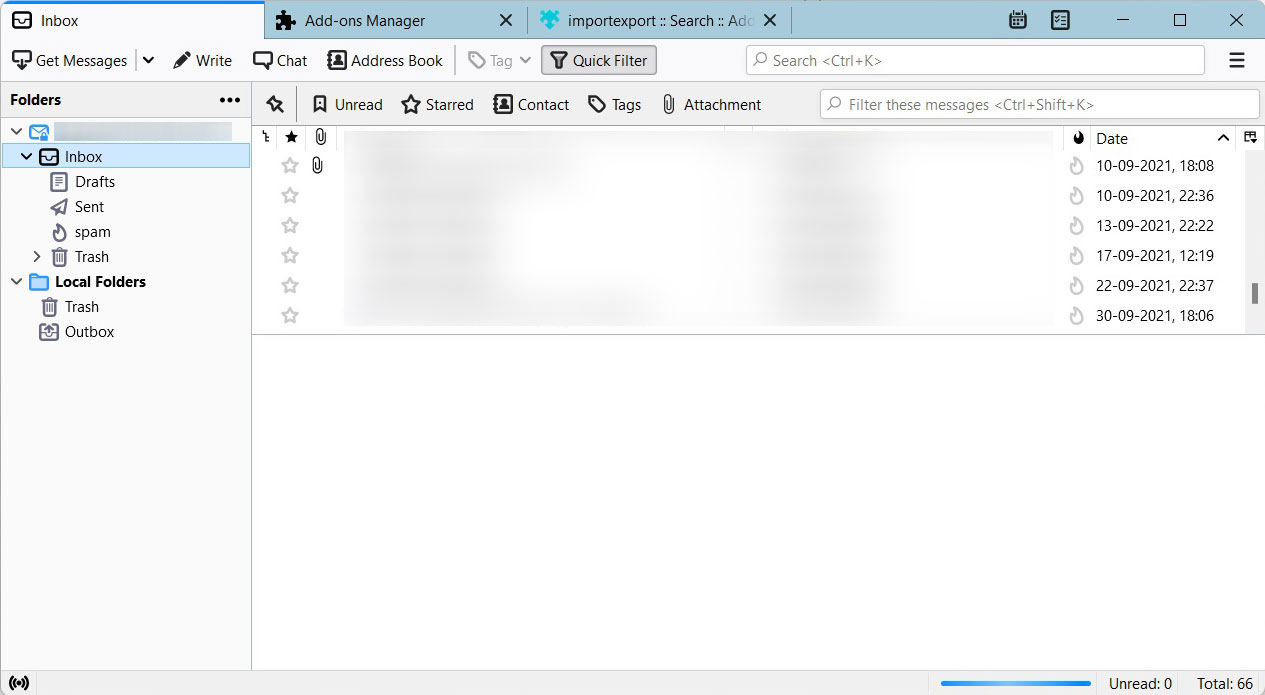
We can use this method for small files, but not practical for large Google Vault exports. Use the Thunderbird application to convert the Google Vault Chat file to PDF format.
Use Mozilla Thunderbird – Convert Google Vault Chat Files to PDF format
- Download and Install Mozilla Thunderbird.

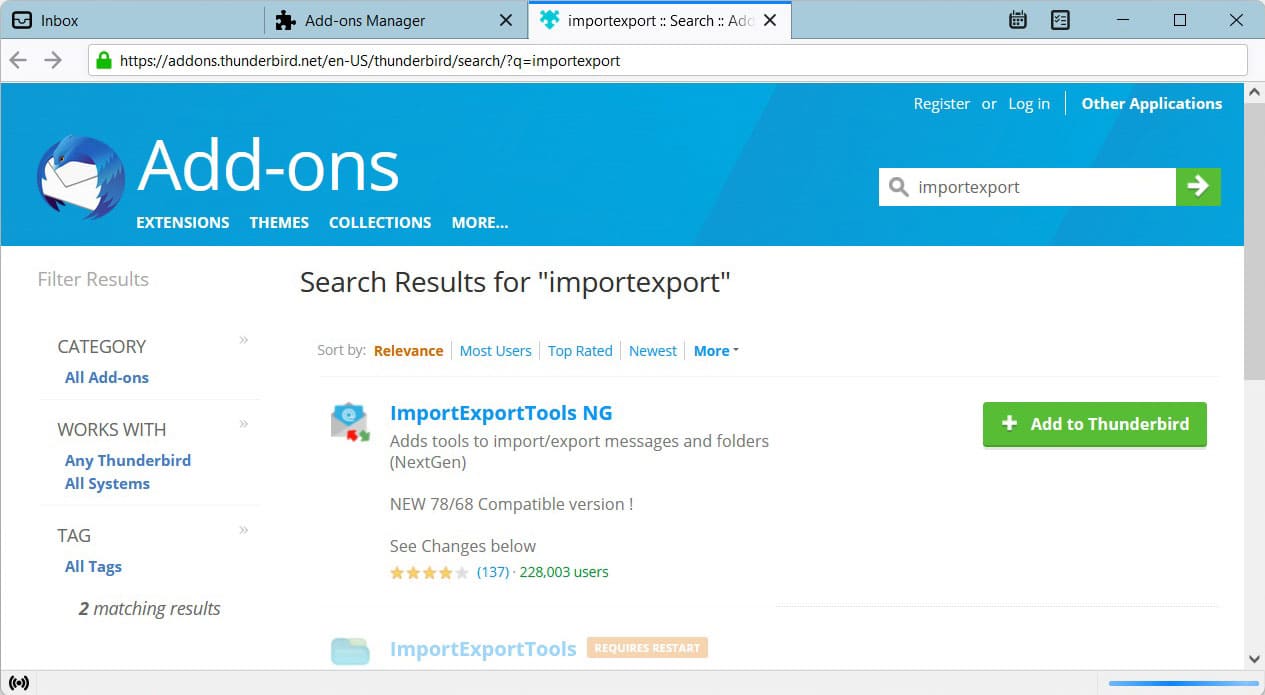
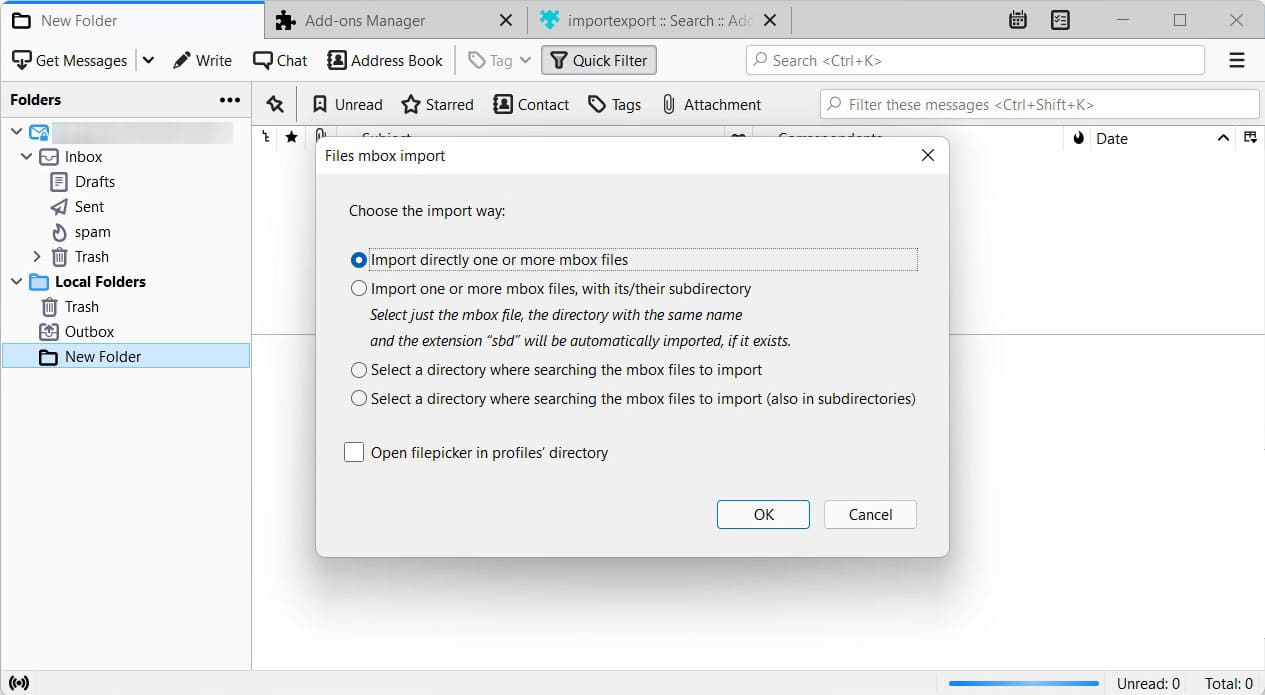
- Install the ImportExportTools NG add-on from the Thunderbird Add-ons Manager.
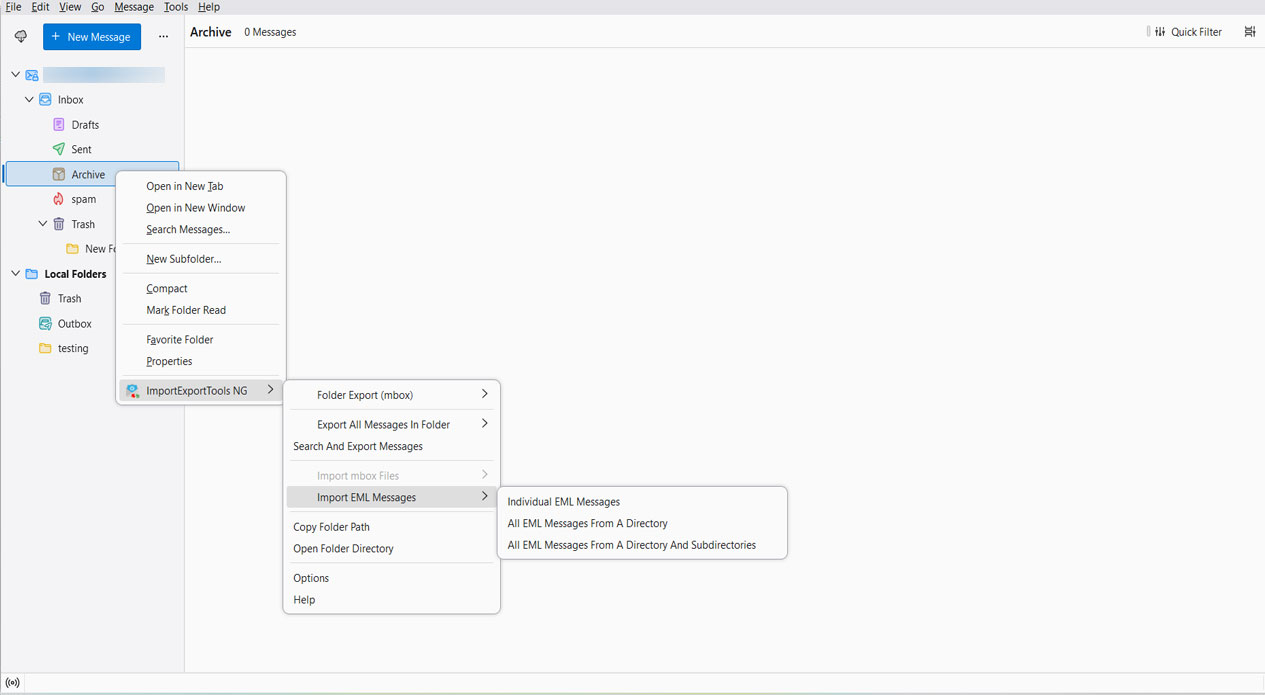
- Then, go to Tools > ImportExportTools NG > Import MBOX file.
- Further, select the Google Vault file and allow it to import.
- Then, after importing, select the messages in the folder.
- Right-click and choose Print.
- Finally, save the Output PDF to the desired location
Limitations: This method can print all messages as a single PDF. It is a very slow process for exports containing thousands of messages from Google Vault Chat.
Which Method Should You Use?
| MBOX to PDF Converter | Thunderbird (Manual) | |
|---|---|---|
| Best for | Any size export, especially bulk/enterprise | A few files can be used sometimes |
| Batch conversion | ✓ Yes — whole folders at once | ✗ No — one-by-one, manual |
| Preserve Metadata | ✓ Yes (sender, timestamp, thread) | Partial, depends on print settings |
| Save Attachments | ✓ Yes, embedded inline | ✗ Not guaranteed |
| Conversion speed | ✓ Fast | Slow, not practical past a few hundred messages |
| Technical setup required | ✓ None — install and run | Requires installing Thunderbird + an add-on |
| Cost | Free up to 25 files, pay for more | Free |
FAQs
Q) Can I convert Google Vault Chat files to PDF format for free?
A) The tool we explained here has the option to convert the files for free without any file limitations. Convert the first 25 files to the PDF format.
Q) How long does it take to convert large Google Vault Chat files?
A) Conversion speed depends on the size and system performance. The tool works on multiple files without any issues.
Q) Does the PDF have the original Google Chat formatting?
A) Yes. The tool maintains the text style of Google Chat messages when converting the chats to PDFs. This feature is very helpful to keep the conversation visually clear, well-organised, and reader-friendly in the PDF file.
Conclusion
Converting Google Vault Chat files to PDF is one of the essential tasks to be carried out by every organisation for eDiscovery, Compliance audit, or archiving Google Workspace data. We require a tool that can correctly interpret MBOX format, retain metadata, manage attachments, and support bulk processing of exports. For the small personal files, we use email clients, but it does not cater for enterprise Vault exports.