How to Remove Password from Bank Statement PDF?


The PDF file format is the most used for sharing documents, as they offer security and compatibility unlike any other file format. Banks often use encrypted PDF files to protect customer information. Decrypting the file once is manageable, but doing so repeatedly is inconvenient, especially when handling multiple pages at once. The guide has the methods to remove passwords from bank statement PDF files.
The article has multiple approaches to remove the passwords from the bank statements. Thus, we can use the file anytime without the password protection. This way, you can manage the files with the financial information while maintaining the appropriate security.
Why It’s Necessary to Remove Passwords from Bank Statement PDFs?
As we all know, the bank statements are password-protected to serve the security purpose. But there are several other reasons why individuals and businesses need to remove passwords from the document. Here are some of the major reasons why users want to remove the bank statement PDF encryption:
- Financial documents are required by many people for various purposes, such as financial planning, loan applications, tax preparation, etc. As a result, frequently entering a password on a file is not a practical option and consumes a lot of time.
- The most frequent way businesses manage documents at present is by using document management systems. Some of these document management systems are integrated with PDF files. As a result, the removal of the password facilitates the centralised management of these documents.
- One of the most critical issues for companies is simplifying the processes, as the better they are, the more documents they can handle. Whereas the password-protected files make the workflow slower, especially when people are working simultaneously on them.
- It is a common practice for taxpayers to use budgeting or financial apps where they are supposed to upload the bank statements that show tax payments and or other finances they manage. Thus, these password-protected PDF files could complicate the process.
While password encryption is very crucial for the initial security of the bank statement, there are several valid reasons to remove the password once the document is securely received.
How to Unlock Bank Statement PDFs Using Chrome or Adobe Reader?
1. Using Google Chrome
- Open the PDF file in the Chrome Window
- Enter the password in the required field.
- Press for Windows Ctrl +P or Command +P for Mac to open the Print tab.
- Click on Change under the destination and press Save as PDF.
- Click Save.
2. Using Adobe Acrobat Reader
In Windows OS:
- Start the PDF using Adobe Acrobat Reader.
- Enter the password for the PDF files.
- Press for Windows OS Ctrl +P.
- Click on Print.
- Now choose a location to store the new PDF file and click Save.
The new PDF file will not have password protection.
In Mac OS:
- Preview PDF files using the default PDF viewer on macOS.
- Enter the password to view the document.
- Go to the File >> Print or Press Command + P.
- Select the “Save as PDF“.
- Choose a location and save the new file.
Remove Password from Bank Statement Instantly
Use the PDF Lock & Unlock tool to remove the encryption from the bank statement entirely with 100% security. Follow the steps to unlock the bank statement *.pdf file without the need for any additional support. The tool has the capability to process multiple files at once. Enter the password in the password field in the software interface and remove the password entirely from the bank PDF document file.
How to Remove Password Protection from Bank Statements for Easy Access?
- Launch the software and choose the Unlock button.

- ADD the Bank Statement document to the software panel.
- Enter the password in the password column. Press the Next button.
- Choose a location to store the final, and check the box “Remove Password”.
- Finally, press the Unlock button to start the removal procedure.
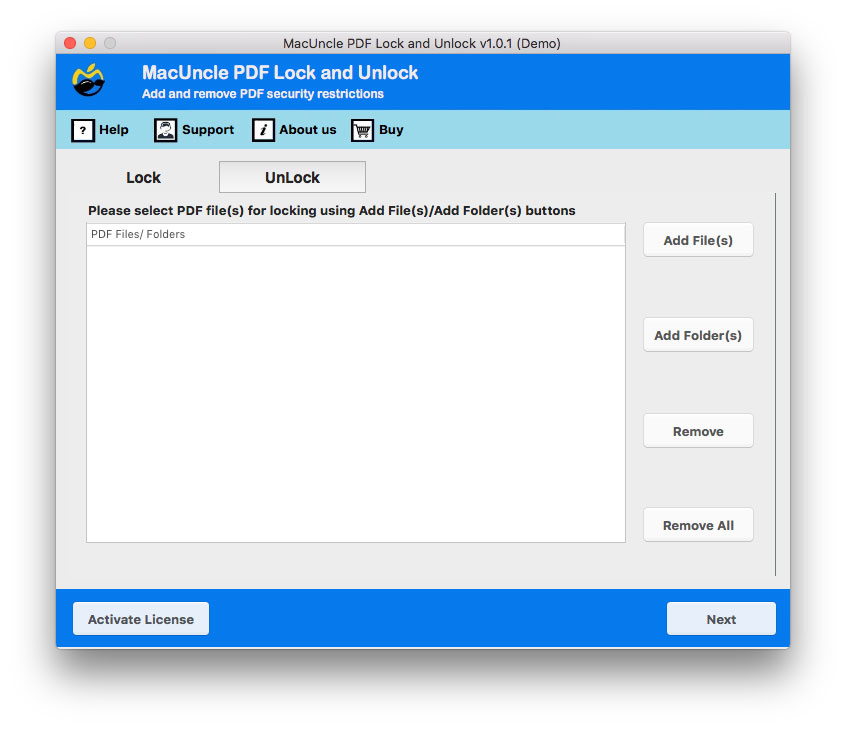
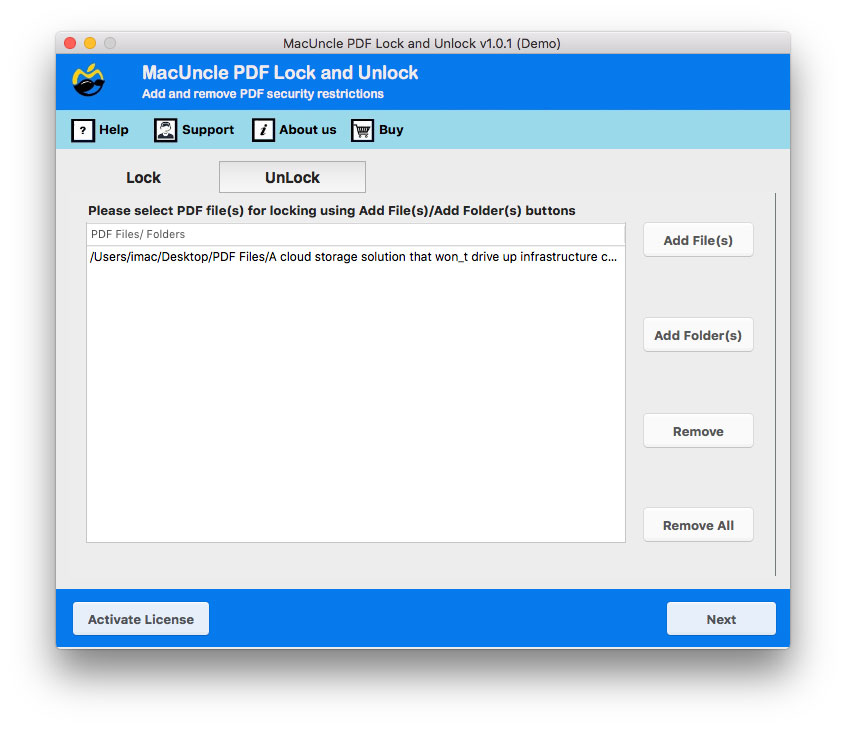
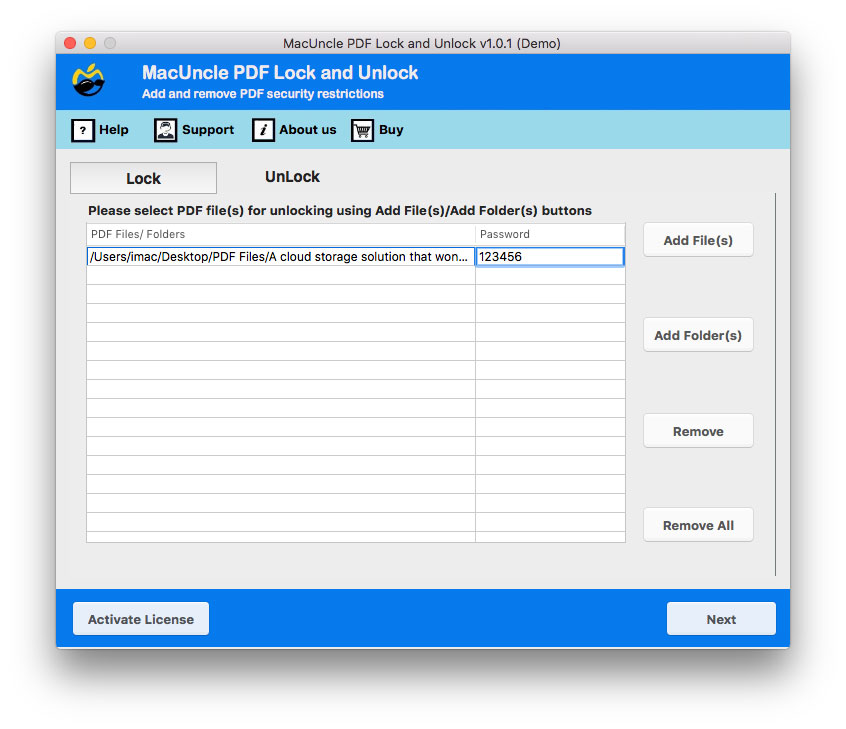
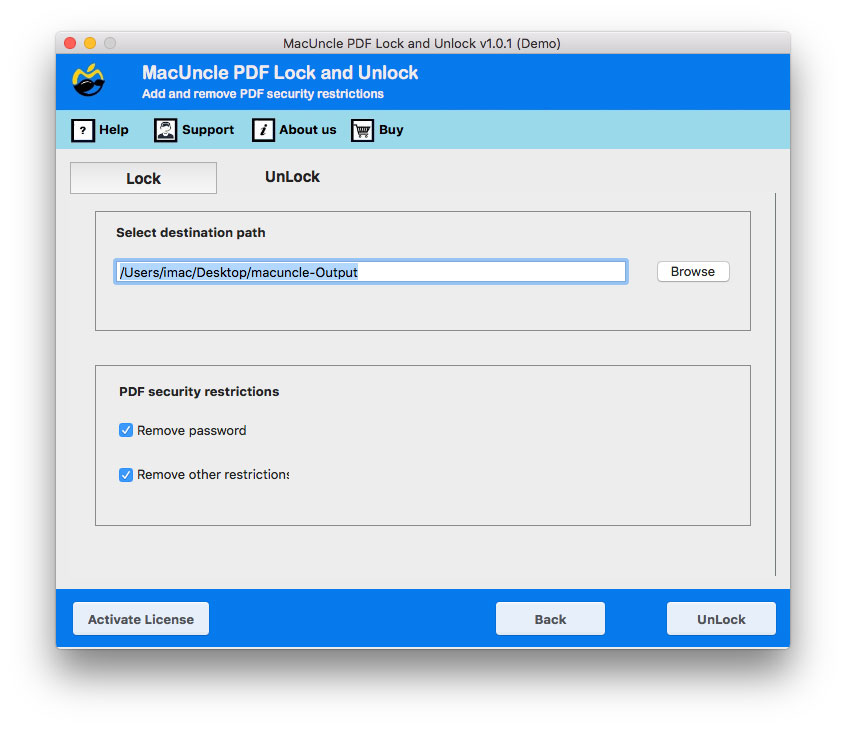
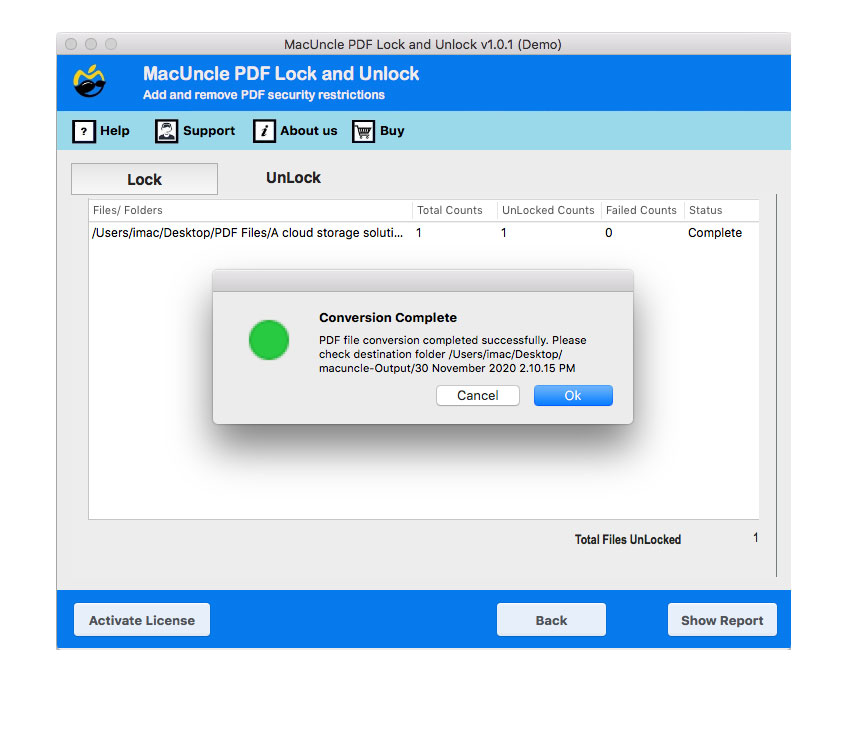
Within a few minutes, a new file will be generated without any password encryption.
This article discusses how to remove password protection from bank documents, primarily in cases where you are the rightful owner. However, it’s crucial to understand the importance of PDF security. To protect your sensitive documents, such as bank statements, from unauthorised access, learn how to protect PDFs from copying.
Some Key Software Features to Remove Password from Bank Statement
- Batch Process: Unlock bank statements in batches at once. It saves time by processing multiple files at once.
- Speed: As we said before, when we can process batches of statements, we can quickly carry out the removal procedure at once.
- Removes all Restrictions: If the bank documents have other restrictions, the tool will also remove all of them with the feature “Remove other Restrictions”.
- 100% Secure Approach: Any type of PDF file is processed securely without any unauthorised access. The whole procedure will keep the file safe without storing any personal data on external servers.
Conclusion
Removing passwords from bank statements can be achieved with manual or automated methods. Use the manual method to remove the password of the document if there are only a few files to access. With the software, we can remove passwords from multiple Bank statement documents. Whether you choose a manual method or a toolkit, these methods will help you manage the file more efficiently.
FAQs
Q) How can I remove the password from the bank statement without a password?
A) You need to have the user-level password in hand to remove the password entirely from the document. Since it is encrypted initially for security purposes.
Q) Is it legal to remove the password from a bank statement PDF file?
A) Yes, it is legal to remove the password if you are the owner or have permission from the owner. Unauthorised access to protected bank statements is illegal and unethical.
Q) How can I unlock a bank statement PDF without knowing the password?
A) We can only unlock password-protected bank PDF files using the correct password combination provided by the respective banks. After entering the required password in the mentioned tool, the restrictions can be completely removed, allowing you to access and use the file anytime.
Q) Why does a bank statement have a password?
A) Due to multiple security reasons, including identity theft, it protects the data from unauthorised access.
Q) Is it safe to use online sites to remove passwords from bank statements?
A) There are some online tools and websites to remove PDF passwords from banks, but they may pose a security risk. Therefore, use the software mentioned here for a secure password-removal procedure.
Q) Is there a method to secure my bank statement after removing the password?
A) To secure the bank statement, you can use the same toolkit mentioned here.