Remove Powerpoint VBA Password using Two Different Methods


If you are here to find out the solution to remove the PowerPoint VBA password, first we need a complete understanding of what and how the VBA in PowerPoint is protected. At times, we forget the password added to the file for some salient reasons. Therefore, rather than going with some online removal sites, we present you with the most convincing approaches.
PPT, PPTM, POTM, and PPSM are Microsoft PowerPoint file formats that support VBA macros. Unlike the standard .pptx file, these can store VBA projects and macros inside the PowerPoint file. Therefore, admins secure the VBA code with a proper password. When the admin wants to make any changes to this macro-enabled PowerPoint file, it is essential to remove the password once and for all. If you are in the same situation, here are the quickest solutions to remove the password from a PowerPoint VBA project.
#1 – Approach to Remove PowerPoint VBA Password
How to Remove PowerPoint VBA Password?
You must know the password of the VBA project password:
- Create a backup of the original PowerPoint file.
- Open the PowerPoint presentation containing the protected VBA project.
- Go to Developer > Visual Basic to open VBE(Visual Basic Editor)
- Now, locate the PowerPoint VBA project in the Project Explorer.
- Double-click the protected VBA project.
- When it is prompted, enter the VBA project password and click Ok.
- In the Visual Basic Editor, go to Tools > VBAProject Properties.
- Choose the Protection Tab
- Clear the Lock project for the viewing option.
- Remove the password from the password fields, if displayed.
- Click Ok to apply the changes.
- Now, return to PowerPoint and save the presentation.
- Ensure you keep the file in macro-enabled format if there is a need to preserve the VBA Project.
- Close PowerPoint completely.
- Reopen the presentation and go to Developer > Visual Basic.
Open the VBA project again to confirm that PowerPoint is no longer asking for the project password.
If the password is unknown, the steps are invalid. Standard password resetting is not in the VBA project options. In such a situation, check backups, previous versions, source-code repositories, or contact the original developer or IT admin. If you are dealing with an Excel VBA project instead, learn how to crack VBA password in Excel.
Note: This approach is lengthy and time-consuming. Also, because this method is a little complex, non-technical users have a lot of problems getting rid of the VBA password. As a result, we recommend that you use expert software.
#2 – Use PowerPoint VBA Password Remover
The best solution to decrypt VBA PowerPoint files is the software VBA Password Remover. The tool is simple to operate and can be used by any user with or without any technical knowledge. If the password is known, use the tool to remove the password entirely from the PowerPoint file. The whole procedure is done by adding the files and setting a location to store the files directly, without any restrictions.
Steps to Break the Locked PowerPoint VBA Files
- Set up the application on the systems and follow the steps.

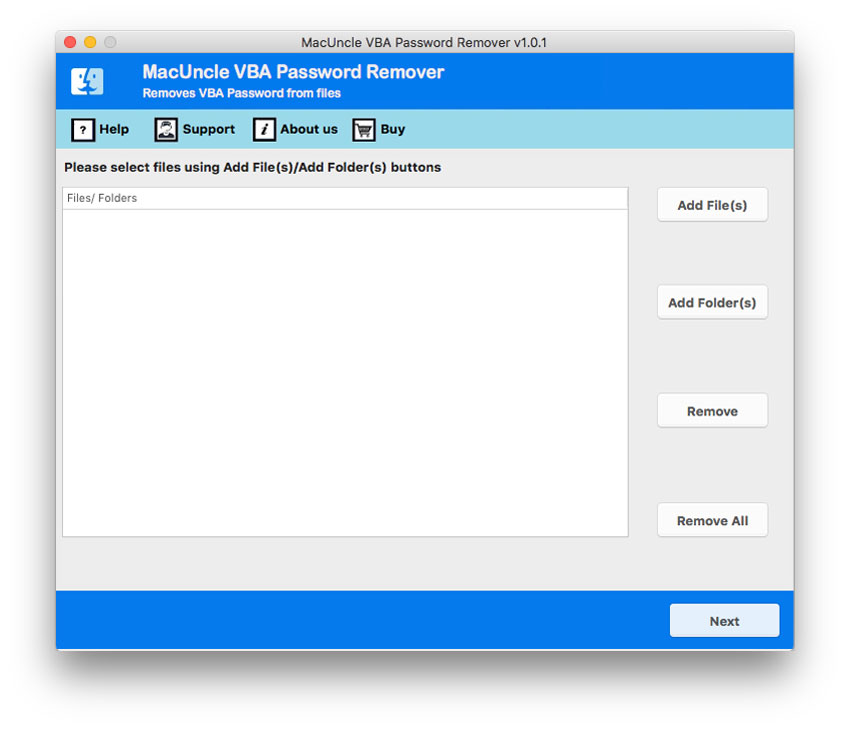
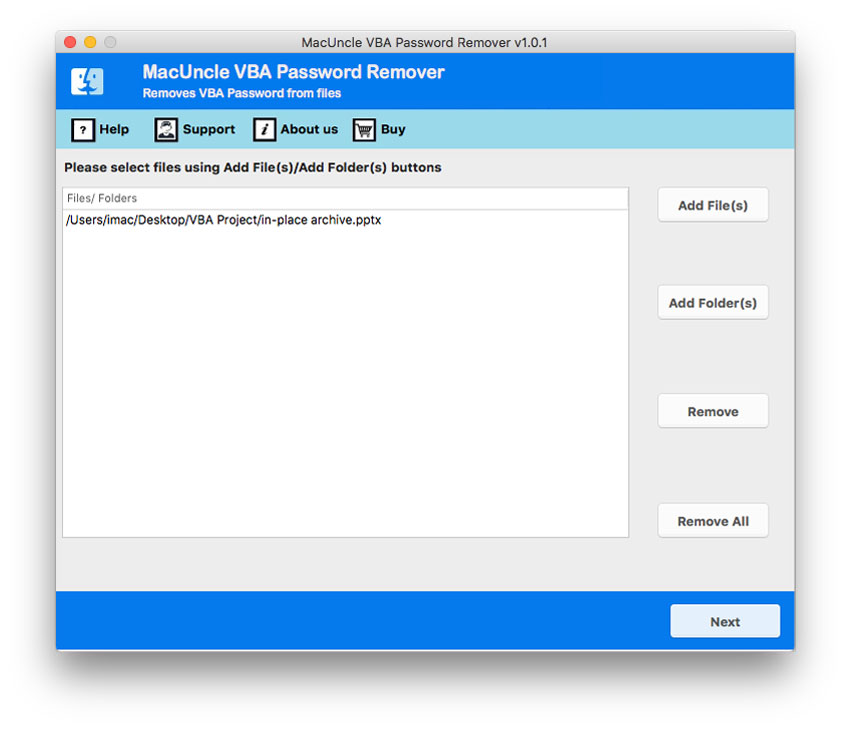
- Upload either a single or multiple files or folders with VBA files. Press the Next button in the bottom corner.
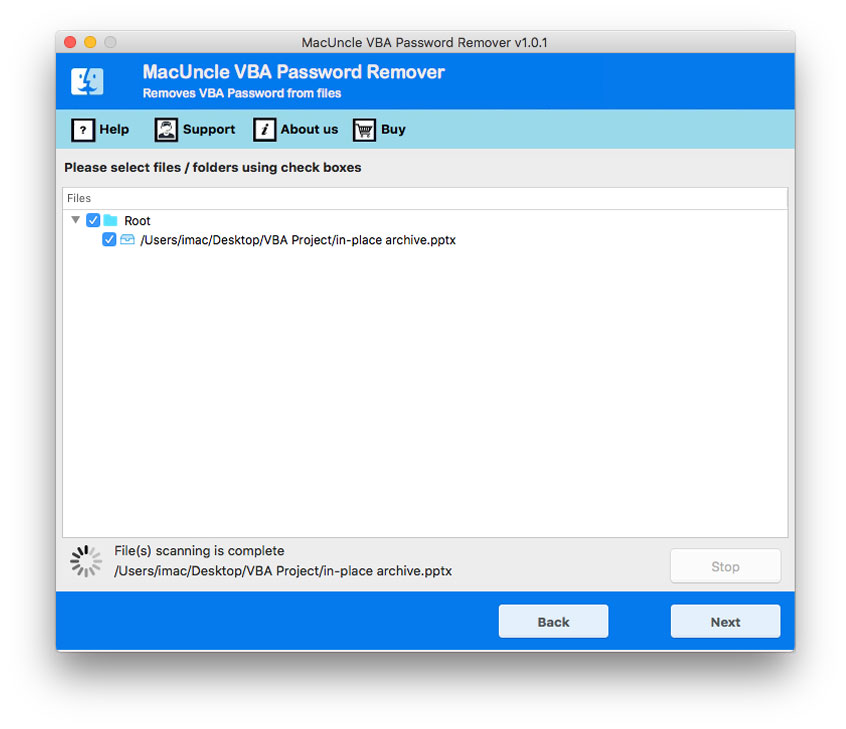
- Now the files will load into the interface. Choose the appropriate files using the checkbox. Further again hit the Next button.
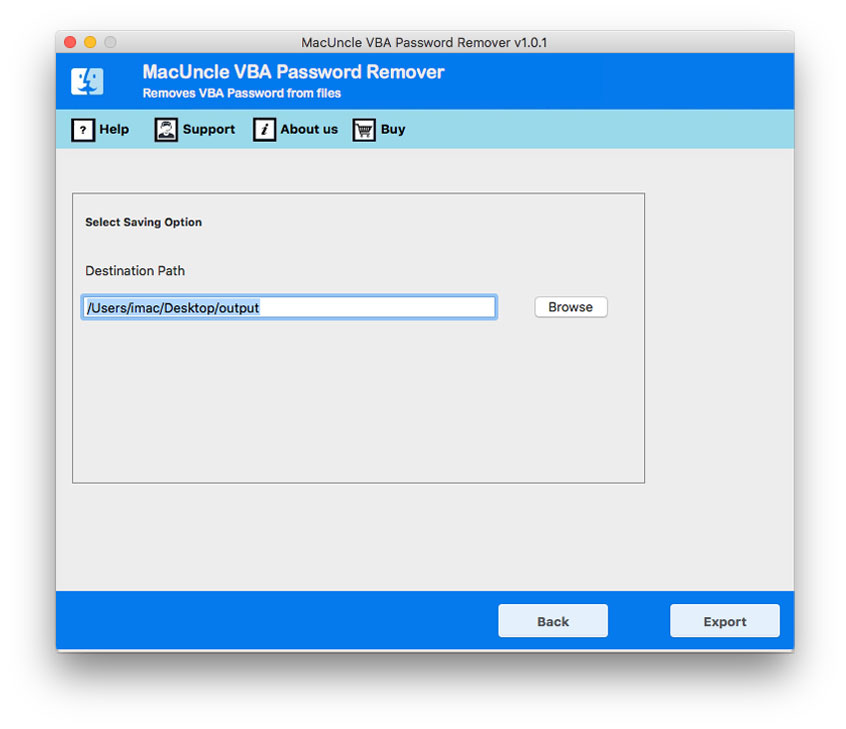
- Finally, set a location to save the resultant files without a password.
- Hit the Export button to start the process.
Automated Method Over Manual Approach
The writer has included two different options to break the password in the VBA project. But which method is best in which scenario? Therefore, here we are with the outstanding features offered by the application.
- Add Batches of VBA PowerPoint Files: The software offers two different options to add the PPT, PPTM, POTM, and PPSM files to the panel. It’s up to the user to use any of the options to upload the files. Altogether, the dual add button results in processing multiple files at once.
- Instant Solution: Add the password-protected PowerPoint VBA projects to the software and get rid of the encryption within the tool itself. From the tool, the password can be erased effortlessly.
- No Need for an Additional Procedure: The manual method needs additional steps to remove the PowerPoint VBA password, such as replacing file names and so on; the recommended software does not require any extra procedure to complete the decryption. Just with the help of the tool, remove the PowerPoint VBA password on Mac or Windows OS.
- Choose any Location to store the Resultant File: Most importantly, the user is free to select a location to store the final result with an unrestricted PowerPoint VBA project. Regardless of the number or size, the files can be stored on any path as per the user’s command.
Bottom Line
The article comprises techniques to remove PowerPoint VBA password. Learn the above-mentioned approaches and choose a method for password removal. Both of the solutions work properly, but each of them is perfect in a different situation. If there are only a few files to get unlocked, then try out the manual technique to remove passwords from multiple VBA PPT files and use the software.
FAQs
Why is my PowerPoint VBA project locked?
PowerPoint VBA project is locked as the developer, or the owner enabled “Lock project for viewing” to prevent any unauthorized access to the VBA source code. The presentation will open, but the VBA code will remain protected.
Can I remove a VBA password from a PowerPoint presentation?
Yes, if you have the authorized access and know the existing VBA project password, remove protection via the PowerPoint Visual Basic Editor.
- Open Developer > Visual Basic.
- Access the protected VBA project using the password.
- Open VBAProject Properties > Protection.
- Clear the Lock project for viewing and save the presentation.
What should I do if I forgot my PowerPoint VBA password?
If you forgot the VBA project password, first search for the original password in your password manager, organizational records, or documentation. Check the previous backup or contact the developer who created the VBA project.
- Keep the original backup of the presentation.
- Check the older versions.
- Look for VBA source code in the development or version control repository.
- Contact the IT administrator or the original developer, if applicable.
Can a forgotten VBA project password be recovered?
There is no standard approach to recover a password; however, the recovery largely depends on access to the earlier copy, backup, source code repository, or the original developer.
Can I remove a VBA password from a PPTM file?
Yes, if you know the existing password of PPTM, access the VBA project via the PowerPoint Visual Basic Editor and remove its protection.
What happens to VBA macros when a PPTM file is saved as PPTX?
Standard PPTX cannot store VBA macros. If a macro-enabled presentation (PPTM is saved in .pptx, PowerPoint warns that the VBA content cannot be saved; the VBA project/macros will not be saved.
Does removing a VBA password delete my macros?
No. Removing password protection does not affect the VBA project or macros.