How to Transfer BT Mail to Gmail Without Losing Emails?


Are you contemplating moving from the BT Internet email service to the better-featured Gmail? Many of you decide to switch to Gmail because it offers robust features & gives enhanced security. Additionally, Gmail even gives perfect integration with several other Google services. You have reached the right place now, as this blog talks about the process to transfer BT Mail to Gmail in the most effective & safest possible manner. You will be able to check out both the free manual way & the automated tool to help you with data migration during your email service transition.
Why Transfer BT Mail to Gmail Accounts?
The decision to switch from BT Internet Mail to Gmail could be a result of several causes, as follows:
- As an option for BT Internet, Gmail provides a lot of free space, which could even be expanded comfortably.
- Besides this, users prefer Gmail as its spam filters are much more advanced & far more dependable.
- If you have been utilising Gmail, you must know that it synchronises fully across all devices, like Android, iPhone, & tabs.
- It is easier to access Drive, Documents, Calendar, Meet, etc on Gmail.
- In comparison to traditional email programs, Gmail provides a better labelling system as well as better search functionality.
Best Approaches to Forward BT Email to Gmail
There are 2 approaches to get through the process of migration: one is the manual approach, and the other is the professional alternative. Each of these approaches meets different requirements of different users. Manual process is integrated into Gmail & it is absolutely free, while the professional option is speedier & better-suited for large-scale email data transfers. To make this procedure for forwarding BT email to Gmail simpler, let us follow both these approaches.
How to Manually Migrate BT Mail to Gmail with POP3?
In this approach, Gmail will be used for fetching your BT Internet emails with the POP3 protocol. You need to keep in mind that it is better with a small volume of emails.
Steps to forward BT email to Gmail using the manual way are as follows:
- Log in to your Gmail account.
- Click the gear icon.
- Go to See all settings.
- Select the Account tab and Import.
- Check mail from other accounts; click Add a mail account.
- Enter the following POP3 account details:
- Enter the BT Internet address and click Next.
- Incoming Mail Server: mail.btinternet.com
- Port: 995
- Enter the account password.
- Always use SSL when retrieving mail.
- And then, you have to enable the checkbox for SSL connection.
- Choose the preferred import option.
- Click Add Account.
Drawbacks of the Manual Method: When you migrate BT email to Gmail using the manual approach, the success rate is low, and you are going to face some uncertainties, as follows:
- While doing the manual operation, the folder structure might not be preserved.
- For large mailboxes, manual forwarding could take a lot of time.
- Email attachments might not be moved properly.
- Only emails are moved, not contacts/calendars.
- There are no filters available for date, sender(s), & subject(s).
Professional Approach to Transfer BT Internet Mail to Gmail Accounts
Use the Email Backup Tool for the process of easily migrate BT Internet’s emails to Gmail. With very little effort to put in, this tool can help you migrate emails from any of the email account, such as BT Mail, to Gmail. Using the tool, we can directly move the emails from BT Mail to Gmail. Check out the trial version to understand how the tool works.
How to Transfer BT Mail to Gmail in 5 Steps?
This software has a simple-to-navigate user interface. So, you can easily follow the few straightforward steps given below to undertake this task safely.
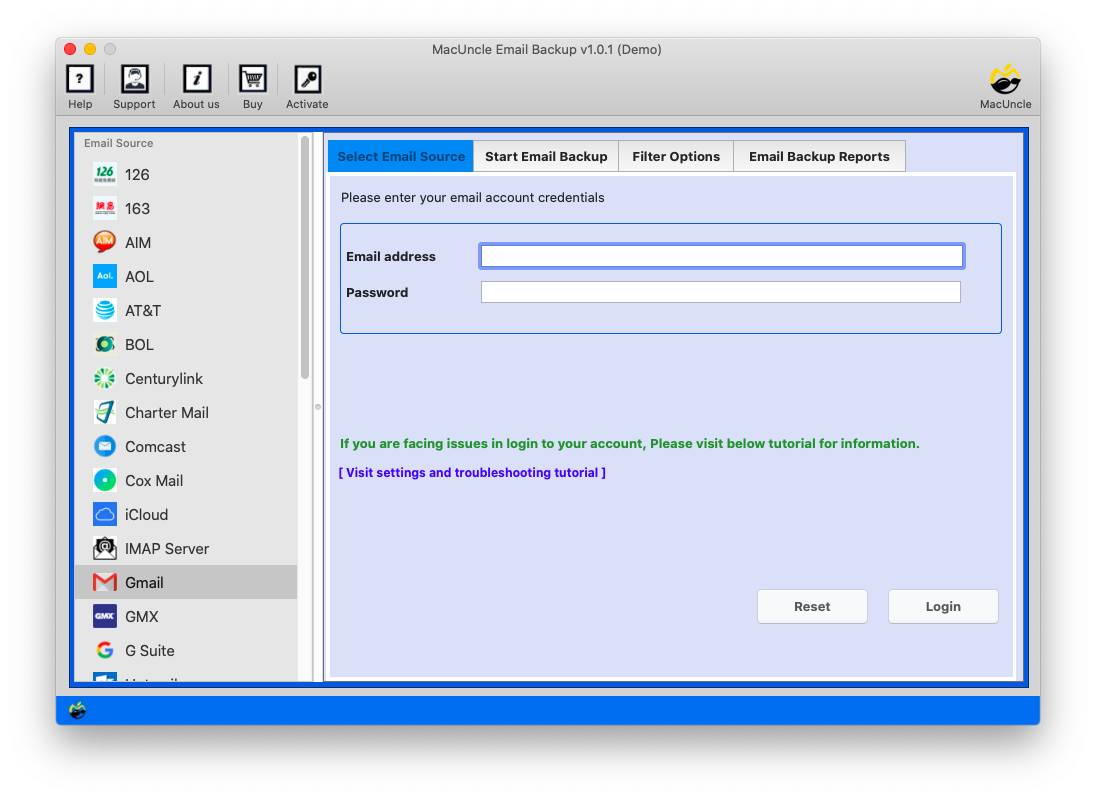
- Launch the software on the system.

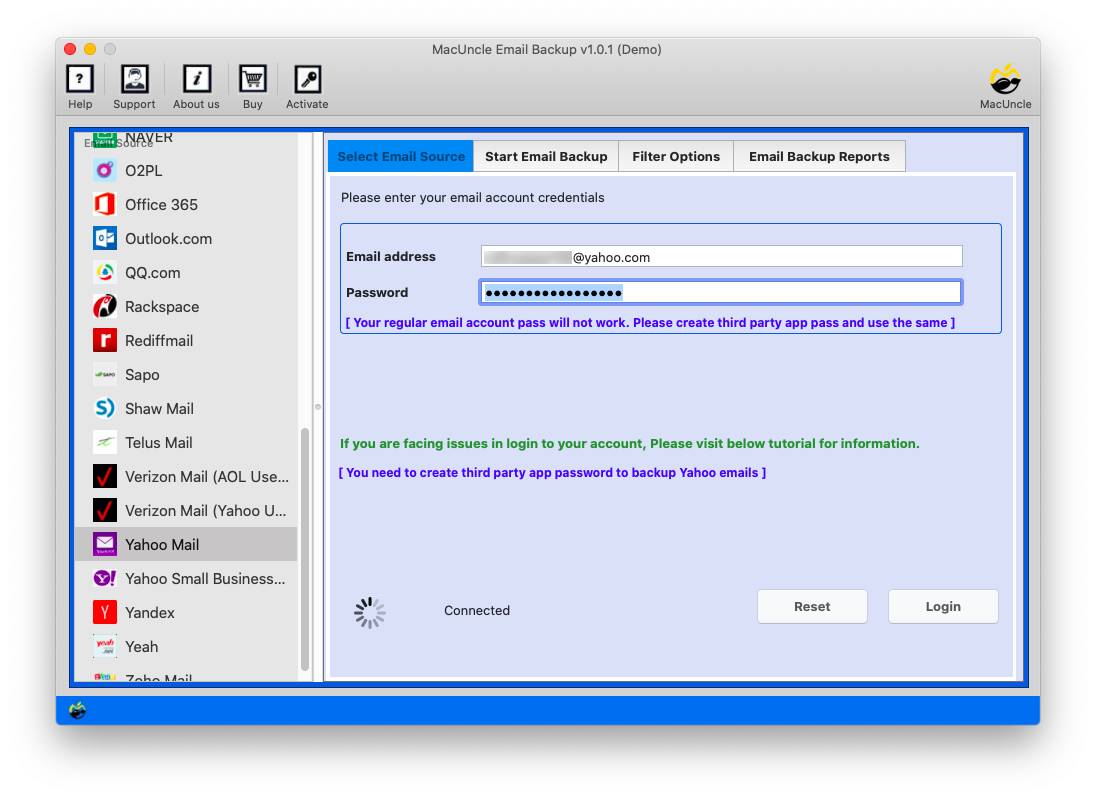
- Choose BT Internet and enter the credentials. Press Login.
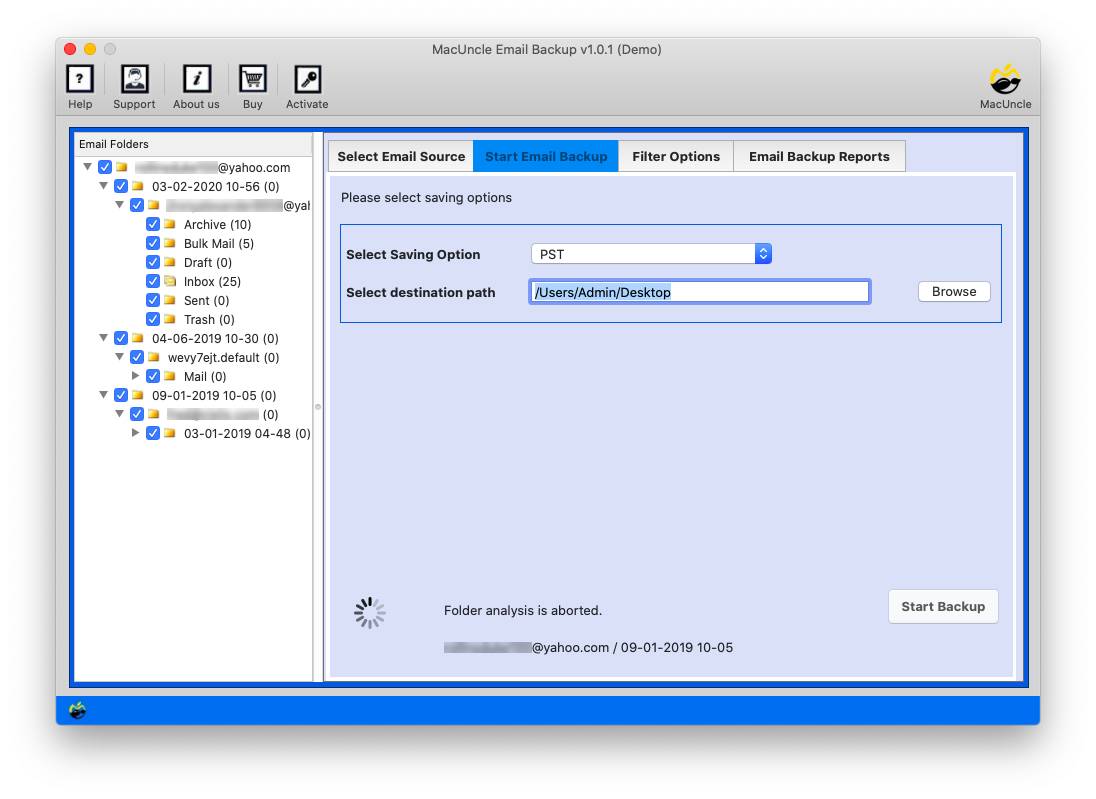
- Choose the desired emails and choose Gmail from the options.
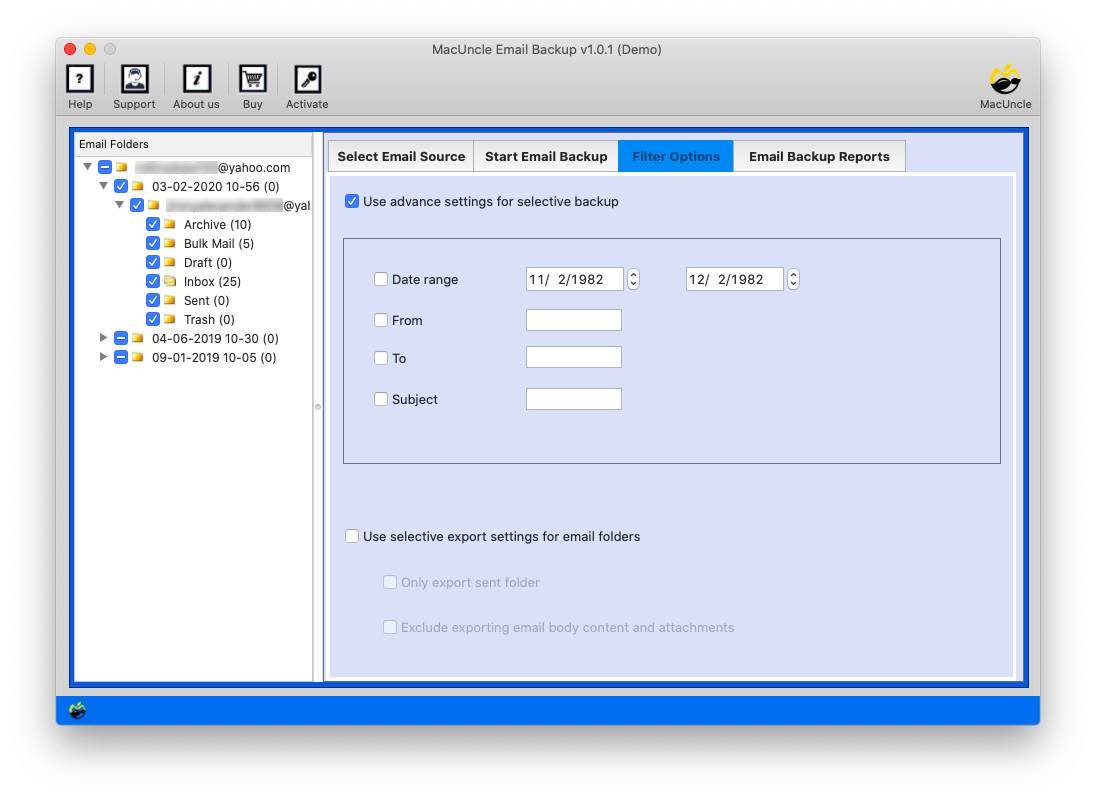
- Enter the Gmail account credentials and Set Filter Options.
- Press the Backup Tool to start the BT Mail to Gmail Migration.
Check this out: After migration, if you prefer to remove the emails entirely from the BT Internet account, then grab the best methods from here: Mass delete emails on BTinternet Mail.
Manual vs Automated: Transfer BT Mail to Gmail Account
| Feature | Manual Method | Professional Tool |
|---|---|---|
| Transfer Complete Mailbox | Limited | Yes |
| Preserve Folder Hierarchy | No | Yes |
| Transfer Attachments | Partial | Yes |
| Selective Migration | No | Yes |
| Large Mailbox Support | Limited | Yes |
| Batch Account Migration | No | Yes |
| Faster Migration | No | Yes |
FAQs
Q) How to move all old BT Internet emails to Gmail?
A) You can make use of Gmail’s POP3 feature to manually move all BT Internet emails to Gmail. But for a success-yielding outcome, you can simply fulfil this task with the help of the professional software that’s suggested here.
Q) How to maintain folder structure during the migration?
A) The manual approach doesn’t preserve folder structure. In contrast, the automated tool could migrate emails, along with folder structuring kept intact.
Q) While moving BT emails to Gmail, do email attachments also move?
A) Yes, you can move BT emails to Gmail with attachments using the recommended pro software.
Q) Does moving BT emails require the user to have any technical expertise?
A) The manual data movement does necessitate having a good knowledge of Gmail settings. But the professional tool has a friendly interface design that anyone can operate.
Conclusion
We can perform the migration of BT Internet emails to Gmail using the POP3 configuration. However, the free version comes with certain limitations. To overcome these limitations, we need a direct approach, which is explained in the article here. It offers 100% results with data safety guaranteed.