MacUncle
PST to MBOX

(Average Rating 4.6 Based on 1212 Reviews)

Convert PST files to MBOX format with ease using this software. It supports batch conversion, allowing you to export multiple PST files to MBOX in a single process. The tool is compatible with Outlook PST files created in Outlook 2007, 2010, 2013, 2016, 2019, and 2021.

  • Convert PST to MBOX and EML, EMLX, MHT, HTML, PDF, ICS, vCard
  • Simple and Adaptable User Interface to Convert PST to MBOX
  • Supports to Convert Outlook PST Data Along with Attachments
  • Maintains Meta Data and Email Components Intact During Conversion
  • Supports Batch Conversion of Outlook PST Files to MBOX Format
  • Different File Naming Pattern to Name The Resultant File
PST to MBOX Tool – Convert within 3 Steps

Batch Convert PST to MBOX in 3 Basic Steps with Complete Data

Install the Tool

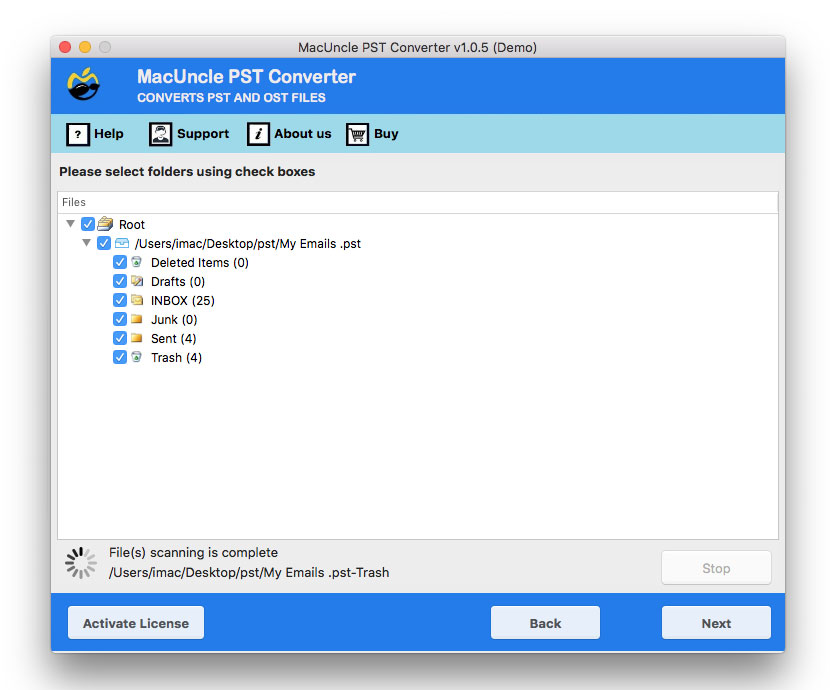
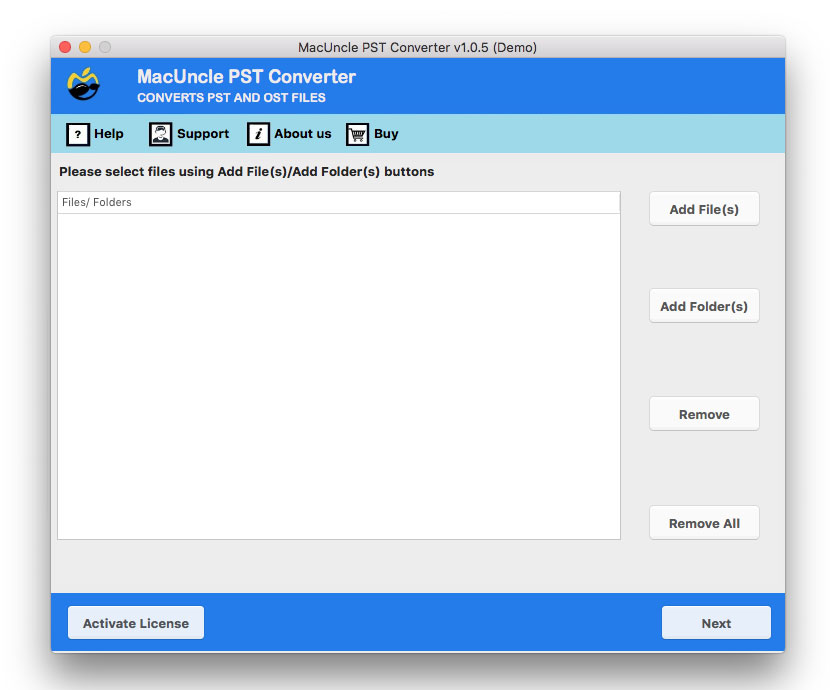
Download the software and set up the software on Mac OS. Upload the PST file using Add File(s) and Add Folder(s) to the Software GUI. Then hit the Next button.

Select MBOX Format

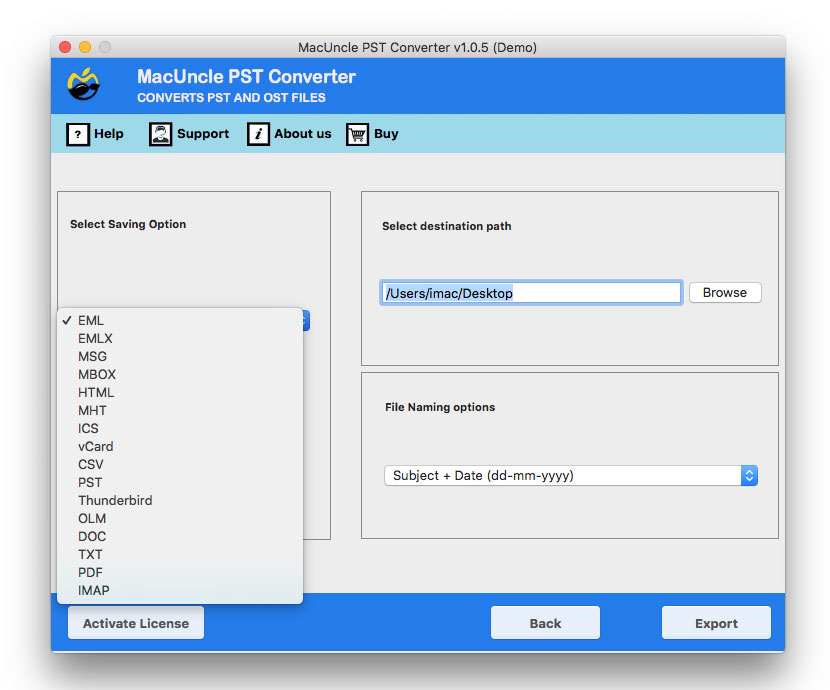
Now select the file desired format as MBOX from the saving options. Also, choose the File Naming patter and Destination location from the panel.

Get the Result

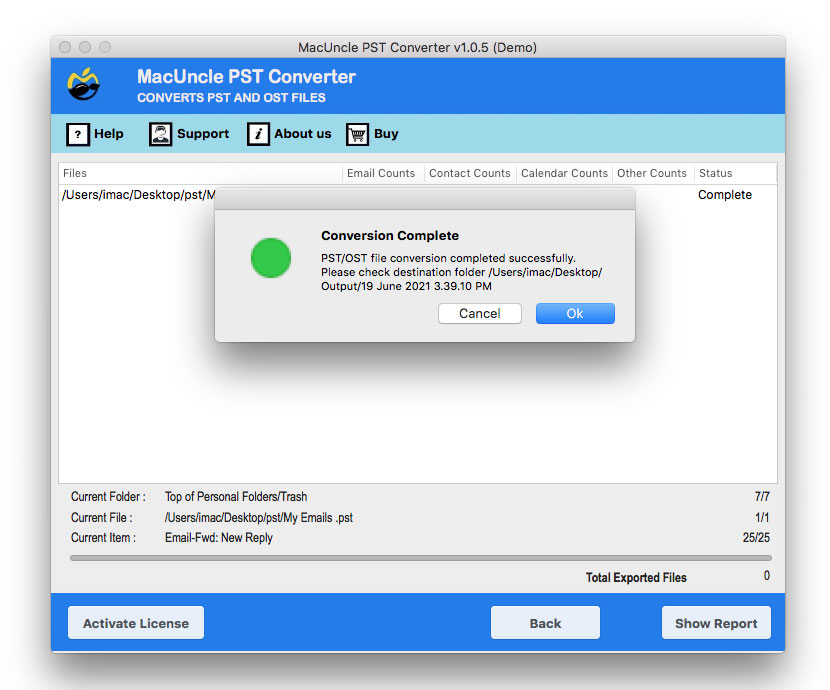
To begin the conversion process, click the Export option. A few conversion-related notifications appear after the completing the conversion, and the folder immediately opens.

PST to MBOX Tool for Mac OS - Features

Understand Software Features and Easily Convert PST to MBOX Format

Software Offers Simple to Use GUI

Perform the PST to MBOX Conversion on Mac OS in a few minutes and get the accurate result in another file format. All the phases of the conversion such as file selection from the system to converting PST to MBOX can be executed simply without having any external software installation on the system.

Two Options to Add PST Files

Start the conversion by selecting the PST file which can be easily done with the two different options, i.e., Add File(s) and Add Folder(s). Both these options are used to add PST file to the software panel as single and multiple PST files or folders containing PST files.

Batch Conversion of PST to MBOX

As said in the above section the PST to MBOX converter for Mac allows selecting PST files using two different options i.e., Add File(s) & Folder(s). The Add File(s) option allows choosing single / multiple PST files and the Add Folder(s) lets the users add folders consisting of PST file which will lead to batch conversion.

Different File Naming Options

File Naming Options help in maintaining the files in a specific manner. Convert PST to MBOX software for Mac OS offers a wide variety of naming patterns that are in the combined format of Subject, Date, Time, From, etc., This feature helps in file management.

Choose Desired Destination Path

Convert PST to MBOX Tool for Mac OS has an option - Select Destination location to store the resultant file to a particular folder. One can easily browse the destination location for storing the converted PST files or save the file in the default location of the software that is Desktop.

100% Safe PST to MBOX Conversion

Email file contains important data and is one of the most commonly used communication media, which implies that the files should be dealt with complete security. Therefore, PST to MBOX Tool Mac performs the conversion without causing any changes to the original PST files.

Maintain the File Structure

An Outlook email file consists of several properties and components such as Subject, To, From, Signature, etc. and different file attachments. All these components and properties will be maintained even after the process to convert PST to MBOX, which will further provide the accurate result in MBOX extension.

Developed for All Mac OS Users

PST to MBOX Exporter works perfectly on the macOS Machine. Thus, this tool is compatible with Mac OS 10.8 and all the latest versions. The Windows version is also available that works on the recent versions of Windows edition.

PST to MBOX Tool for Mac - Software Requirement

Hardware and Software Requirement to Launch Full or Free Version

Convert PST Files to MBOX Files

Version: v25.12.1
Size: 73.44 MB
Release Date: March, 2026
Software Download: Download Now Download Now


Trial Limitations: Demo version of PST to MBOX Tool for Mac OS gives the perfect solution to change over 25 Outlook PST files to MBOX format for free.


Minimum Hard Drive Space: 100 MB of free space
RAM: Minimum 1 GB
Processor: Apple Silicon M-series (M1 or later)


Platforms: macOS 26 Tahoe, macOS 15 Sequoia, 14 Sonoma, 13 Ventura, 12 Monterey, 11 Big Sur, 10.15 Catalina, 10.14 Mojave, 10.13 High Sierra, 10.12 Sierra, 10.11 El Capitan, and 10.10 Yosemite.


Product Guide: Software Guide   Installation   Uninstallation   EULA  


Explore the PST to MBOX Software Interface

Quick overview of the PST to MBOX Tool and learn how to use its features effectively.

open pst to mbox
add pst files
set mbox as saving option
pst to mbox conversion

PST to MBOX - Free & Paid Version Comparison

Difference Between Freeware and Pro Version of PST File to MBOX Tool

Features

Trial Version

Full Version

Convert PST to MBOX

Preview PST mailbox data

Maintains folder hierarchy

Preserves email formatting & metadata

Converts ANSI & Unicode PST files

Batch PST file conversion

Export to MBOX for Thunderbird, Apple Mail, etc.

24×7 Free Technical Support (Live Chat, Email, Contact Form)

Number of Processed Items

25 PST Files

Unlimited

Price

Free

$29

 Download

 Buy

Convert PST to MBOX for Mac - Video Tutorial

Get the Complete PST to MBOX Conversion Procedure in Video

We specialize in assisting customers

Check the performance chart and customer ratings

Performance

95%

Customer Satisfaction

93%

Output Accuracy

100%

Frequently Asked Questions: PST to MBOX Tool

Find Answer of All Your Questions and Buy Full Version

Simple Steps to Convert PST to MBOX on Mac OS

  1. Download PST to MBOX Tool for Mac and Install
  2. Using Add File(s) or Add Folder(s), choose the PST file.
  3. Choose the MBOX file format from the Saving option menu.
  4. Press the Export button after selecting a destination path.
  5. The process for PST to MBOX Conversion is underway.

Yes, the software comes with both Demo and Pro versions. Using the Trial option one can convert over 25 email files to another format for free. To avoid this limitation buy convert PST to MBOX software full version.

Yes, the software can convert PST to MBOX along with the attached documents in batches.

PST to MBOX Exporter for Mac OS is, of course, compatible with OS X 10.8 Mountain Lion and all recent iterations of macOS.

No, PST to MBOX Toolkit for Mac does not possess any limitation on the size of the PST files.

Yes, you can use the PST Converter to convert the files into other formats in addition to MBOX.

Yes, only after converting to a Mac Mail-compatible file format. Use the PST to MBOX Tool and complete the process of migration. For more details, visit: How to import Outlook PST file into Mac Mail?

What Customers Are Saying

Verified Reviews - MacUncle PST to MBOX Converter Mac