Convert EML to Word on Mac & Windows with Attachments Safely


Summary: In this blog, we are going to learn every aspect of how to convert EML to Word document file on Mac and Windows. How this conversion is helpful to users and some powerful methods for the conversion. If you are also looking forward to converting EML files to Word, then this blog will be very beneficial for you.
Have you ever received an important email that you wanted to keep? Not just in your inbox, but in a proper way and also in an editable format. Changing your EML to Word format may help you with this. You can easily convert EML to Word file format if you have a powerful solution that will maintain your data’s integrity. And it can be incredibly useful for you.
EML files are basically raw email files and are equivalent to a sealed envelope. They store your emails and other associated data very well, but they are not ideal if you want to highlight, edit, or include those emails along with their data. Word or Doc file is flexible, editable, and easier to share, and is very compatible for printing when needed.
If you are still wondering how to convert EML to Word on Mac, don’t worry. Here, we are going to talk about some easy-to-use methods, and you can choose any of them according to your needs and preferences. There will be the simplest ways possible to convert EML file to Word.
Why Would Anyone Want to Convert EML to Word?
- It is easy to create a report in Word format of your email thread, and it is easy to access.
- You cannot add comments or edit an EML file, but with Word files, it is possible.
- Doc or Word files are generally used for storing legal documentation and evidence.
- Doc or Word files are very easy to print according to your needs. It does not even change your data.
- Word files are well-organised and searchable. They can be easily used to archive data as well.
Manual Method to Convert EML to Word
- First of all, open the file in Microsoft Word through the Open with option.
- Once the EML file is open in Word, click on the File tab.
- Now select the Save as option, and choose the save type as Word Document.
- Lastly, click on the Save button and convert EML to Doc or DOCX.
Points to Remember During the Process
- This method allows you to convert only one file at a time.
- May change the formatting of your data without your consent.
- It is very time-consuming if you have a large number of EML files.
- You may lose your data while you convert the EML file to Word.
How to Convert EML File to DOC on Mac Professionally?
Manual methods have multiple drawbacks; you must try this professional method. You need a solution that will keep your data safe and does not impose any size restrictions. MacUncle EML Converter is one of the most capable solutions to effortlessly convert EML to Word document file on Mac machines as well as Windows desktops.
Note: Use the free viewer tool to open EML Files before proceeding with the conversion.
If you have dozens or hundreds of EML files and you need to convert all of them in bulk to Doc format, this tool is above your expectations. It offers you multiple advanced features as well, so that you can convert your files selectively as per your needs. It offers you some easy-to-use steps to complete the process effortlessly.
Compelling Reasons to Choose the Tool to Switch EML Files to Word
- This tool allows you to convert EML to DOC completely with the entire mailbox.
- It maintains the formatting of your email header, file header, and HTML formatting of your data file.
- It helps you to extract attachments entirely from your account.
- You get to use multiple advanced filter options to convert your data selectively.
- Offers you dual options to upload your data to start the conversion.
- It is a standalone tool that works effortlessly to convert EML files into Doc format.
Easy Steps to Convert EML Files to Word
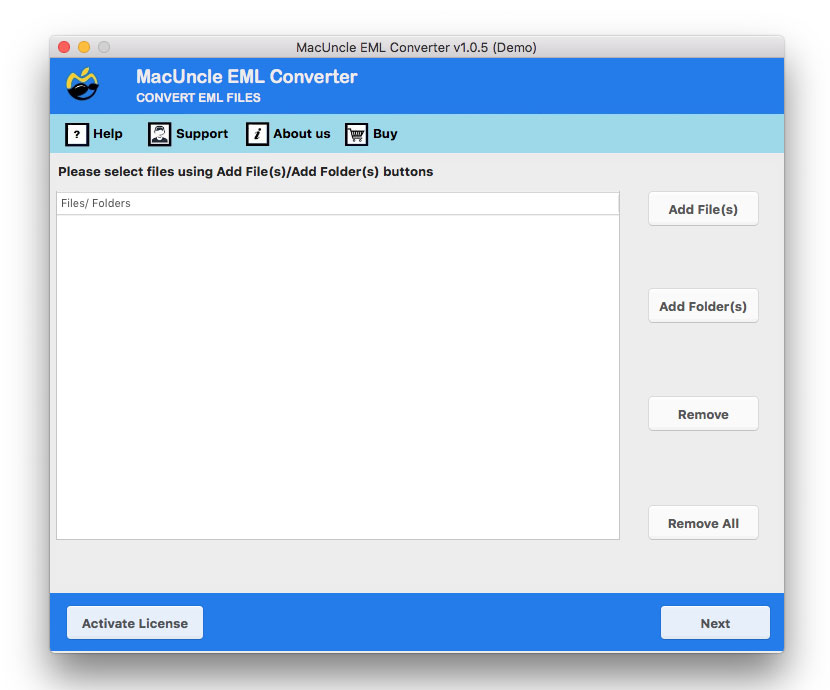
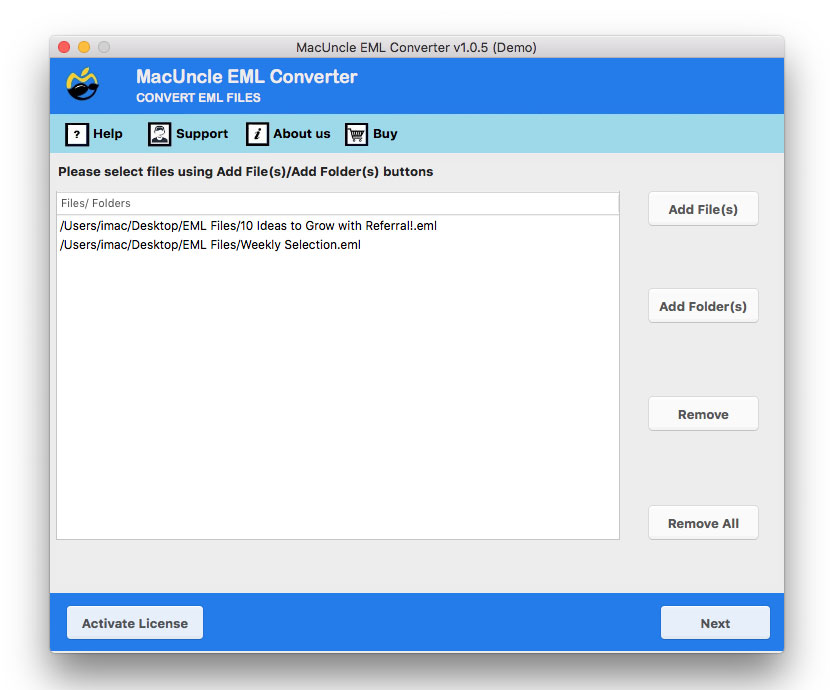
- Firstly, download the solution to your system and add your files once it is opened.

- Now, preview all your uploaded data and EML files and click Next.
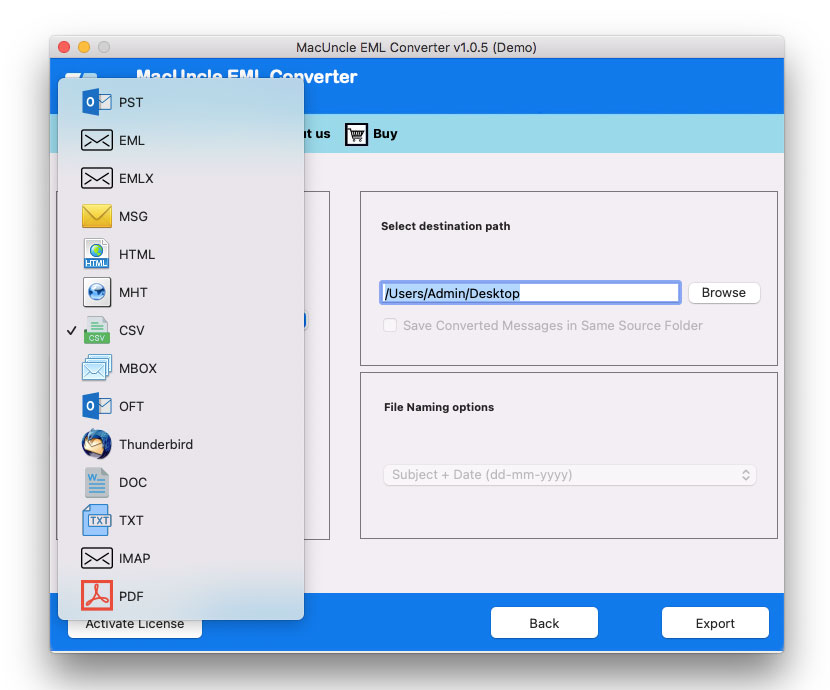
- After this, choose DOC from the given file format list.
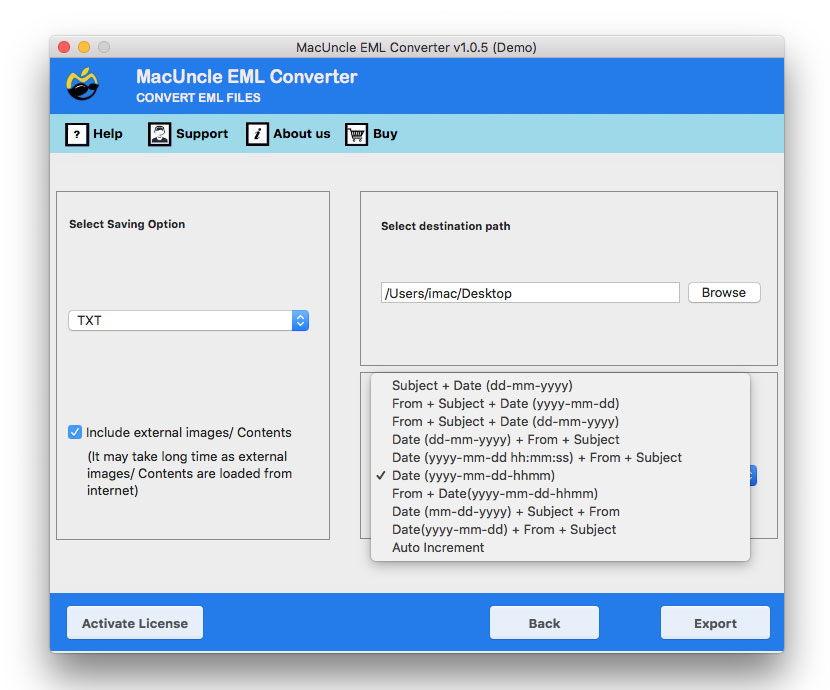
- Select the destination path and select a name for your resulting data file from the given options on the panel.
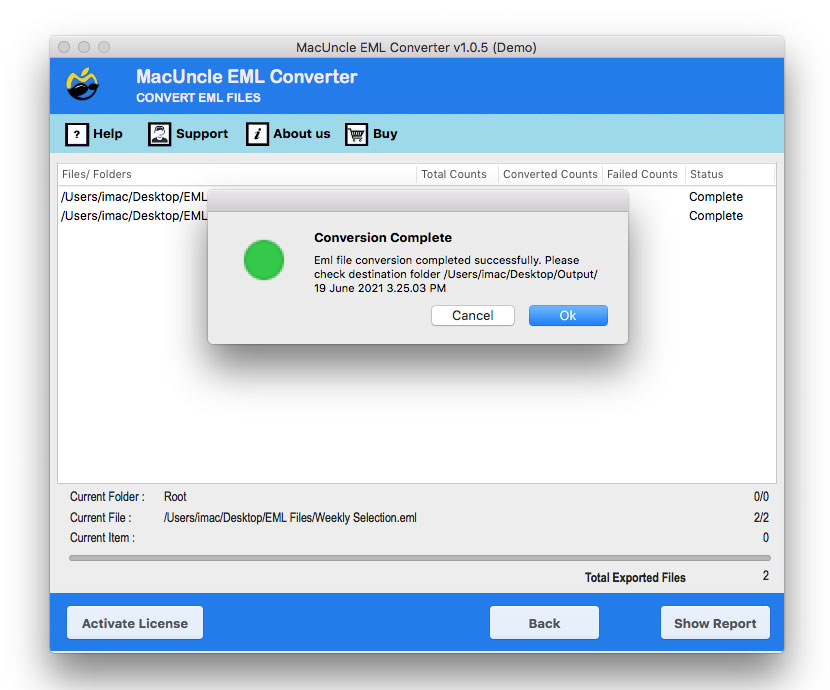
- Lastly, click on Export to complete the process without facing any errors.
FAQs
Q) Can I convert multiple EML files to Word at once?
A) Yes, with the tool mentioned here, you can perform batch conversion, allowing you to convert multiple EML files into Word documents simultaneously.
Q) Will attachments from the EML file be included in the Word document?
A) No, attachments are usually not embedded automatically; you need to download and insert them in the Word file.
Q) Will the formatting be preserved during the conversion?
A) The basic formatting is usually preserved if you use the software mentioned here.
Conclusion
Emails often carry more than just words, and saving them in a protective file format is a must. You can easily convert EML to Word entirely along with your attachments, calendars, contacts, etc., very easily. You just need a solution that works well and does not let your expectations down. We have discussed two methods in this blog to complete this task. If you need any further help, you can get in contact with our technical support team. They are 24*7 available to help you.