How to Open MBOX Files on Mac OS | Advanced Solution


Are you searching for a simple solution to open MBOX files on Mac OS X Computers? Let’s find out what steps we can use to preview the MBOX files without any data loss. You can learn about the universal method that is the use of email clients, and an instant solution to allow access to the content of the MBOX file efficiently.
There are many possible ways to open an MBOX file on a MacBook. Either you can use a direct method to read the Mailboxes using a file opener tool, or convert MBOX files to the appropriate email file format. In the coming section, we will discuss all possible ways to read/open MBOX files on Mac. However, if you are looking for a solution to read email files, opt for File Access Wizard. Moreover, it keeps your data safe and maintains the formatting of files.
What Program Can Open MBOX File on Mac OS
Let us know the solution to open MBOX files on Mac OS. We proposed an automated solution in a few clicks here – the MBOX Viewer to read mailboxes. Read the emails in *.mbox files without the need for any additional support. The step-by-step procedures for opening the MBOX file and the corresponding documentation are given here.
How to Manually Open MBOX Files?
Use a different email client, like Thunderbird or Apple Mail, to get a preview of the MBOX file. Since the mentioned ones support MBOX files and also have the option to directly import the mailbox.
With Thunderbird Client
Mozilla Thunderbird has an Ad-in to import and then open the email files in MBOX format. It is considered to be a go-to option for Windows users.
- Install Thunderbird.
- Start Thunderbird and add ImportExportTools NG.
- Go to Menu > Add-ons and Themes.
- Search for ImportExportTools NG in the search tab.
- Click on the +Add to Thunderbird to get the Add-ons.
Now, upload the MBOX files
- On the Thunderbird’s left panel, right-click and choose ImportExportTools.
- Click on Import MBOX files> Choose options.
With this, anyone with Thunderbird can open an MBOX file easily
With Apple Mail
Now let’s find out how to open MBOX file Mac with the help of Apple Mail.
- Launch Apple Mail.
- Click on “File > Import Mailboxes…” from the drop-down menu.
- Choose File in mbox format.
Tip: This method is the fastest option for macOS users; however, to open multiple MBOX files at once.
How to Open Large MBOX Files on Mac OS?
Install the desired version of the software mentioned in the above section – a tool to open MBOX files on macOS.
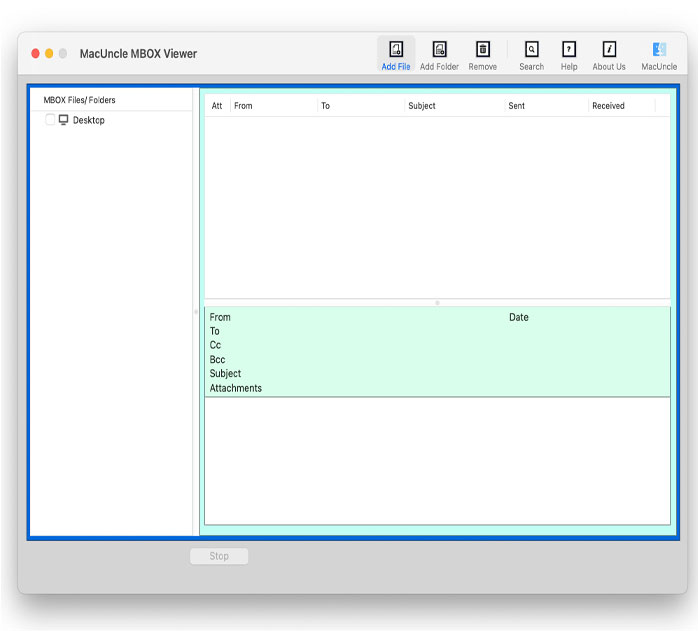
- Start the open tool on your Mac Computer.

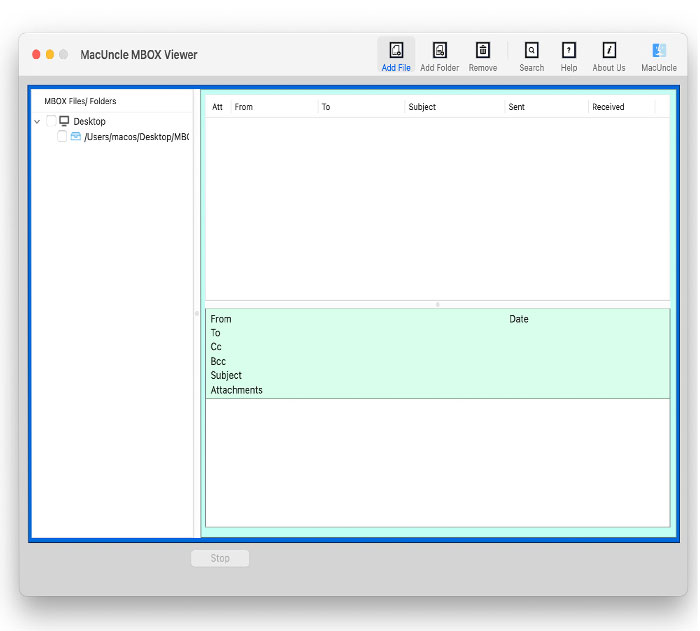
- Then, select the MBOX file using Add File(s) or Add Folder(s).
- Click on the required folders with MBOX files.
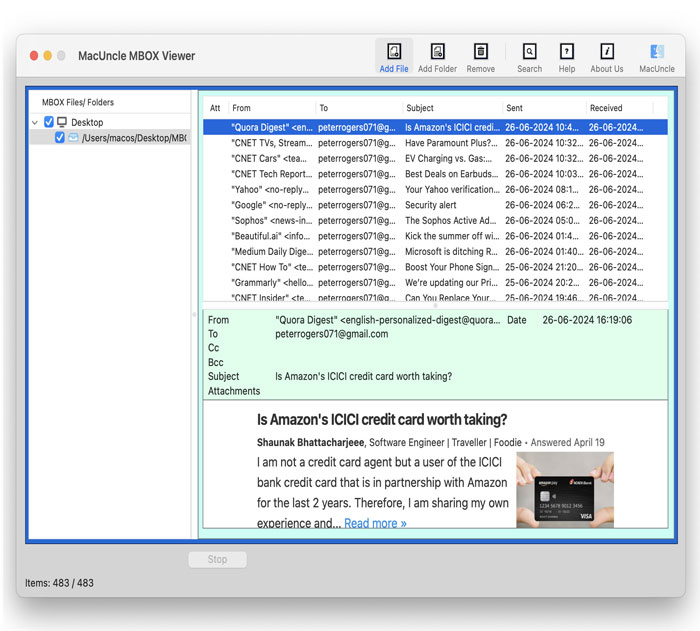
- Further, click on any MBOX Email files and read the email messages in the software.
You can also use an MBOX Converter Tool Mac to export the MBOX files to a suitable file format, for example, PST, EML, EMLX, HTML, MHT, MSG, Thunderbird, etc.
Check out the article: How to Convert MBOX to DOC format?
Open MBOX Files in Macintosh – Important Features
- Add Multiple Files option: This utility lists you with Add File(s) or Add Folder(s) options for adding multiple mailbox objects. You can add single or multiple files using the tool to open MBOX.
- Delete File/Folder option: You can remove added files or folders that are not appropriate with the removal buttons. To delete a single file, click Remove and Remove All to delete all added files.
- Open MBOX File With Attributes: You get the display of MBOX files with attributes such as From, To, Subject, and Received.
- All Mac OS Support: The utility can be installed on a Mac-based machine with 10.8 Mountain Lion and above versions.
Single Solution to Read MBOX Files on Mac
The MBOX Opener is an adequate solution for Mac. The tool has a very quick and basic interface. It is entirely Mac software that needs no external support. This tool helps you to read several MBOX files free of charge. The utility also addresses some user questions, for example:
- How to open a .mbox file
- How do you open an MBOX file on a Mac
- Read the MBOX file Mac
All such queries can be solved with the above-suggested solution. Besides, the tool is completely free of cost, and you can easily access any number of MBOX files without any hindrance.
FAQs
Q) Can I open an MBOX file without any email client?
A) The MBOX files can be opened in a browser, but they would display the content raw, which would confuse the user when reading. Therefore, we need an approach that would perfectly align the email body, attribute and other data properly. The article here has a different approach to doing so.
Q) How to open MBOX files while keeping the details intact?
A) Use of any email client, like Thunderbird or Apple Mail, will give accurate email details. If you need properly aligned details, then do check out the tool mentioned here.
Conclusion
So we proposed a trustworthy way to open an MBOX file on a Mac in the blog above. You can conveniently install the utility on any Mac device. It also provides various advantages and features for a trouble-free conversion. Free software that enables opening MBOX files on Mac OS without any limitation to the MBOX Files.