How to Open RPMSG Files in Gmail Account?


Note: RPMSG files are encrypted email messages protected by Microsoft Information Rights Management (IRM) or Azure Information Protection(AIP). With this encryption, we cannot open RPMSG Files in Gmail or convert and migrate them, unless the message are are decrypted in Microsoft Outlook with valid Microsoft permission.
As explained above, the article here will follow the proper and recommended approac the migrate and access the RPMSG file in Gmail. Considering all the limitations, we outline the correct procedure to complete the process successfully.
Overview of RPMSG
RPMSG are Rights Protected Message files, which are used in organisations to share confidential and encrypted emails. RPMSG files are created by Outlook with implemented Information Rights Management(IRM) and Azure Information Protection (AIP) polices, which control how the recipient can access, print, or forward the email content.
In simple terms, let’s know more about the RPMSG files:
- The RPMSG files typically have the email messages.
- RPMSG files store individual email messages, including their content, attachments(if permitted by the sender), sender information, recipient details, and other metadata.
Due to the applied encryptions, RPMSG files can only be accessed in authrized Microsoft environment and therefore are not directly compatible outside the Outlook, which includes Gmail.
Why Can’t You Directly Open RPMSG in Gmail?
Gmail is a web-based email service that primarily supports standard email file formats like MIME. Whereas the RPMSG files, being specific to Outlook with restrictions, do not support Gmail accounts.
- The RPMSG file format uses proprietary encryption and access control, which is particular to an email system or software application. Most proprietary formats have unique encoding or data structures not understood by the rest of the email clients, i.e., Gmail too.
- RPMSG might be an infrequently used file format. However, Gmail does not have built-in support to handle such protected files. As a result user may experience issues when attempting to open RPMSG files in Gmail.
How to Open RPMSG File in Gmail Accounts?
As discussed earlier, encrypted RPMSG files cannot be opened, converted or migrated directly to Gmail. These files must be accessed and decrypted in MS Outlook with the appropriate permissions. Therefore, this process has two major stages rather than a direct approach.
Stage 1: Decrypt RPMSG File in Outlook
Ensure the following before starting with the recommended approach here:
- Does the RPMSG file open successfully in Outlook?
- You have the required Microsoft permissions to access the message
- Then, save or export the files to *.msg files.
Without considering the above steps, we can’t access or process the RPMSG files.
Stage 2: Migrate the Decrypted Emails into the Gmail Account
Once the RPMSG files are accessed and save the supported format, use the MSG Converter to get the files into Gmail accounts. The toolkit can migrate decrypted and accessible email files to Gmail without requiring any additional conversion. It does not bypass RPMSG encryption or perform decryption of RPMSG files, but it assists in processing the email data that has proper access granted.
Steps to Import RPMSG Files to Google Account
You can use the toolkit after the RPMSG files are accessed and saved in a supported format, i.e., MSG, then you can use the toolkit to import the email data to the Gmail account.
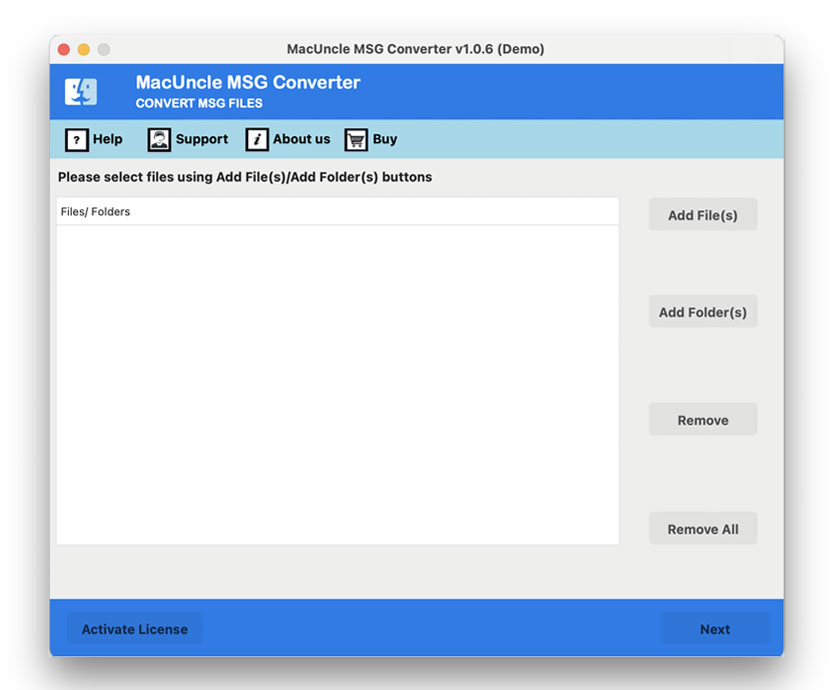
- Start the software as per the user’s requirement.

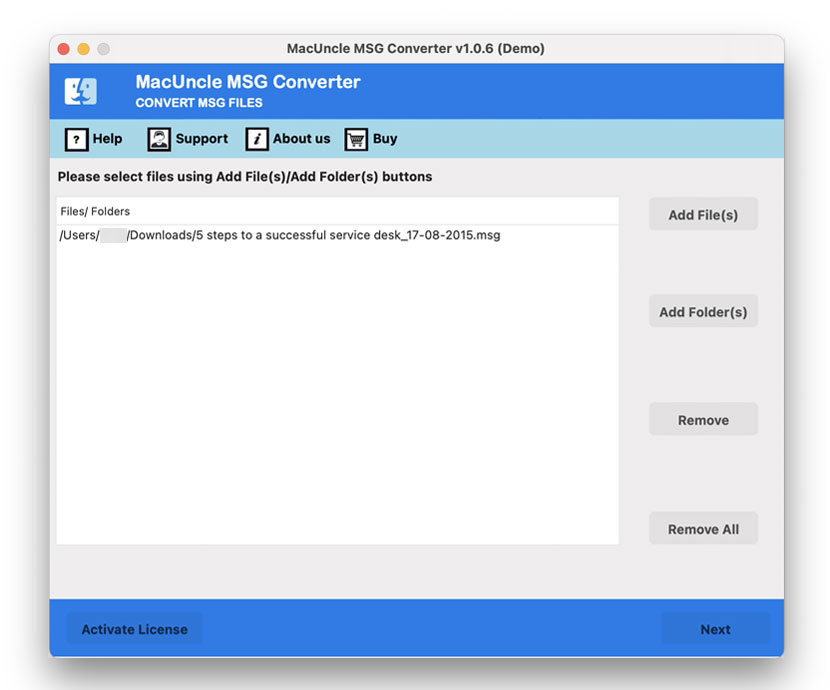
- Add the decrypted email files using the two different ADD buttons.
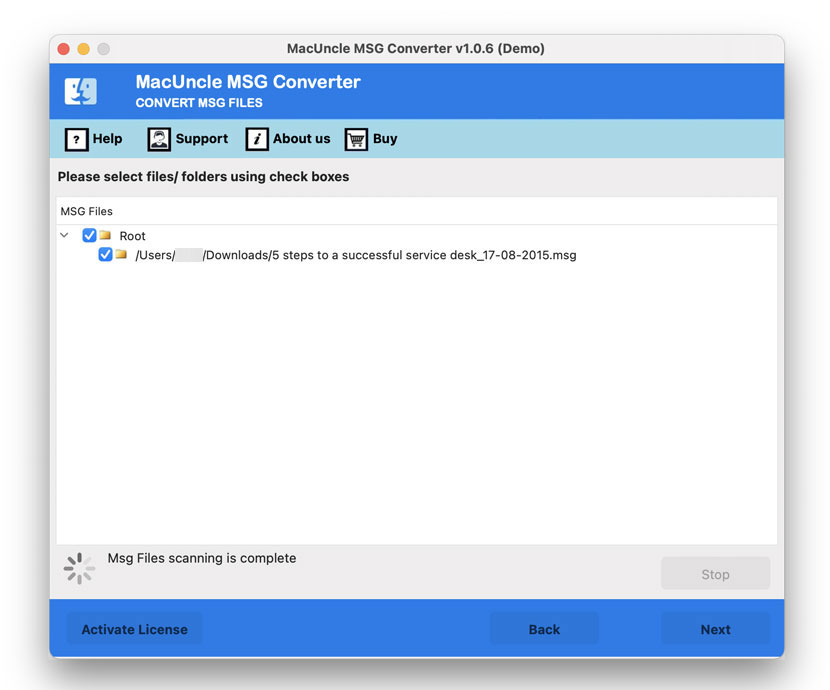
- Now choose the desired files from the list and press the Next button.
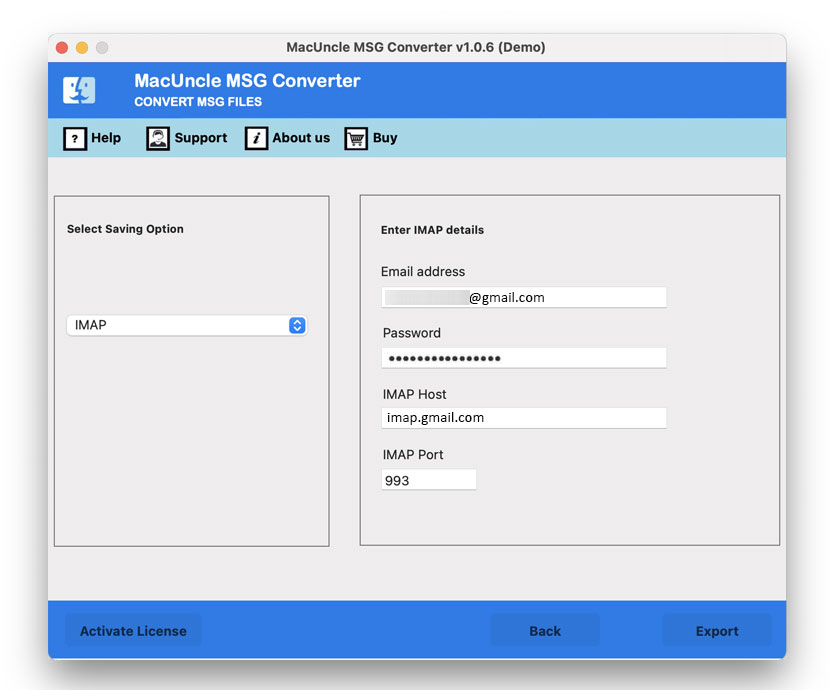
- Select Gmail from the saved list and enter the login credentials.
- Press the Export button to start the procedure.
Benefits of using Software to Open RPMSG files in Gmail?
After the RPMSG files are accessed and decrypted in Outlook, the software tool can help import the email data effectively and securely.
- Reliable and Efficient Conversion: The software specialises in accurately converting the decrypted email files to Gmail at once. This ensures the email content is preserved correctly during the conversion process, minimising data loss.
- Batch File processing: The toolkit supports batch processing, allowing you to migrate multiple decrypted RPMSG files into the Gmail account.
- Ease of Use: It is designed with a user-friendly interface so users with any background can perform the migration without relying on others. It can easily convert RPMSG to PDF format.
Conclusion
While Gmail doesn’t directly support RPMSG files, and the encrypted files cannot be accessed by any means of email service without a valid Outlook permissions. However, after processing the decryption of RPMSG files in the respective Outlook account, we can move the files into Gmail with trusted methods as mentioned here. Try out the trial version first, which includes all the important features that are available in the upgraded one.
FAQs
Q) Why can’t you directly open RPMSG file in Gmail accounts?
A) Gmail accounts are email services that primarily support standard email formats like MIME. And RPMSG files are MS Outlook specific and protected by IRM(Information Rights Management) and AIP(Azure Information Protected_. Due to these restrictions, RPMSG files cannot be opened in Gmail or any other email service without permission.
Q) What exactly are the RPMSG files?
A) The RPMSG files are a secure email format created by Microsoft. It uses Information Rights Management and Azure Information Protection polices to control how the recipient can interact with the email, such as accessing, printing, copying or forwarding the messages.
Q) How can I open RPMSG files in Gmail?
A) Start by using the appropriate account to access and decrypt the RPMSG file, which has the valid permission. Then save or export the email files in MSG format, and use the recommended tool here to import the email data to the Gmail account.