How to Reduce the Size of EML Files Effectively?


Do you have piled-up EML files exported from different email clients? Are you looking for a solution to reduce the size of the EML files without losing the important data? If the answer to both is yes, let’s find out how to do this securely without the need for any technical procedures.
Managing large numbers of EML files quickly becomes complicated. Regardless of the reason, you may want to store thousands of EMLs for business record-keeping, mailbox migration, or archival of important older emails, leading to large EML files, which slow down the system, increase storage usage, etc.
With this, many users face issues like:
- Slow email client response
- Waste storage space
- Increases the mailbox size with duplicate emails
- Difficulty in sharing and transferring EML data.
The good news is that we can use different methods to cut down the size of EML files. We will work on all the methods one by one and follow the method that suits best as per the requirement.
What Causes Large EML File Sizes?
Let’s first take a moment to understand what factors lead to an increase in EML files before moving to the solution:
- Duplicate Emails: Copies of the same EML file may significantly increase mailbox size. Duplicates arise as a result of multiple imports, synchronisation problems, manual copying of files due to human error, etc.
- Email Attachments: Attachments included with these EML files can also contribute to the EML file size. Examples of attachment types are PDFs, Images, videos, etc.
- Embedded Image: Embedded images inside EML files drastically increase file size, especially when emails contain logos, banners, and other graphics.
- Email headers and metadata: The headers and metadata of an email provide information about the sender, timestamps and other server-related data. Although small individually, this excessive metadata across EML files adds up to a large mailbox size.
- Multiple backups: Performing repeated exports without cleanup results in overlapping archives filled with redundant content.
Here are the most effective techniques to reduce EML file size.
Check out the related article | Find out – Can EML files contain viruses?
How to Reduce Size of EML Files?
Here are four of the most widely adopted methods of reducing the EML file size. You could apply one or more of these for optimum results, depending on the content and nature of your EML archive.
Method 1: Remove Duplicate EML Files
One of the most frequently disregarded factors in growing EML archives is the accumulation of duplicate emails. It can occur during mailbox export, email forwarding from one user to another, due to CC emails appearing multiple times in the archived dataset, and from creating multiple copies of the same dataset during regular backups.
Why duplicates are a Problem: Unnecessary usage of your storage space; it slows down the search process of the important email, and carries on to the new mailbox, leading to duplication there as well.
How to reduce the EML file size?
Use the EML Duplicate Remover, which will help in scanning the EML files for exact or duplicate messages using the email properties like the To, From, sender, date, subject, and also other EML parameters. Once the tool detects a duplicate file, it safely removes the duplicate and keeps the original file intact. It also creates a folder containing unique emails. Further check and delete the earlier files from the system.
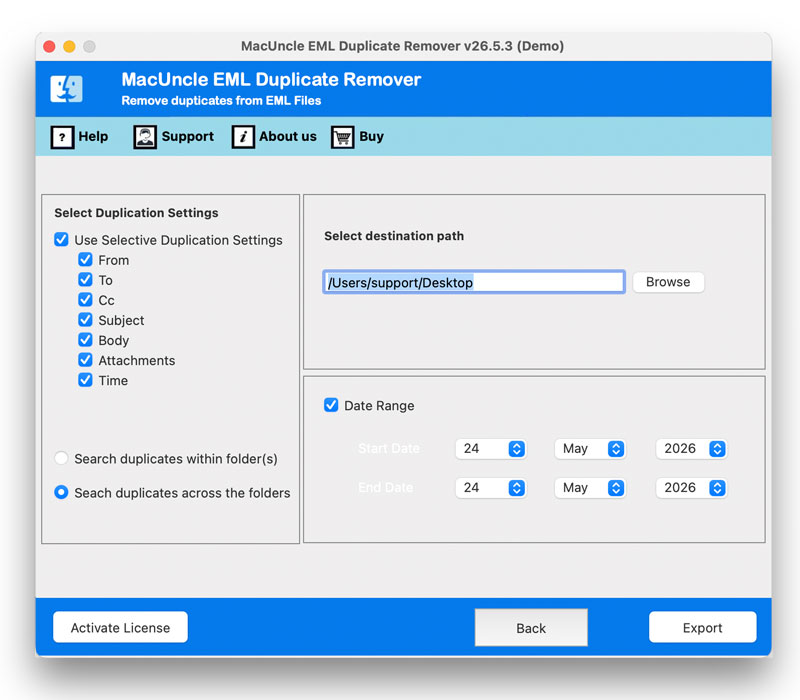
Pro Tip: Make sure that the tool is used before you begin with some other cleanup activities, as the reduction in the file count would help in accelerating the process of further methods.
Method 2: Remove Large Attachments to Reduce Size of EML Files
Attachments are known to consume the bulk of EML files. While an email itself might not be much larger than 10-20KB, it can store attachments that take up to 50MB or more. Hence, by extracting the attachments from the emails that were already downloaded and filed away or older EML files, one can quickly reduce the EML file size.
Why should we remove the attachments? You may already have the attachments stored on your hard drive. If you store emails for compliance purposes and do not need to archive attachments legally, your EML archive becomes too large for efficient search and review.
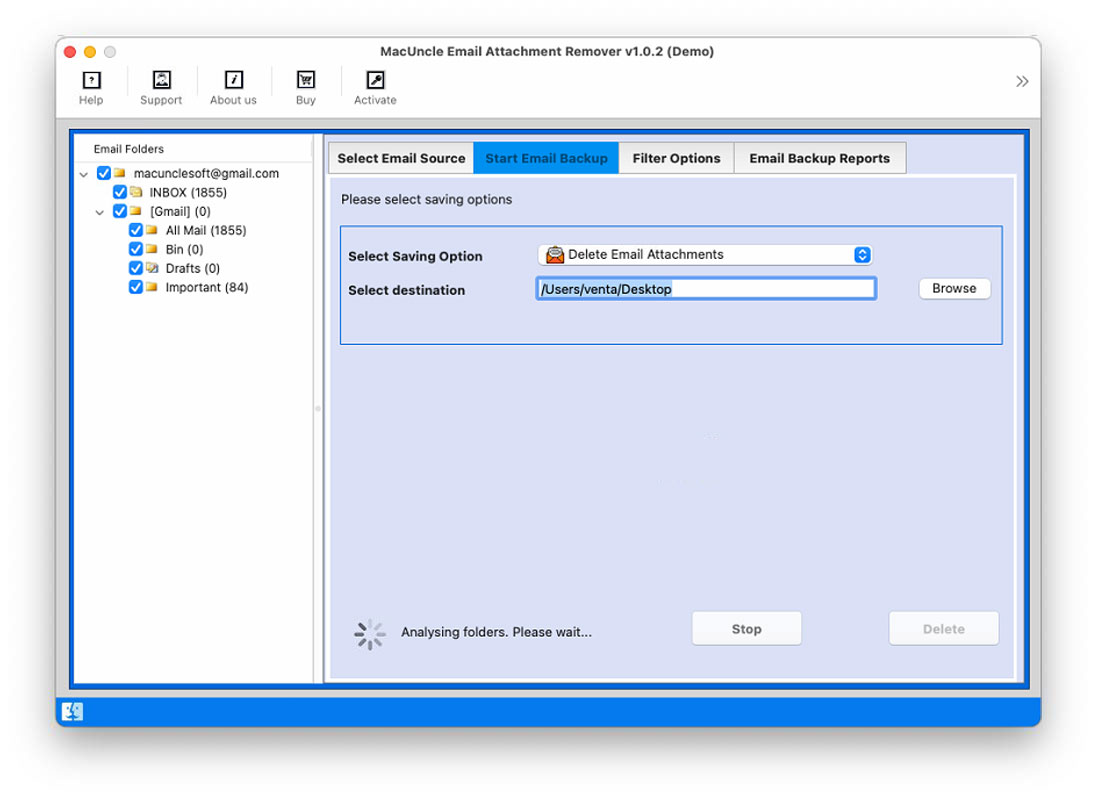
No tool exclusively exists for this task, but you may use an Email attachment Remover that will find and remove files from EML attachments in batch. The tool searches for extracted emails found within EML files and provides you with full control to permanently remove the attachments from the messages.
Method 3: Convert EML files & Reduce File Size
The format of the email may also be one of the factors impacting its size. EML files format their data in a way which contains more irrelevant information than is required, with additional parameters and Base 64 encoding, which is not size-efficient. Conversion of EML files into other file formats can improve data management and reduce file size.
You can use an EML File Converter, which is used for converting EML files from one file type to another. It can help you convert multiple files by adding all files to a queue. You can choose your desired file format from different output file types that will help you manage your data and reduce its size, too.
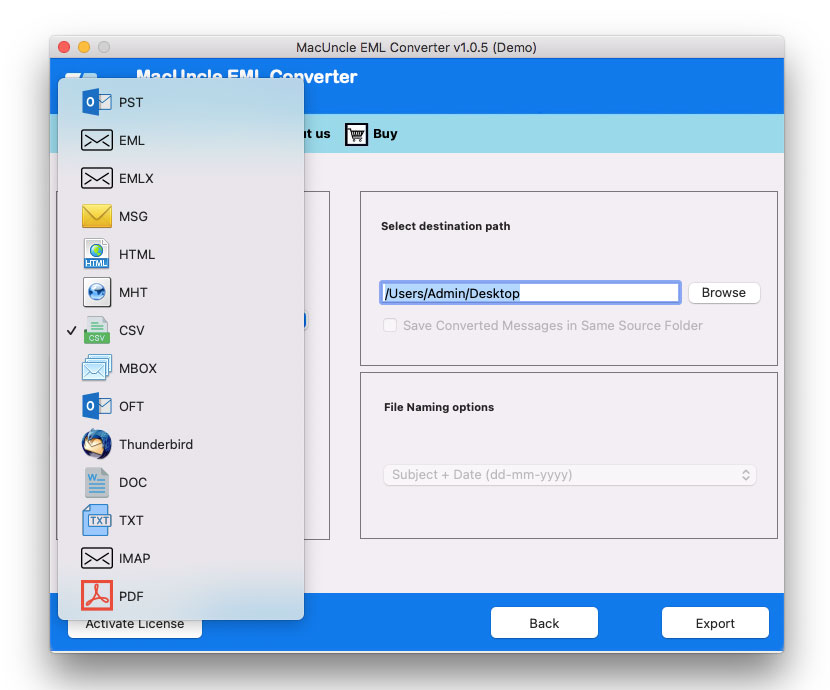
Best Approach: You can remove the attachments first and then convert the cleaned EML files to the desired format for the best results.
Method 4: Delete Unnecessary or Outdated EML Permanently
In some cases, the best method would be to simply remove unwanted or old email messages that are not useful. These may include junk mail like newsletters, promotions, and even notification emails. If you store old EML files locally, use the Data Wipe Tool to permanently delete unnecessary files so no one can retrieve them later.
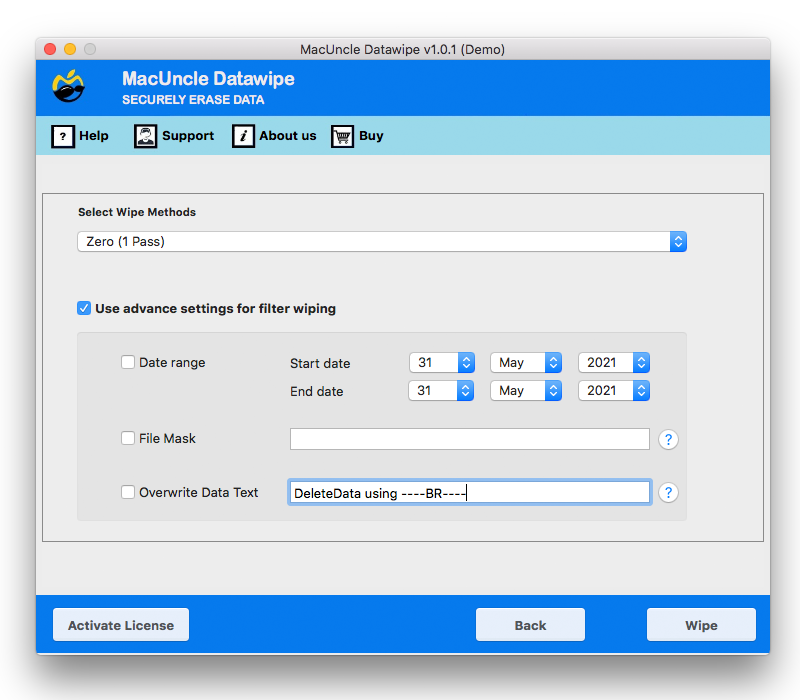
Note that simply deleting a file only puts it in the recycle bin, from which it can still be recovered using deleted file recovery software. This is to permanently get rid of the unwanted EML files.
FAQs
Q) Can I reduce the size of EML files without any loss of email data?
A) Yes. We can remove the duplicate content of an EML and save all the original mail content using the format conversion method. The attachment removal process deletes inline files but keeps the email body intact, preserving the original text and metadata.
Q) Which is the best software to decrease the EML file size in batches?
A) It’s better to have a duplicate remover, an attachment remover, and an EML exporter tool to get the work done. Combining these tools in a combo helps in reducing the size of EML files.
Q) How to compress the EML files before moving to a new mail client?
A) Before the migration, run a deduplication tool, remove attachments, and then import the file. Reducing the data prevents errors during migration and helps maintain a clean inbox.
Conclusion
We can reduce size of EML files by using different methods to recover the storage space, speed up system performance and organise the emails more efficiently. Fortunately, reducing the size of EML is not difficult; removing duplicates, deleting unnecessary attachments, converting files to more efficient formats, or permanently eliminating the outdated messages can significantly improve the email archives while preserving the important information. Choose the right method depending on the requirements and nature of the EML files. Regular maintenance of EML files enhances system performance, reduces storage consumption, and contributes to more efficient email management.