Screens

Video

Guide

MacUncle EML Converter Tool

Simple to use product with many useful features. It quickly transfers a large number of .eml messages or EML folders. Both Windows and macOS users can download the appropriate EML Converter edition based on their operating system.

  • Convert EML Files in Email Formats: EMLX, EML, PST, MSG, MBOX
  • Bulk Convert EML in Document Format: HTML, MHT, CSV, DOC, TXT, PDF
  • Maintains 100% Data Accuracy by Preserving the Original Email

  • EML Converter Tool with Compatibility on all the Latest Mac OS Versions
  • Virus Safe & Secure Total Score: 100%

Steps to Use EML Converter Tool

Conversion of EML Messages Involves A Few Steps

Software Installation

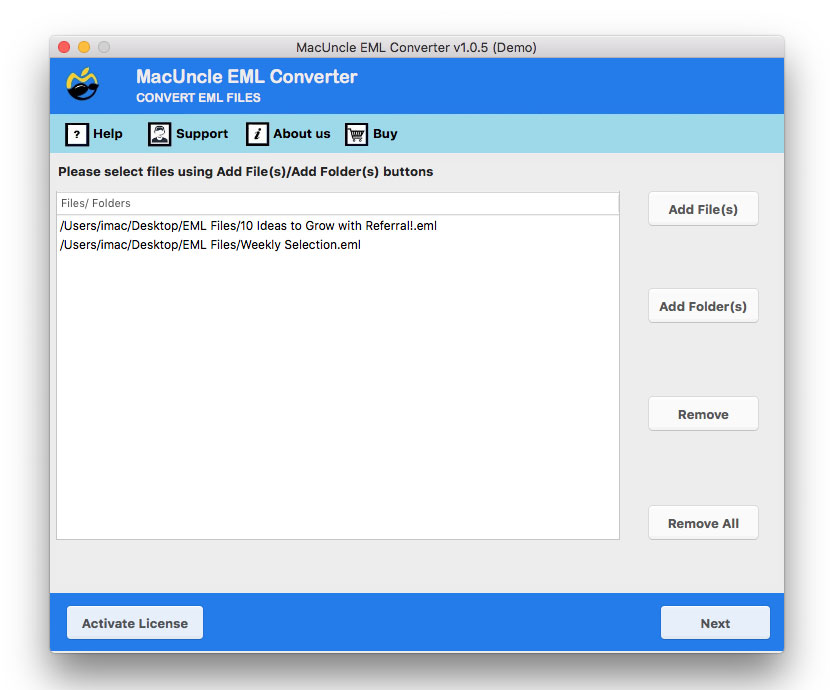
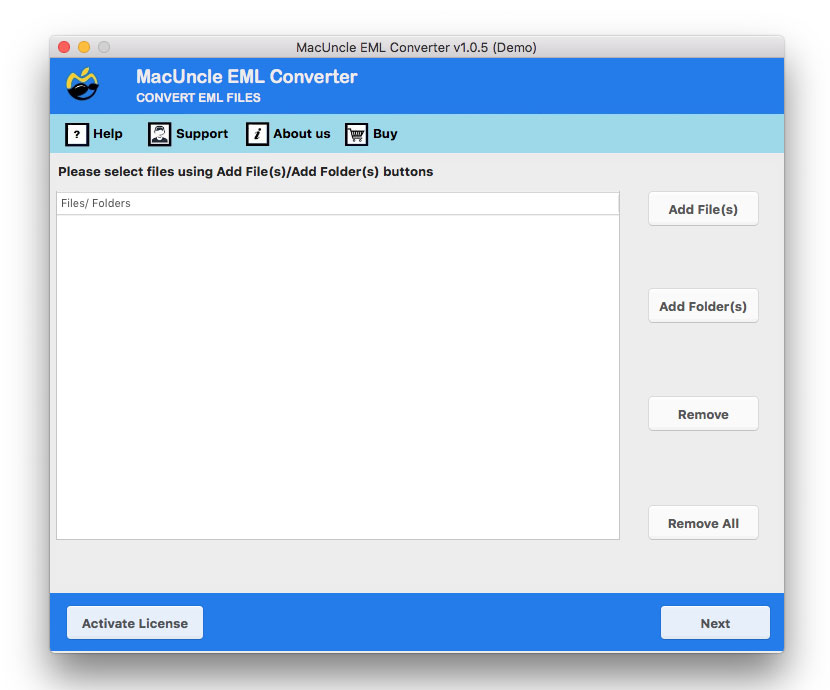
Download the SETUP file on Macintosh Machine. Install & Launch the EML converter software. Start the tool and upload the *.eml file/folders and view EML File in the Software interface. Then click Next, select the desired files, and press Next again to proceed.

Select the Export File Format

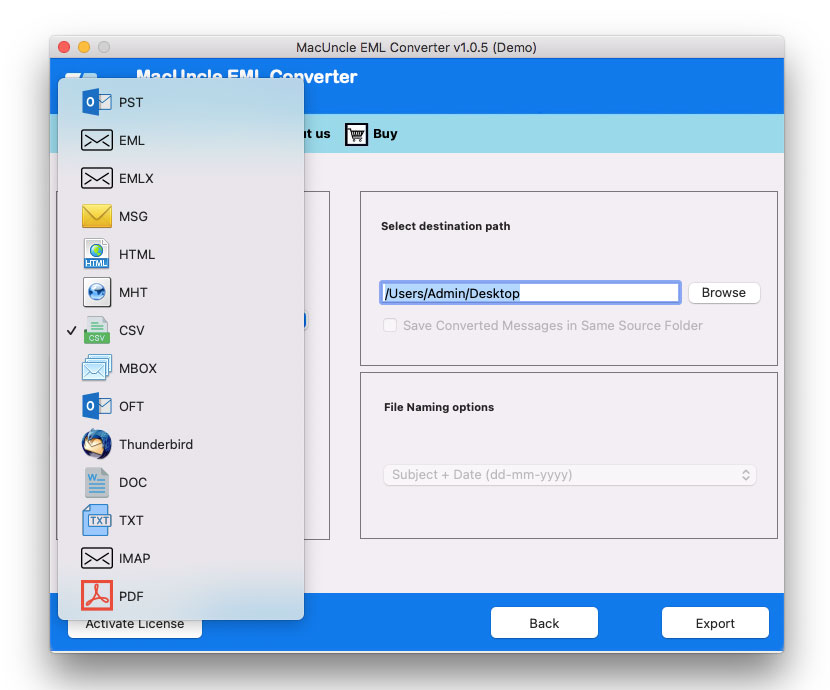
With the EML converter's Select Saving Option, select the required file format and choose the destination location. Save exported file at your desired location and then choose the Naming pattern from File Naming option for File Management. Then press the Export button.

Get the Converted File

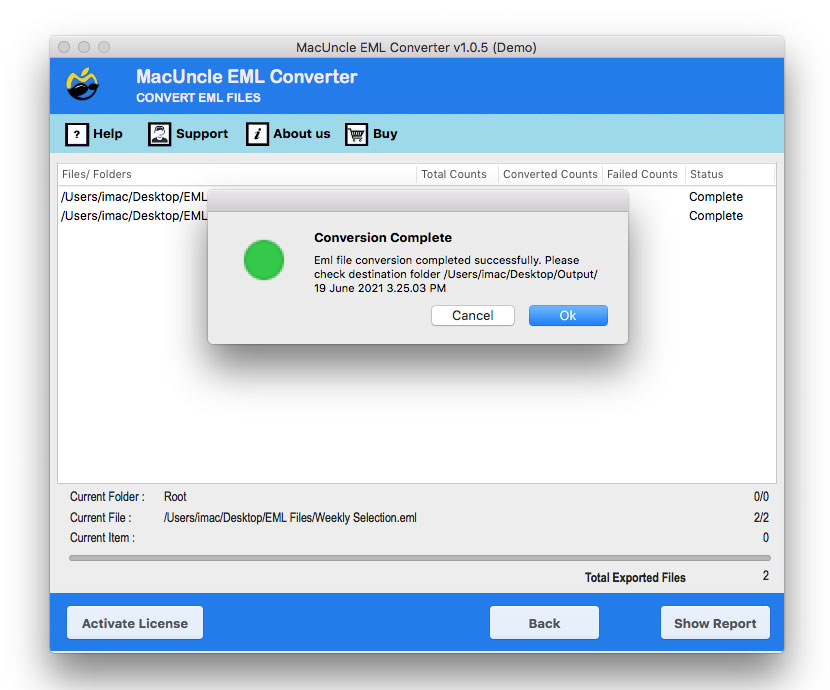
After that, press the Export button, and the EML Converter tool will display a live conversion progress report. The tool also generate a detailed log report containing conversion information. After the process is complete, the folder with exported files will open up directly.

Advanced Options for EML File Conversion

MacUncle EML converter is a one-stop solution for converting EML files to various email and document formats. Along with the Export option, the tool supports EML file migration across multiple cloud applications via IMAP protocol.

It supports multiple naming conventions and allows you to browse for a location to save the output file.

Steps to Use to Convert EML files:

  • Step-1: Download EML Converter and Launch on Mac Machine
  • Step-2: Choose Options Either Add Files or Add Folder
  • Step-3: Select One Export Option from List and Browse Path
  • Step-4: Hit Export Button to Start EML File Conversion

Best EML Converter – Supports a Wide Range of Email Clients

Since the search for approaches to convert EML files depends on the user's email client. Therefore, the EML file Converter supports a wide range of email applications, thus making the processing of files very easy, no matter what the source. If you are want to migrate EML to a new platform, save the EML messages as a backup, or convert the messages into documentation, the tool is there to do the job with the EML files exactly. As a result, it is a flawless and interruption-free conversion for individuals or organisations that are managing a complex email ​‍​‌‍​‍‌environment.

Supported Email Client

  1. Apple Mail
  2. Mozilla Thunderbird
  3. Windows Live Mail
  4. Outlook Express
  5. eM Client
  6. SeaMonkey
  7. Mailbird
  8. Opera Mail
  9. IBM Verse
  10. Any IMAP/POP client capable of exporting or saving messages in EML format.

EML Converter for Mac – Overview Essential Features

Read Software Features to Properly Export EML Files

Converts in 8+ Standard File Formats

MacUncle EML Converter for Mac OS allows converting EML files to different frequently used File format without having any error or problem. The available file conversion permitted by the tool are EML to PST, EML to PDF, EML to MBOX, EML to MSG, EML to CSV, etc.

Dual Options to Select EML File

For converting EML files, there are two ways to select the EML file from the system. The approaches are Add File(s) / Add Folder(s) to choose files as well as folders from the device. The Add File(s) option allows you to add EML files and the Add Folder option allows you to add a folder containing multiple EML files.

Batch Conversion of EML Files

The dual options in EML Converter – Add File / Folder will let users select single as well as multiple EML files and folders. Thus, using these two options, batch conversion is possible. Users can select multiple EML files at one go and the conversion will be completed smoothly. This will help the user export EML files on macOS without wasting time.

100% Accurate Conversion Result

All the conversion offered by the tool to file extension from email to document format gives the accurate result at the end. Even after the batch conversion, the software gives the exact result as the user wanted. While exporting to any other file format, the EML converter gives the precise output.

Convert EML File with Attachments

The attached documents are the most important part of an email. Hence while converting any email files to another file format attachments should also be converted. EML converter for Mac export EML files on Mac OS X along with the attached documents without doing any changes to the documents and the EML file itself.

No Limitation on EML File Size

EML Converter neither possesses any restriction on the size of the file nor the number of the EML file. The conversion of the EML file will give an accurate result even if the size of the EML file is more than the normal size. The software will Convert EML file on Mac to the desired file format smoothly without causing any termination in between.

Choose Desired Location for Output

Before the conversion starts user gets the chance to change the destination path from the default destination location. EML Converter for Mac OS offers a default destination path for the converted EML file in Desktop of Mac OS. This might help users to get the converted file easily. The user can change the default location to the desired location.

Supports All Latest Mac OS Versions

MacUncle EML File Converter can be installed on Mac OS 10.8 Mountain Lion and all the latest editions of Mac Operating System based computers. Now, the Windows version of the software is also available to convert EML Files.

EML Converter Software - Requirement

Learn about the features of the Free and Full version of the EML File Conversion Tool.

Software Name: Mac EML Converter
Processor: Minimum 2.4 GHz Processor
RAM: Minimum 1 GB
Minimum Hard Drive Space: 100 MB of free space MB
Operating System: X OS 10.8 Mountain Lion and all the latest Editions.

Software Specifications

  • Support: 10.15 Catalina, 10.14 Mojave, 10.13 High Sierra, 10.12 Sierra, OS X 10.11 El Capitan, 10.10 Yosemite, 10.9 Mavericks, and 10.8 Mountain Lion
  • Processor: 1 GHz Processor (2.4 GHz is recommended).
  • RAM: 512 MB of RAM (1 GB is Recommended).
  • Hard Disk Space: 10 MB of Free Hard Disk Space Required.

Download

Size: 37.8 MB, Version: 1.0

Product Guides

Software Guide Installation Uninstallation EULA

Trial Limitations

The user can export over 25 emails from EML files to the preferred file format using the tools available in the Free Trial edition.

Electronic Delivery

The License Details will be delivered to your registered email address within 15 minutes after a successful order placement. But in rare cases, delays may happen because of problems with the email service or because the system is down. Please look in your Spam or Junk folder as well in case license details don't reflect in your Inbox.

Request For Software Customization

Request a Quote if you need to modify Mac EML Converter or if you need more functionality.

Customer Support

Mac EML Converter Tool – How-To Video Instruction

To learn the exact steps to exporting EML files, watch this video instruction.

EML Converter Free Version vs Full Version Comparision

Here are the features available in the free edition and the Full Licensed Version of the Toolkit
Feature DEMO PRO
Batch Conversion of Multiple EML Files
Convert EML File to All Supported Formats
Export Email with Attachments
Support All Email Client Generating EML
Maintains Email Metadata
Save Outlook to Desired Location
Conversion Limit Converts up to 25 items per folder No Limit
Full Customer Support
Price Free $29
Customer Feedback

Checkout User's Recommendation After Using Full Version of EML File Converter

EML Converter Tool - FAQ

Checkout t--he Software Capabilities and Limitation

4 Steps to Use to Convert EML Files:

  • Step-1: Download EML Converter Tool and Install on Your System
  • Step-2: Browse The EML File Using Add File or Add Folder Option
  • Step-3: Select One Export File Type from The List of 8+ Export Types.
  • Step-4: Press Export button to start EML conversion Process

Wait until the conversion is finished before attempting to open the folder.

There is no limitation on EML file size for the conversion using EML Converter for Mac.

Yes, the Mac EML Converter can convert either single or numerous EML files.

Yes, the tool exports EML files with attachments.

Yes, the software is compatible with Mac OS 10.8 Mountain lion and all the latest editions.

MacUncle EML converter is available in two licenses. The following are the specifications:

  • Standard License: This license is only for personal use. Because it only allows the tool to be installed on two Mac computers. Aside from that, IMAP feature is disabled.
  • Pro License: This license allows users to install software on as many Mac computers as they want, and it also includes the IMAP option.

Use the EML Converter to convert EML to DOC file format with ease. It allows the user to transform email messages into editable Microsoft Word documents. Whether you're archiving emails, preparing for printing or documentation purposes.