How to Convert Google Chat JSON to PDF Format?


Google Chat is very widely used for one-on-one conversations, group discussions, and team collaboration. Therefore, saving important Google Chat conversations to a readable format can be very challenging. If you have the conversations in an archive but need to take an additional step to convert the exported data into a clean and shareable file format, PDF is one of the most convenient options.
In this guide, we will be explaining how to extract the Google Chat data in JSON format and how to convert the JSON chat to PDF format.
Why Convert Google Chat JSON to PDF Format?
JSON(JavaScript Object Notation) is a lightweight, text-based file format to store and exchange structured data. JSON files usually have the extension .json and organize the information with objects, arrays, and key-value pairs. JSON files are a format for storing structured data, but they are not convenient for reading, sharing, printing, or archiving conversations. Here are some of the common reasons to convert Google Chat JSON to PDF:
- Create a readable archive of important conversations.
- Save the chat records for documentation
- Share the chat in a format that does not require an additional JSON viewer.
- Print the Google Chat conversation.
- Convert structured data into a more presentable and readable format.
PDF files are easier to open and read than JSON, mostly when the exported file contains a large number of messages.
Extract Google Chat Data in JSON
If you already have the JSON file and want to convert, jump to – Methods to Convert Google Chat JSON to PDF
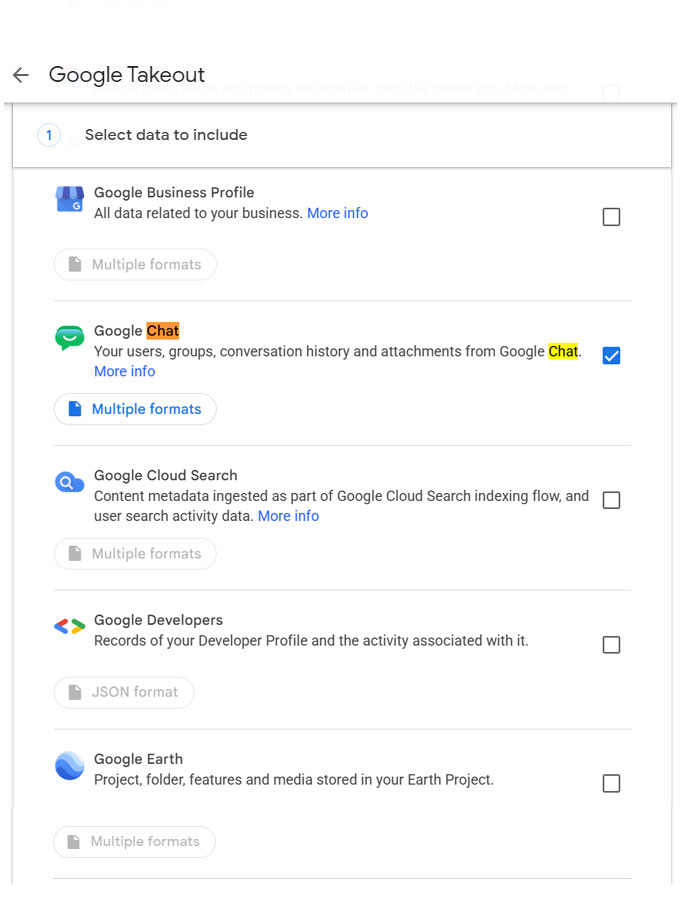
Let’s find out how to get Google Chat. For eligible Google accounts, Google allows users to download the data using Google Takeout. With this, we can extract profile information, members’ chats in direct messages, group messages, and spaces, including messages and attachments.
- Go to Google Takeout and sign in to the Google account with the Chat data you want to export.
- Review the list of Google products available for export.
- Deselect the one you don’t need, select Google Chat, and configure the export.

- Create an Export with the required options.
- Finally, download it and extract the ZIP file on the computer.
- Look in the folder and files to locate the JSON data you want to convert.
Note: Before starting with the conversion, make sure that you are working with an actual JSON file. If the Google Chat was exported via Google Vault instead of Google Takeout, the it will be in MBOX format, no JSON, thus the steps mentioned here won’t apply. For the MBOX files, check our guide on how to convert Google Vault chat files to PDF instead.
How to Convert Google Chat to PDF Format?
Here, we have demonstrated two methods to store the Google Chat files in a readable PDF. The first method is a manual approach, which might be useful for converting a handful of chat messages. The second is conversion software, which simplifies the task of handling large Google Chat JSON files.
Method 1: Open JSON File and Print it as PDF
Here is the simplest manual approach:
- Open the JSON file in a web browser or text editor.
- Format the JSON data to make the content easier to read.
- Identify the relevant message field.
- Copy the message content into Microsoft Word, Google Docs, or any other document editor.
- Go to File > Save As > PDF.
Method 2: Convert Google Chat JSON to PDF with a Dedicated Tool
A faster option to convert chat JSON to PDF format.
Chat Converter allows you to generate various output file formats from JSON data, including PDF. The tool helps convert the chat files directly without any manual formatting required. You can add many JSON files using the tool and generate the required Output.
The workflow is:
Google Chat → Export JSON → Add JSON File → Choose PDF → Converter.
How to Convert Google Chat to PDF in Batches?
Get the desired version from here:
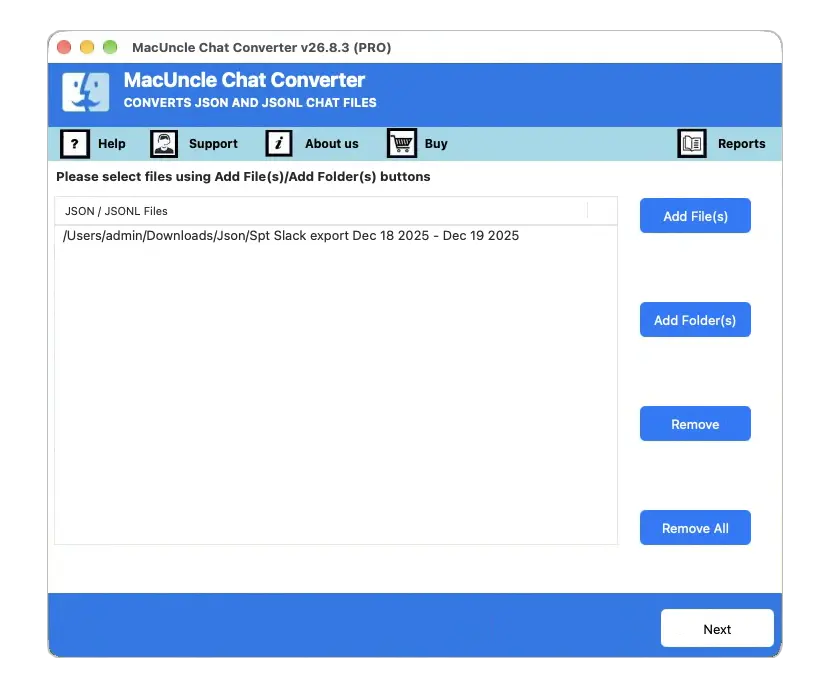
- Start the tool and add the Google Chat JSON File.

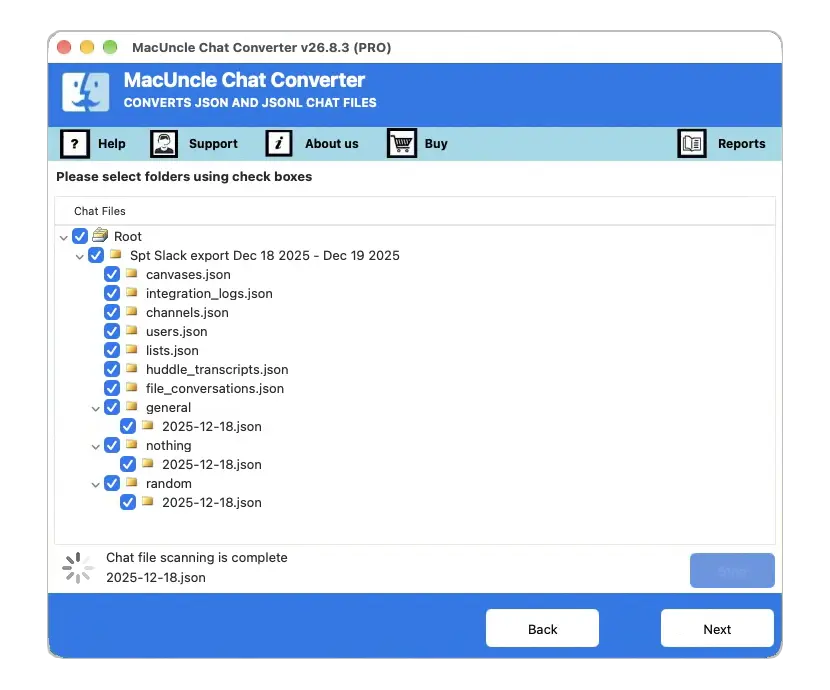
- Select the desired file from the list using the checkbox. Press the Next button.
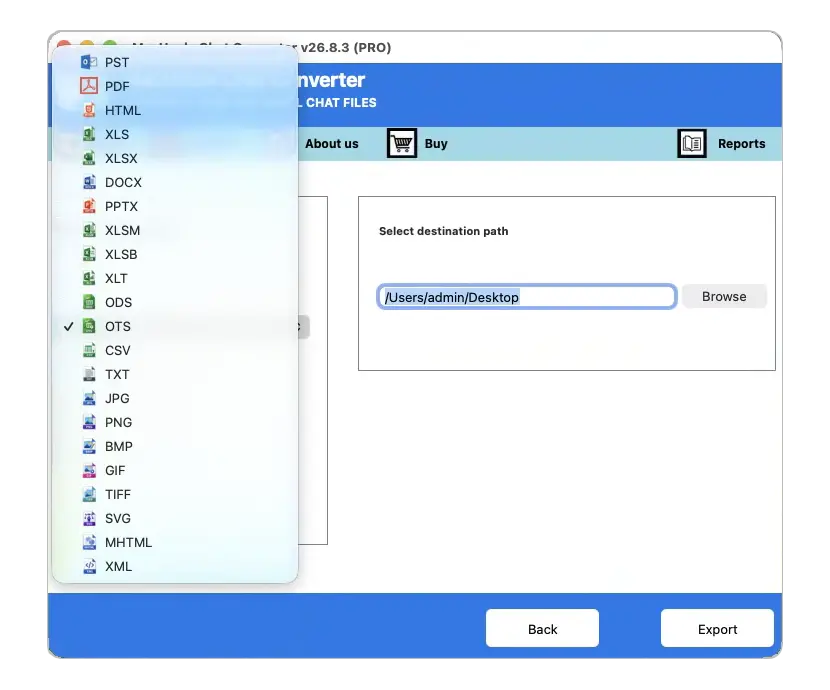
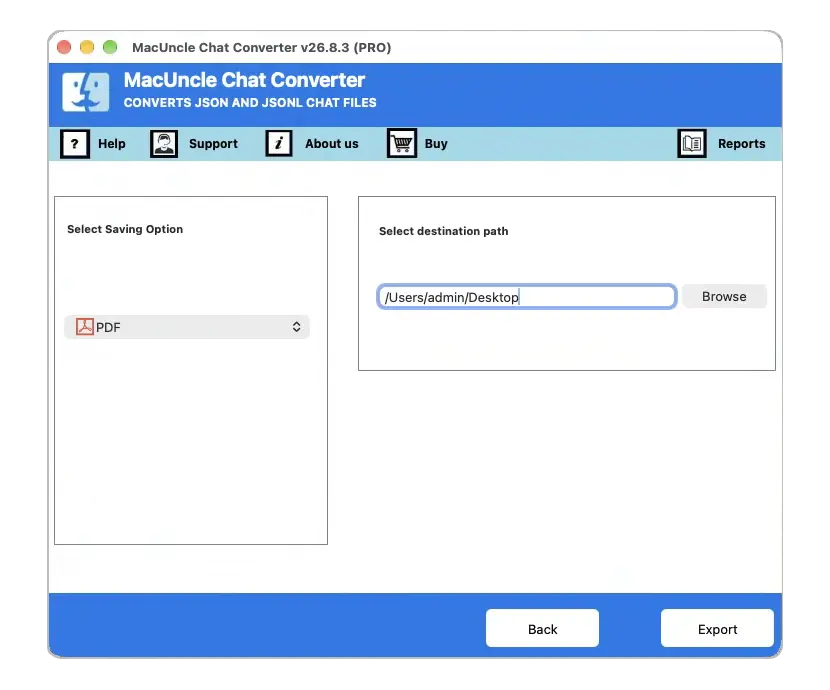
- Now, choose the PDF format from the list of saving options.
- Set a location to store the converted chat file.
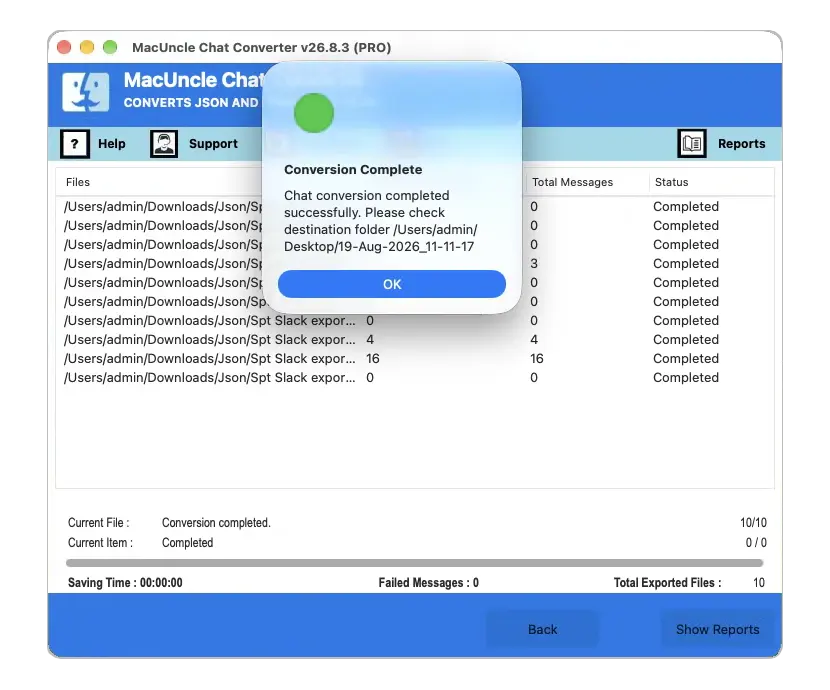
- Press the Export button to start the conversion.
Check out the related article | Find out how to save Telegram as PDF Format
Which One to Choose as a Google Chat JSON to PDF Converter?
| Feature | Manual method | Automated chat converter |
|---|---|---|
| Best for | A few chat files | Large archives and frequent work |
| Setup | No special software required | No Additional Application Required |
| Formatting control | High | Converts to Readable Format |
| Batch processing | Limited | Supports Batch Conversion |
| JSONL handling | Requires extra work | Supports JSONL Conversion |
| Conversion Speed | Slow for large files | Faster for multiple files |
| Cost | Free | Trial Version Available |
Conclusion
As mentioned here, the manual method is suitable for a handful of chat files. Export the data with Google Takeout, get the chat in JSON files, format the JSON file in a document editor, and print or download it in PDF format. Therefore, we have come up with an automated approach that can be used for large archives, preserve message structure, and generate PDF files with less manual effort. The safest workflow to retain the original format is to use the converter that supports both JSON and JSONL files.