How to Import Yahoo Mail to Outlook ?


Are you looking to import Yahoo Mail to Outlook? This is a common and major task which people look out for because of so many logical reasons. We all know that yahoo is a solid email service. It provides you 1 TB of storage and encrypts all you messages. But Outlook on the other hand, has features which Yahoo simple can’t match which includes calendar integration, task management, offline access, and a more structured inbox. This is why so many users decide to transfer Yahoo mail to Outlook
The article will explore why users want to move emails from Yahoo Mail to Outlook using a manual method and the professional solution to ensure a secure and error-free migration. Additionally, the article will highlight how the professional tools simplify the migration while preserving the data integrity and the email security.
Why to Import Yahoo Mail to Outlook?
Before going directly on steps, its worth understanding why people do this transitioning and why its necessary. The common reasons are mentioned below:
- Outlook provide you rules, categories and folder structures, especially if you are handling a high volume of emails.
- Unlike Yahoo’s web interface, Outlook allows you to read and compose emails even without internet connection.
- Once your Yahoo emails are in Outlook, you have a local copy that’s safe even if something happens to your Yahoo account.
- If you use Word, Excel, Teams or OneDrive having your emails in Outlook makes everything work together more naturally.
- Outlook is the standard in most business environments. Having Yahoo mail inside Outlook makes things cleaner.
Before You Start to Export Yahoo Mail to Outlook
A few things which you need to go through before you transfer Yahoo mail to Outlook.
- The initial sync can take time depending on your mailbox size.
- Make sure you’re using a recent version of Outlook
- Yahoo doesn’t allow third-party apps to use your regular password. You will need to generate a separate app password from your Yahoo account.
- Go to Yahoo Mail settings and confirm that IMAP access is turned on.
- If you have a large Yahoo mailbox, make sure your PC has sufficient disk space.
Go through and tick all this checklist before you begin to transfer Yahoo Mail to Outlook.
Manually Import Yahoo Mail to Outlook
To get the Yahoo emails in Outlook, one of the primary methods is to add accounts. Let’s find out how to add Yahoo Mail to Outlook. Firstly, you need a password for the app. Your Yahoo Mail password is not the same as this one. Once the app password has been created, you can use Outlook to set up your email. Go through each of the procedures to manually transfer emails from Yahoo Mail to Outlook.
Create Third-Party Password
- Log in to your Yahoo Mail account
- Select Account Info by clicking the Info icon.
- Select Create app password.
- Choose Outlook desktop from the select your program selection by clicking.
- Select the Generate option.
- Finally, copy the app password for Outlook.
How to Add Yahoo Mail to Outlook Account?
We can use the IMAP configuration to import Yahoo Mail to Outlook accounts using the following steps.
- Launch Outlook
- Choose Add Account under Files.
- Click New under the Email menu to start.
- Select Manual Setup or Other Server Types, then press the Next button.
- Choose POP or IMAP from the Add Account panel, and further press the Next button.
- Enter your name and email address in the User Information field.
- Then, set the incoming mail server to imap.mail.yahoo.com.
- As the Outgoing Mail Server, type smtp.mail.yahoo.com (SMTP)
- Then, enter your Yahoo Mail App password in the Login Information field, and select More Settings.
- Select the My Outgoing Server (SMTP) Requires Authentication checkbox by selecting the Outgoing Server tab.
- Now, select SSL from the dropdown menu under Use the following form of encrypted connection, click the Advanced tab, and enter 993 as the Incoming Server (IMAP).
- Choose SSL from the dropdown menu that says, “Use the following sort of encrypted connection,” and enter 465 as the Outgoing Server (SMTP).
- Click the Next button after selecting the OK button.
- Finally, click the Finish button to close the pop-up menu.
Configure Yahoo Mail in Outlook 2016 / 2019
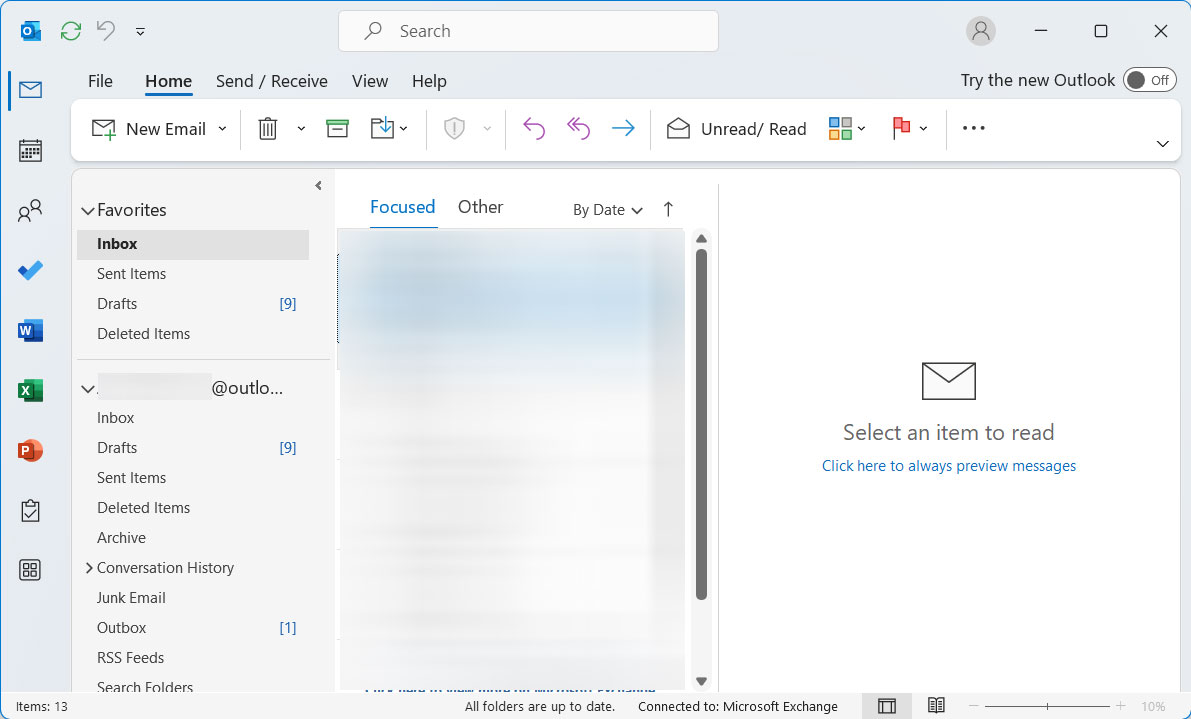
- Launch the Outlook application and sign in to the account.

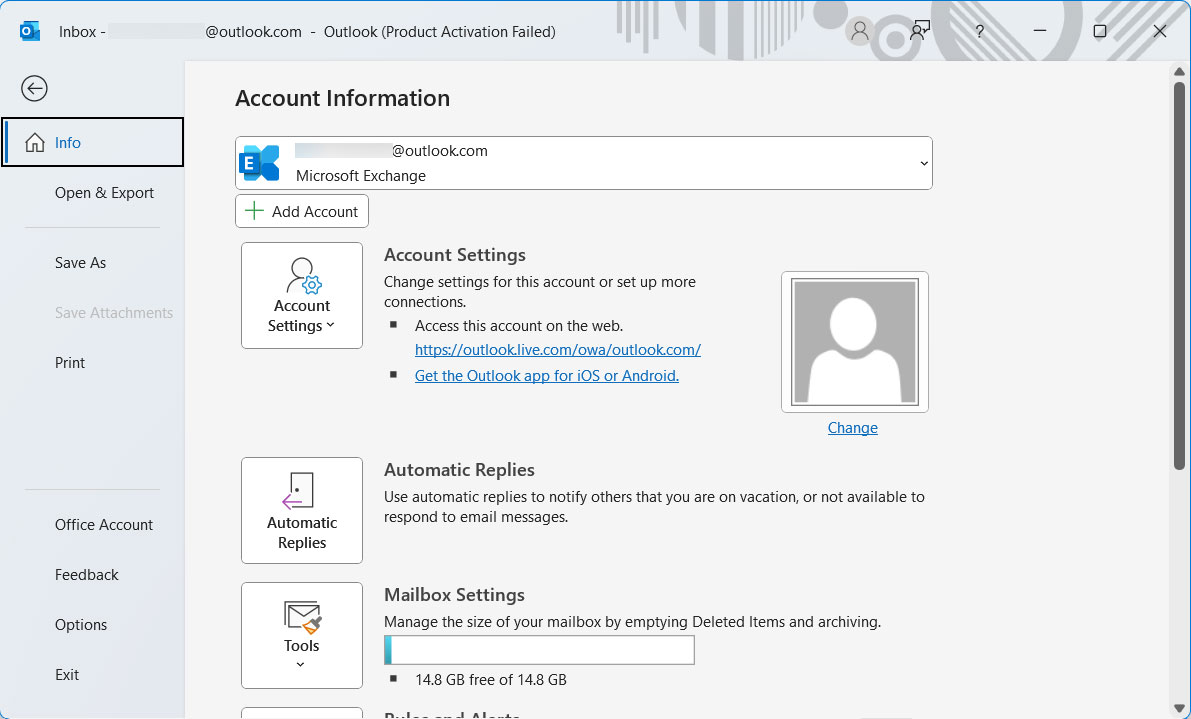
- Go to the File>Add Account button.
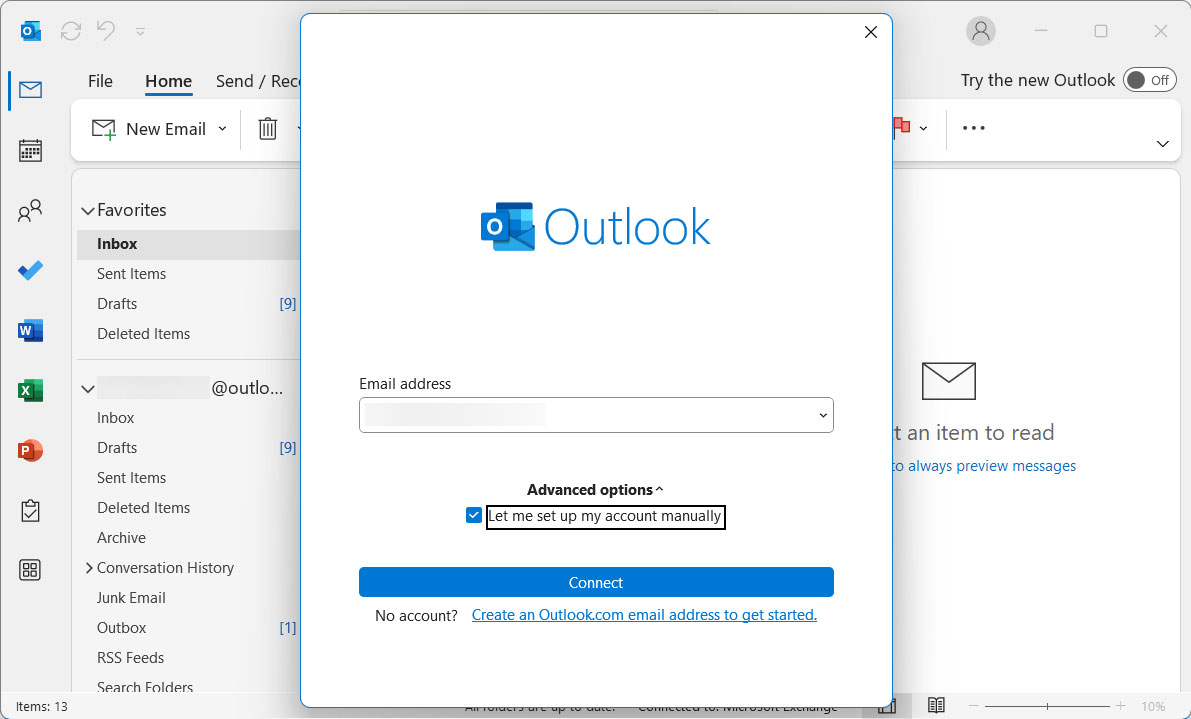
- Type your Yahoo mail address into the box provided and press the Connect button.

- Enter your Yahoo mail App Password and select Connect.

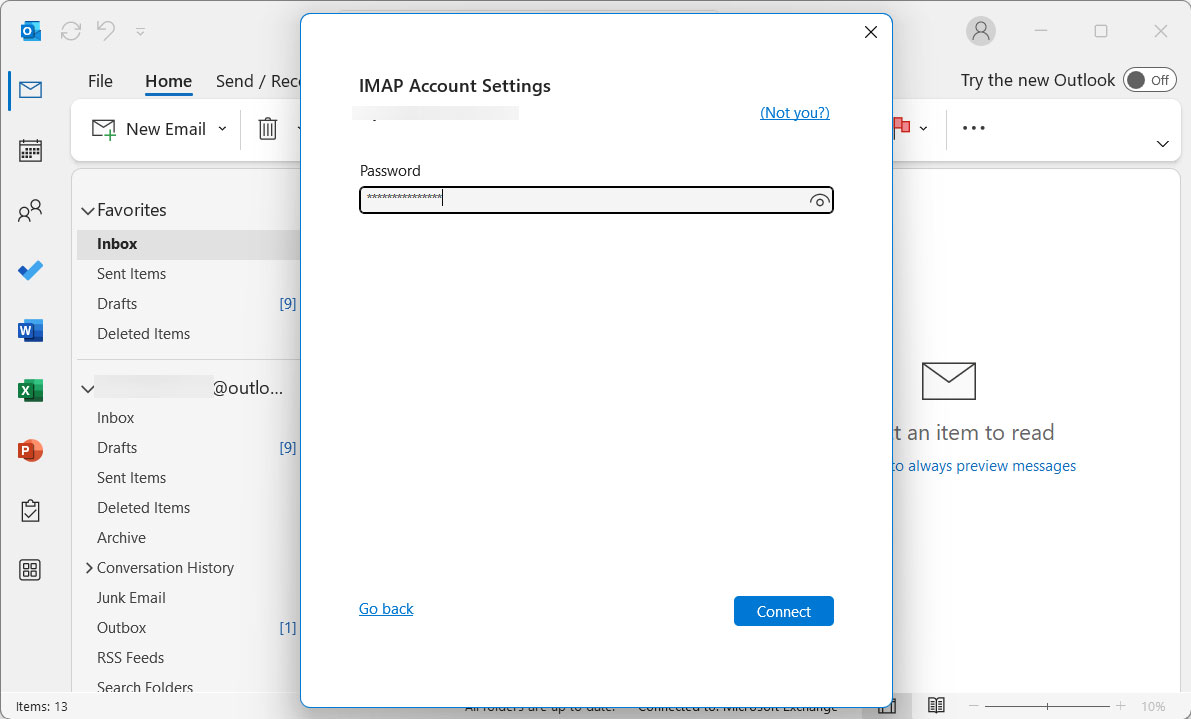
When the connection is made, Outlook will download all your emails.
Limitations of the Manual Methods to Export Yahoo Mail Emails to Outlook
- Setting up IMAP can be confusing for non-technical users, especially when dealing with port numbers and SSL settings.
- If you have emails in bulk then sync can take hours or even days.
- The entire process needs a stable internet connection. Any interruption can cause incomplete downloads.
- If you need a local backup file (PST), the manual method doesn’t provide you a clean export option.
All these limitations are the reason you can’t transfer Yahoo mail to Outlook properly without any error. So, while trying to export Yahoo Mail to Outlook, keep a check on Pre-Migration checklist which is written above.
How to Import Yahoo Mail to Outlook? Automated Method
You can directly transfer Yahoo Mail folders to Outlook with the Yahoo Mail Backup Software. The advanced features will help you to import emails from your Yahoo account directly to MS Outlook. The process takes place directly without any conversion of files, thus saving a lot of time. Use the link below to get the trial edition to know what the application can do.
Import Yahoo Emails to Outlook Accounts in 4 Steps
Get the setup file from here and install the toolkit on the desired devices. Follow the steps and generate the result in no time.
Note: Create an App Password for a Yahoo Account to get authorisation to use the tool using Yahoo Settings.
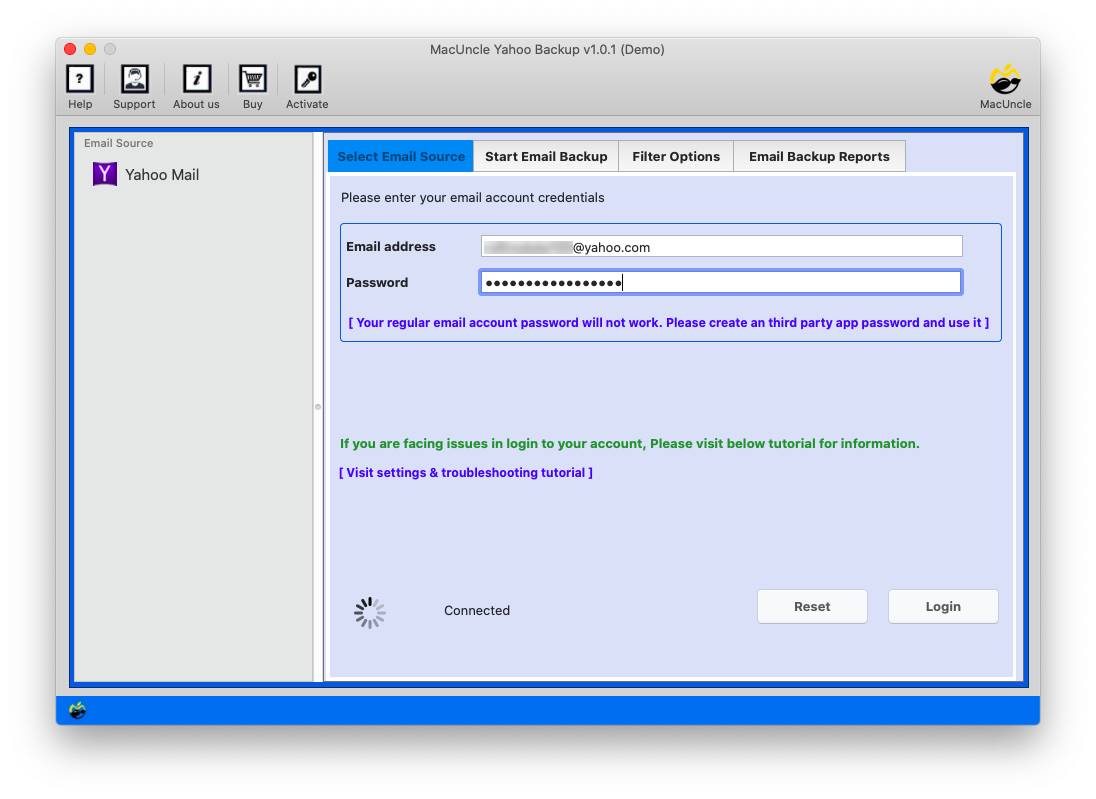
- Firstly, launch the toolkit and enter your Yahoo account credentials. Hit the login button to proceed.

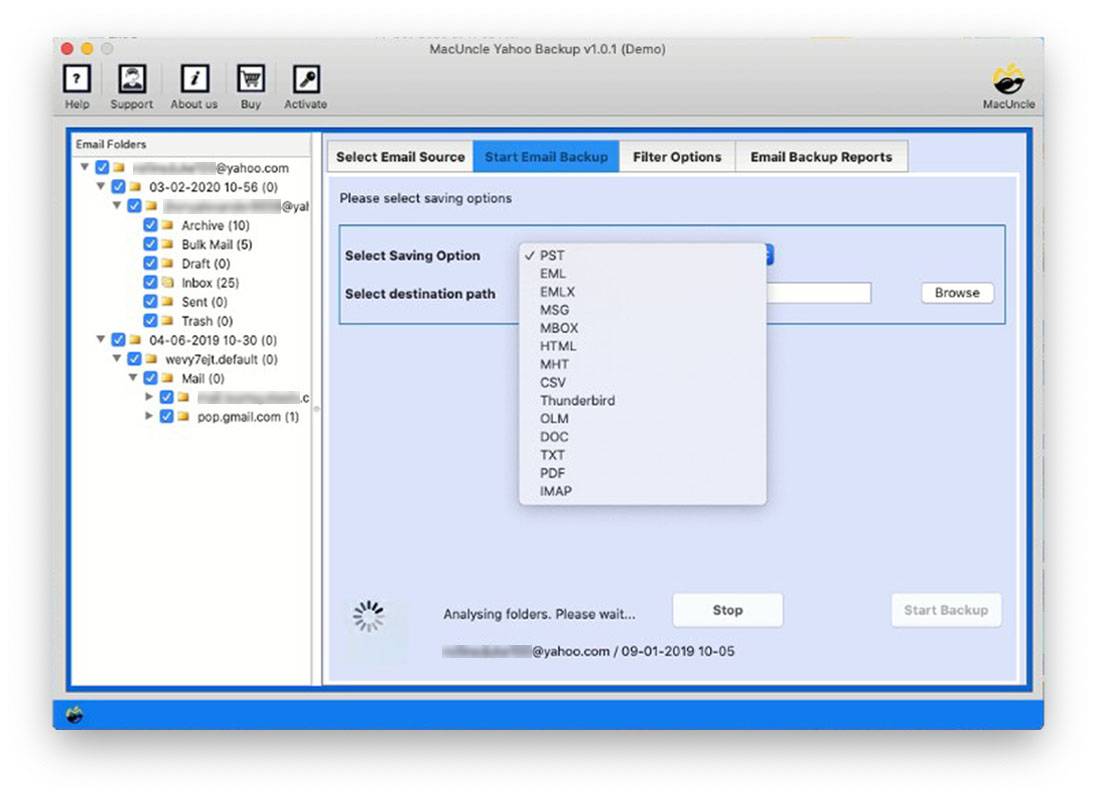
- Select the PST or IMAP from the multiple saving options. Browse a location if the PST format is selected.
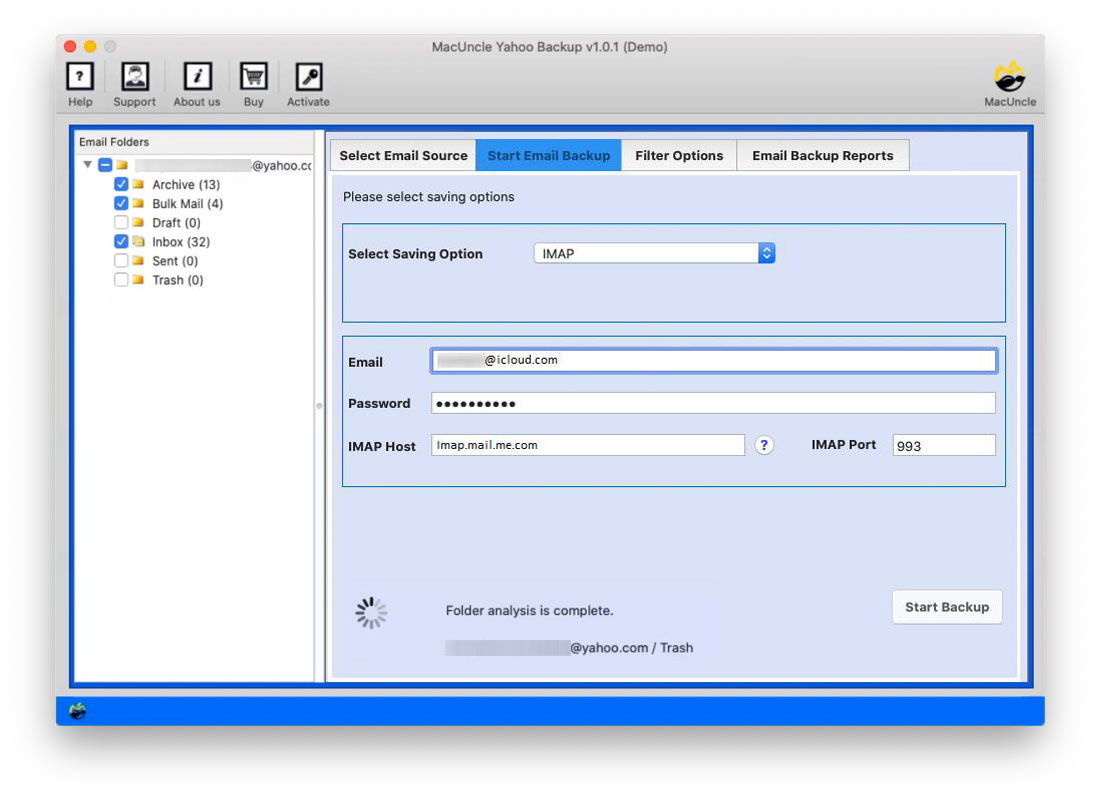
- For the IMAP option, enter the sign-in details of IMAP and your Outlook account.
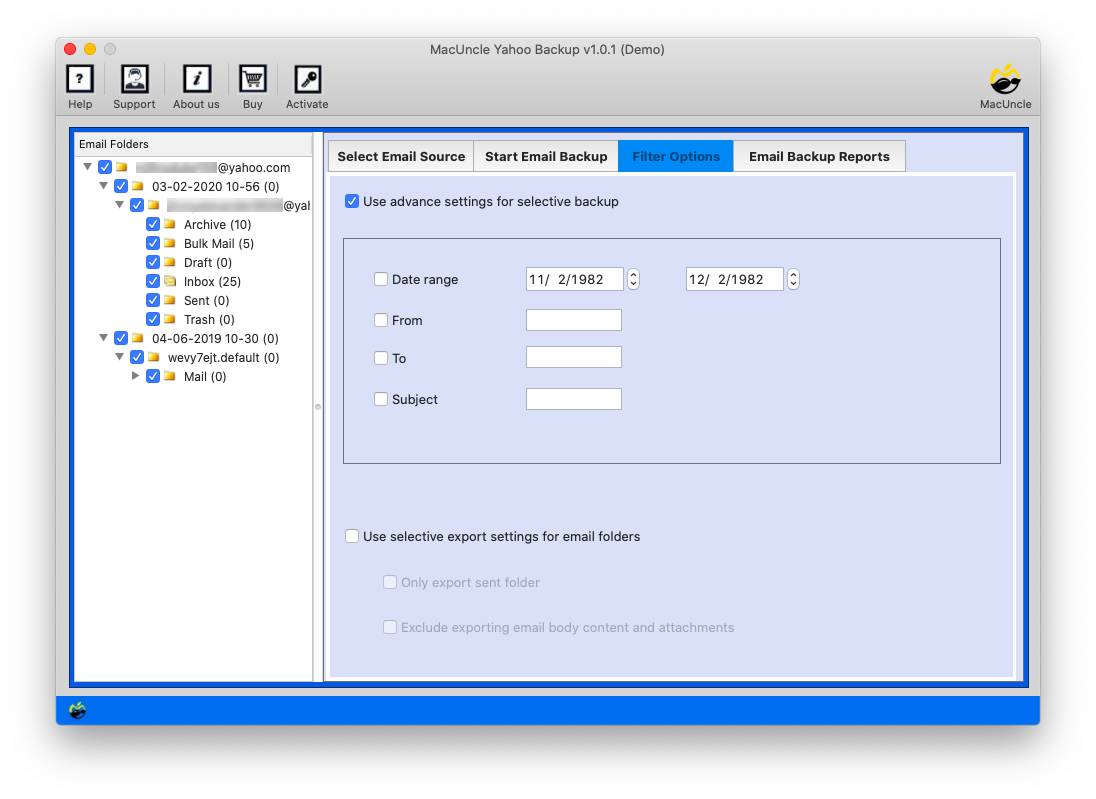
- Then, go to the Filter option and set up the desired fields.
- After completing all the above steps, press the Start Backup button to initiate the process.
Use the same toolkit to
Which is the best way to import Yahoo Emails to MS Outlook?
Since this write-up has multiple solutions, we will describe why using an automated method is more adaptable. The manual approach, on the other hand, is meant to give a free method to transfer emails from Yahoo Mail to MS Outlook accounts; it comes with limitations.
- Simple Approach: The backup application we mentioned here is the best for simple and direct migrations of emails from Yahoo to an Outlook Account. Most importantly, you users with or without technical skills can follow the steps without any hassle.
- Batch Migration Feature: An entire folder can be selected from the list of Yahoo data within the tool. Thus, we can effortlessly perform batch migration of Yahoo data to Outlook. Selecting an entire folder, i.e., INBOX, Draft, Sent, etc.
- No Requirement for any Configuration: At any point in this method, we don’t require the user to configure or add any account to any email client. The complete procedure to import Yahoo Mail to Outlook is done within the tool itself. For login purposes, Yahoo users need to create a password.
Conclusion
If the need is to import Yahoo mail to Outlook in the simplest way possible, a third-party tool is the best, as we have discussed the reasons to stick to the Mac Uncle tool. Moreover, the program has advanced capabilities that let you pick or deselect folders, apply filters, take a backup, and get a detailed report.
FAQs: Transfer Yahoo Mail to Outlook Account
Q) Can I import Yahoo Mail to Outlook without Outlook installed?
Not directly because Outlook needs to be installed on your PC to use the IMAP method. So, if you export Yahoo mail to Outlook in PST format using an automated tool, you can store that file and import it into Outlook later when it’s installed.
Q) Why does Yahoo require an app password?
Yahoo uses app passwords as a security measure for third-party applications. Since apps like Outlook aren’t directly authorized by Yahoo, using a separate app password prevents your main Yahoo password from being shared with external services.