How to Open MSG Files on Mac OS in Bulk?


Are you here to find the solution to open MSG files on Mac OS? Then yes, you will get all the details. After trying to open the files, you’ve likely discovered that the Apple Mail to Outlook for Mac does not support this file format. Therefore, in this article, we will explain the complete process to access the files in .msg format on macOS and Windows. We will explore manual, direct and permanent solutions for the same.
More precisely, MSG files can’t be opened easily in macOS since they are created using Microsoft Outlook for Windows and rely on the Windows-based MAPI format. With Outlook for Web, users can open MSG files by emailing the respective MSG file as an attached document. Whereas this method doesn’t support opening multiple files at once. It is not ideal for batch accessing of the MSG files.
Let’s start without wasting time.
What are MSG Files & How to Access the MSG Files?
Outlook uses MSG files to archive and store e-mails, as well as other mail data. Although they are very commonly used, opening MSG files and displaying the mail data on a Mac device can be a bit complicated. This is mainly because the Mac systems rely on the proprietary mail app known as “Mail” from Apple, and their ability to import additional formats for files that store mail data is very limited. To directly open MSG files, get a MSG Viewer. If you just want to open and know MSG files, this application is a perfect choice. Using the tool, you can access unlimited MSG files. It gives quick access to the MSG files for free. For more than just accessing the MSG files, you can also convert them, which is explained in the next section.
Several users receive MSG files on their Mac computers via email but are unable to open them due to a lack of resources. However, there are several potential ways to overcome all the risks of accessing the MSG file. We will share one of the simple techniques in this blog that will help you open MSG Outlook on the Mac operating system.
Note: If you encounter an issue such as “MSG file cannot be opened in Outlook,” this article will guide you through the solution.
How to Open MSG Files on Mac Without Outlook?
Try the expert MSG Converter Tool solution to overcome this. It’s incomparable software when it comes to opening an Outlook MSG file. It is compatible with all Mac OS editions, including the latest and previous ones. Using a valuable utility, you can simply open .msg messages on Mac without Outlook. Its design is awesome, and the interface is consistent. Anyone can use this program to access batches of MSG files by converting MSG to TXT or any other readable file format. The solution is 100 % safe, easy to use, and fast.
Open MSG Files on Mac in Bulk in 4 Steps
Here, we explain the detailed process to open MSG files on Mac OS with attachments. Please note that the free demo version of the tool allows you to access a 25 *.msg file. This is the limitation of the trial edition. Enable the license key to open all Outlook MSG files.
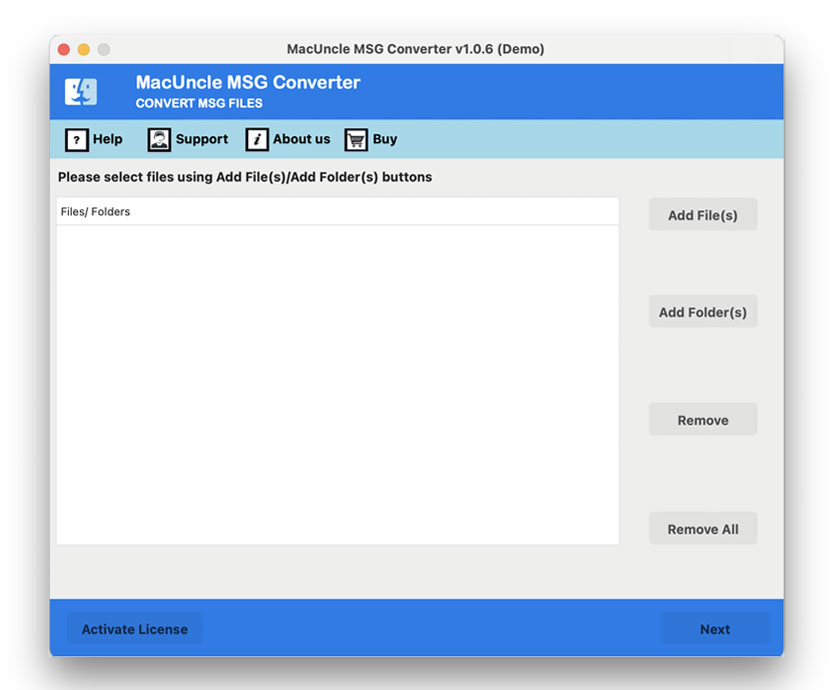
- Start the software to open MSG file on Mac without Outlook.

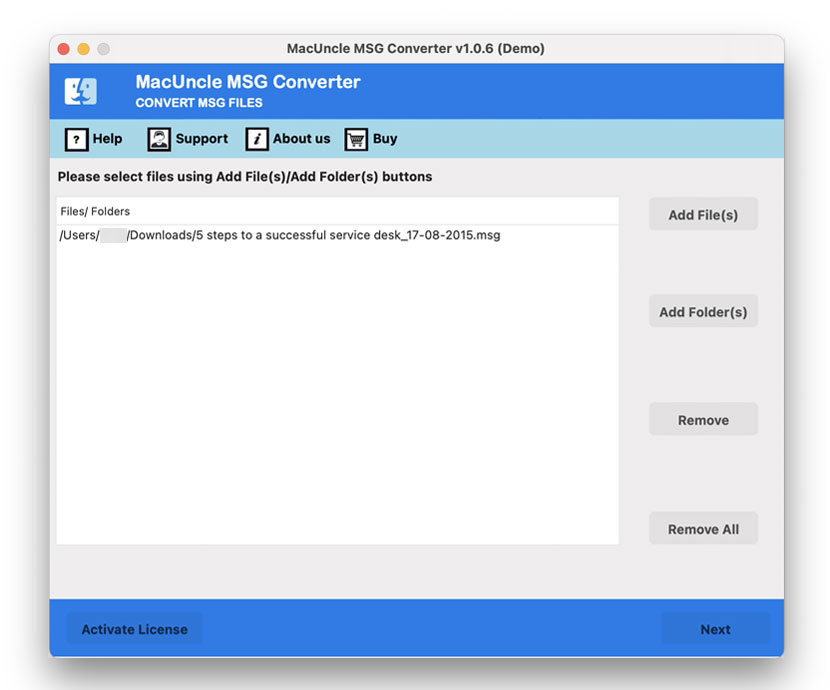
- Add single or multiple MSG files and click the Next button.
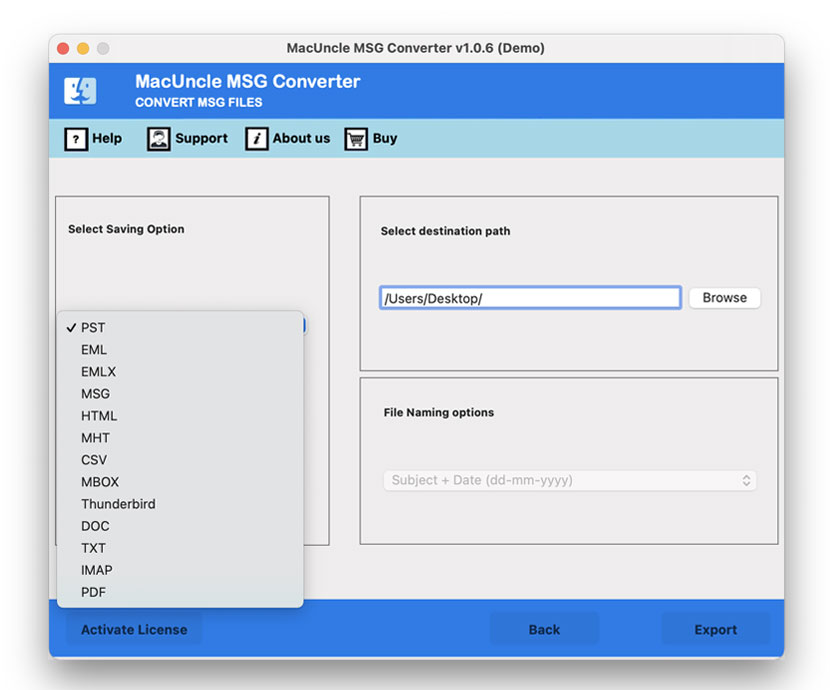
- Select the desired file format from the drop-down options.
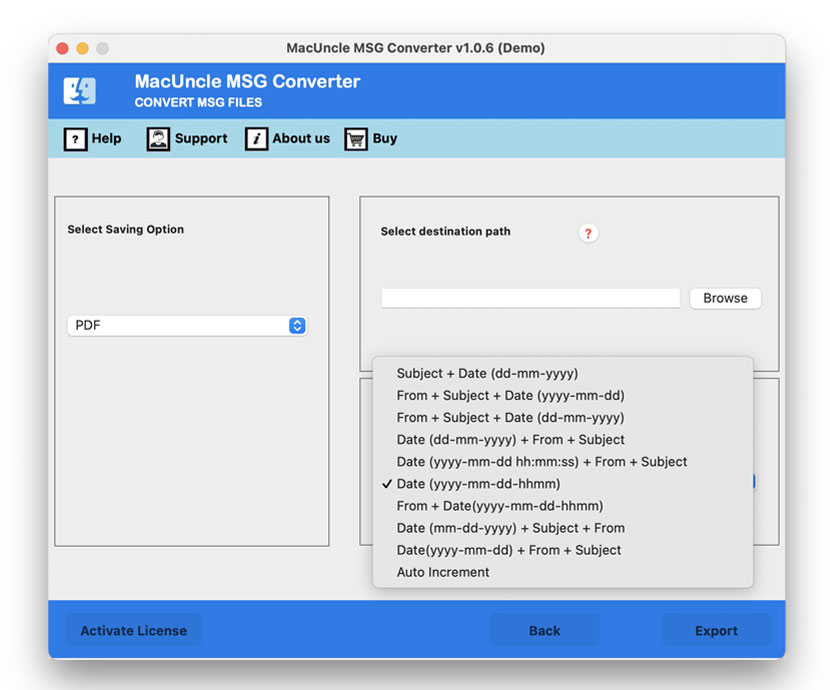
- Then, choose the destination location and file naming pattern. Lastly, press the Export button.
- After conversion, you will get a few notifications upon completing the conversion and a trial package message.
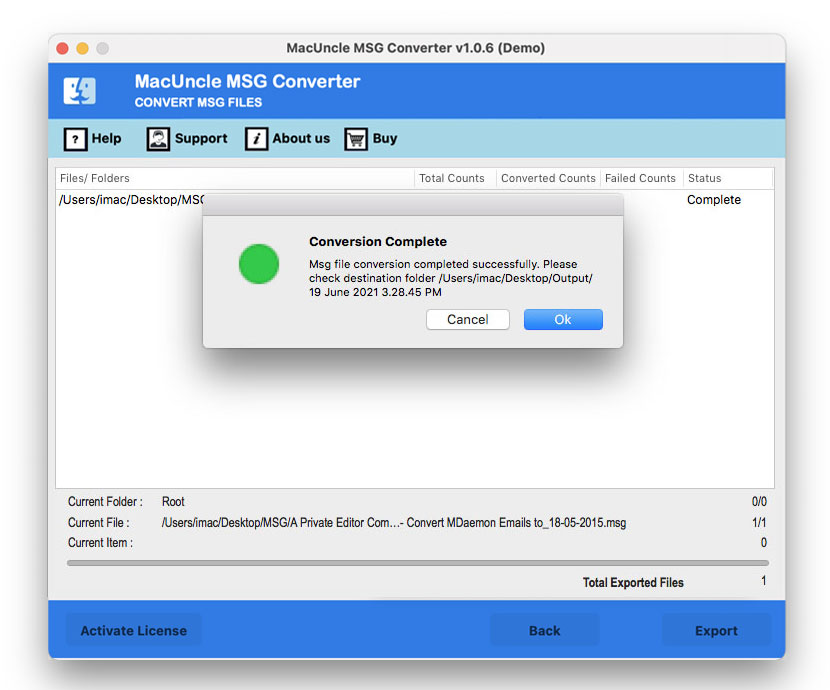
Now, to open .msg files on Mac, you need to import MBOX into Apple Mail. So, follow the mentioned steps.
Import Created *.mbox Files to Apple Mail to Open MSG File Easily
- Start Apple Mail, click on the Menu button at the top and choose Import mailboxes.

- Select the Other option from the Import Window and click on Continue.
- Now, to select the MBOX file, choose the Messages option and press the Continue button.
- Pick the MBOX file and folder you want to import & hit Continue.
- The process of importing MBOX files starts. It will take time, as per the MBOX file.
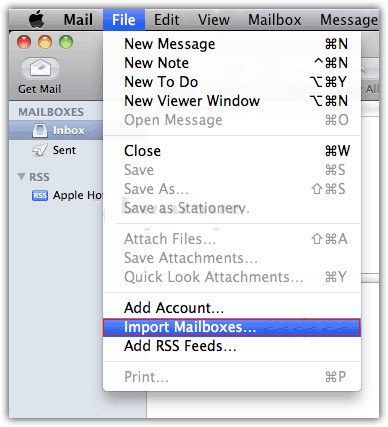
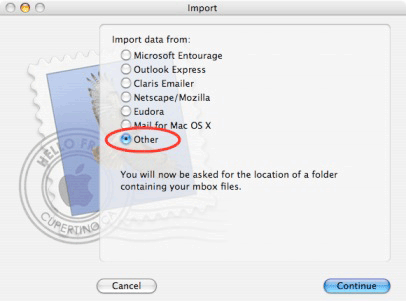
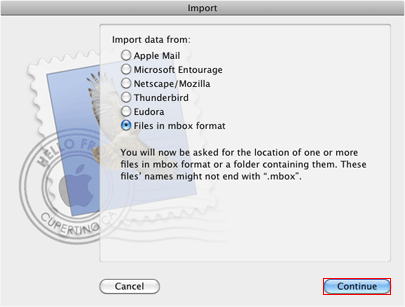
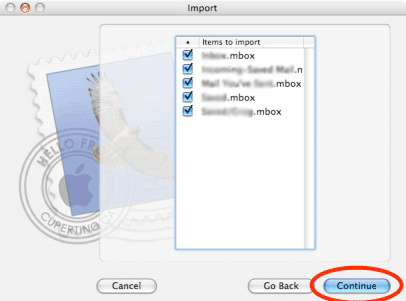
As the process is over, you’ll find a folder named import in your Mac Mail. Thus, you can easily access the MSG files with accurate results.
Features of Software to open MSG files on Mac
We present here the essential features of the tool to open multiple MSG files on the system. Know more about the application form here.
- This is an easy, quick, and efficient way to open the MSG files.
- The tool does not require MS Outlook installation.
- Able to open multiple MSG files with attachments.
- Maintain the folder hierarchy while opening the Outlook MSG file.
- There are no file size limitations for the product to access the emails in * .msg files.
- All email, formatting, and other properties are well preserved.
- Support for accessing bulk MSG files with attachments.
FAQs
Q) Why can’t I open a *.msg file on my Mac?
A) A MSG file is a proprietary Microsoft format used by Outlook on Windows that stores emails, attachments, contacts, and calendar items. macOS does not support the MSG file as it has no built-in support for it. The Outlook for Mac also cannot open the MSG file directly, as it uses the *.eml format instead.
Q) Can I open a *.msg file in Apple Mail?
A) No. Apple Mail uses the .emlx format and does not support the MSG file. If you rename the file extension from *.msg to *.eml, Apple Mail may open it in some cases, but it often results in formatting issues.
Q) Is it safe to use the online *.msg opener?
A) It is not recommended to use the online viewer sites when you are dealing with sensitive email messages. Many online tools are generally safe, but how do we know that? Therefore, make sure to use a reputable desktop app that offers in-app service without uploading the file to the server.
Summarize
If you want a solution to open MSG files on Mac OS, then try the possible solution on your blog. It’s the most likely software to get access to *.msg. It works fast and delivers 100% accurate results. The user does not need an external installation to open the Outlook MSG file. The tool will access a bulk MSG file easily.