How to Import PST to Hotmail Account Directly?


If you are planning to move the PST files to Hotmail or want to access the PST data online safely and efficiently. The article will explain PST files and Hotmail, the manual method, and a professional solution to import PST to Hotmail accounts.
Overview of PST & Hotmail
PST files were also used to cache IMAP data in Outlook 2010 and before. Outlook stores your data as a PST file when you utilize a POP3 account, as previously stated. Outlook keeps all of your folders and things (emails, contacts, appointments, and so on) in this single file. Even if you employ an Exchange or Outlook.com/Hotmail account, PST files can be used for additional storage, archiving, and exports.
Hotmail was one of the first public webmail services that could be accessed from any web browser. It was launched in 1996. While users can still create new email addresses with @hotmail.com, Microsoft phased out Hotmail in 2011 and relaunched the service as Outlook.com in 2012. If you are wondering whether Hotmail is still active or not, you can read a detailed explanation in this guide on “Can you still access Hotmail?” Webmail, calendaring, contacts, and task services are all part of Outlook.com. It’s worth noting that Outlook.com is a free web-based email account and is not the same as Outlook, the Microsoft Office suite’s mail client application.
Follow the steps from here to learn how to save Hotmail emails as PDF on Mac.
How to Manually Import PST Files to Hotmail Account?
Since Hotmail is now Outlook.live.com, users can use the desktop Outlook application to add PST files to the account.
Outlok.com Account to your Outlook Desktop application
- Go to File>Add Account.
- Enter your Outlook.com email address and password.
- Follow all the on-screen instructions to complete the setup.
Import the PST into the Outlook Desktop application
- Go to File>Open & Export>Open Outlook Data File.
- Browse the location of PST and select.
- The PST file will be added to the Outlook profile.
Drag and drop data from imported PST files into the Outlook.com account.
- Drag and drop the PST file into the corresponding folder in the Outlook.com account.
Note: If you’re using a Mac and want to review your PST files before importing them to Hotmail, check out our guide on how to open PST files on Mac.
Import Outlook PST File to Hotmail Account – Perfect Solution
There is no native or manual option to import PST to Hotmail account directly, especially without the use of Microsoft Outlook. Importing the PST data into the Hotmail account can be challenging because Hotmail (now Outlook.com) does not support a direct PST file upload option. However, there is no need to worry, as we have a reliable and efficient solution available to complete the process.
Get the PST File Converter to move Outlook PST files to Hotmail directly. The software has a direct and secure way to transfer PST emails, contacts, and folders into the Hotmail account while preserving the original folder structure and email metadata. Simply download and install the tool according to the requirements and start the migration in just a few clicks.
How to Import PST to Hotmail Account?
- Start the Tool and add Outlook PST files to the interface. Press the Next button.

- Choose the folder to move to Hotmail / Outlook.com. Once again, hit the Next button to proceed.
- Choose IMAP. Use the Hotmail address to transfer the *.pst files to Hotmail.
- Finally, press the Export button to start the process.
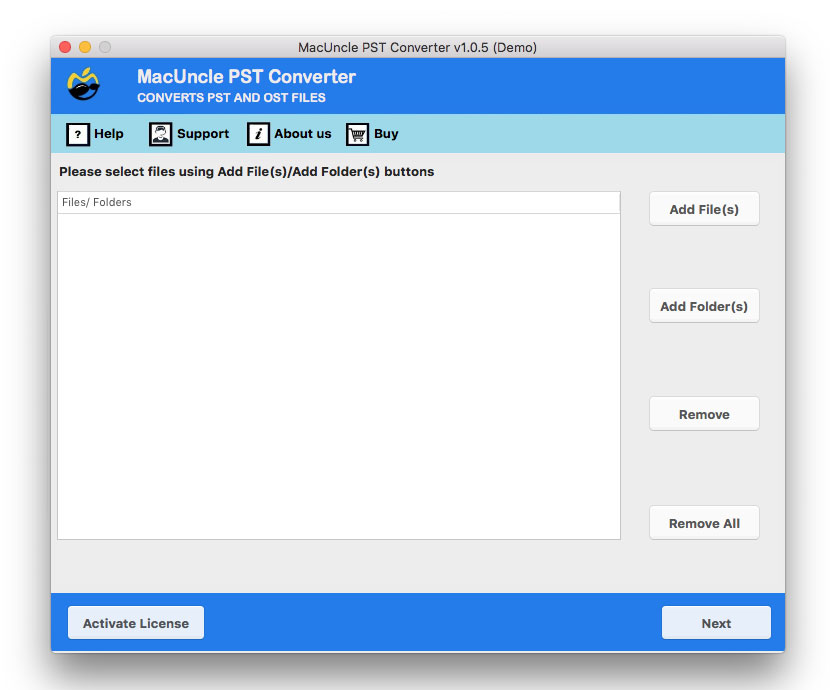
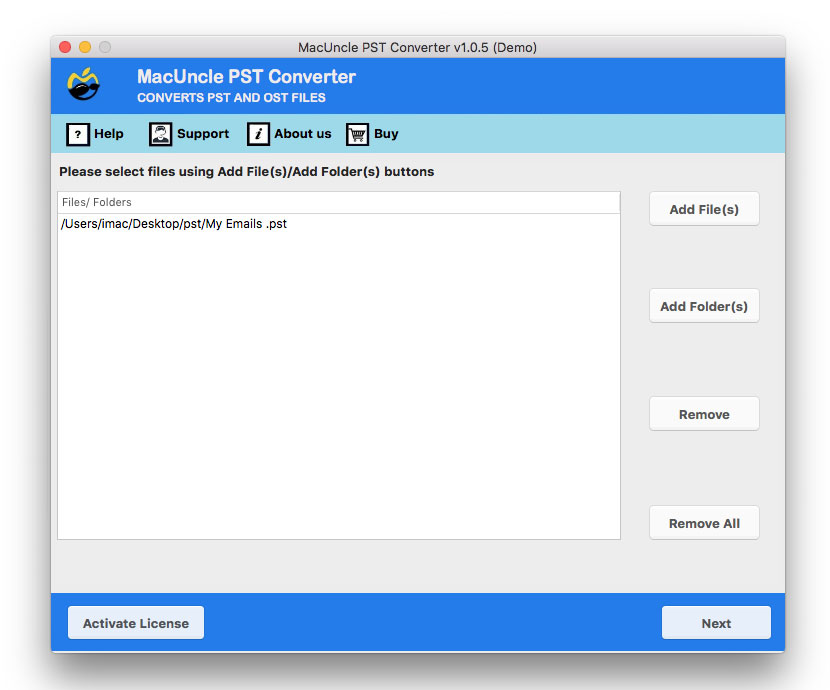
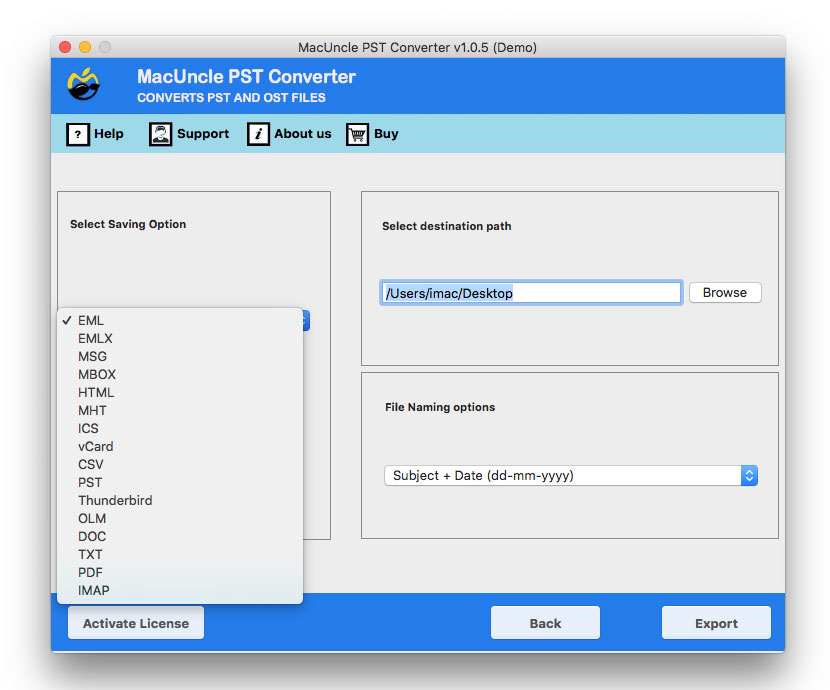
After some time, the tool imports all the PST files to the Hotmail account. Check the migrated email data in the Microsoft account.
Outline of Article
In this article, we have explained multiple ways to import PST to a Hotmail account, including both manual and professional approaches. You have learned how Outlook PST files can be transferred to a Hotmail account while maintaining email folder hierarchy, integrity and important metadata. Since Hotmail does not support direct PST, we have to use Outlook as an intermediary or opting for a professional solution becomes essential. The manual method may work for small PST files, but it can be time-consuming and require technical knowledge. For a simple, faster, and more efficient way to Import Outlook PST to Hotmail without data loss, a trusted PST to Hotmail importer tool is highly recommended.
Frequently Asked Questions – Import PST to Hotmail
Q) Are Hotmail and Outlook the same?
A) In 2021, Microsoft phased out Hotmail and relaunched Outlook.com. Users can move the emails in *.pst format to Outlook using the Hotmail email address.
Q) Can I transfer the PST files to my old Hotmail account?
A) Yes. Enter the email credentials into the software interface and perform the procedure to import PST Files to Hotmail.
Q) Do I need to sign in to a Hotmail account while using the tool?
A) No, the tool will directly import the files to Hotmail without access to the mail account.
Read other blogs: How to Import PST file into Apple Mail?