MacUncle MSG Converter

(Average Rating 4.7 Based on 1243 Reviews)

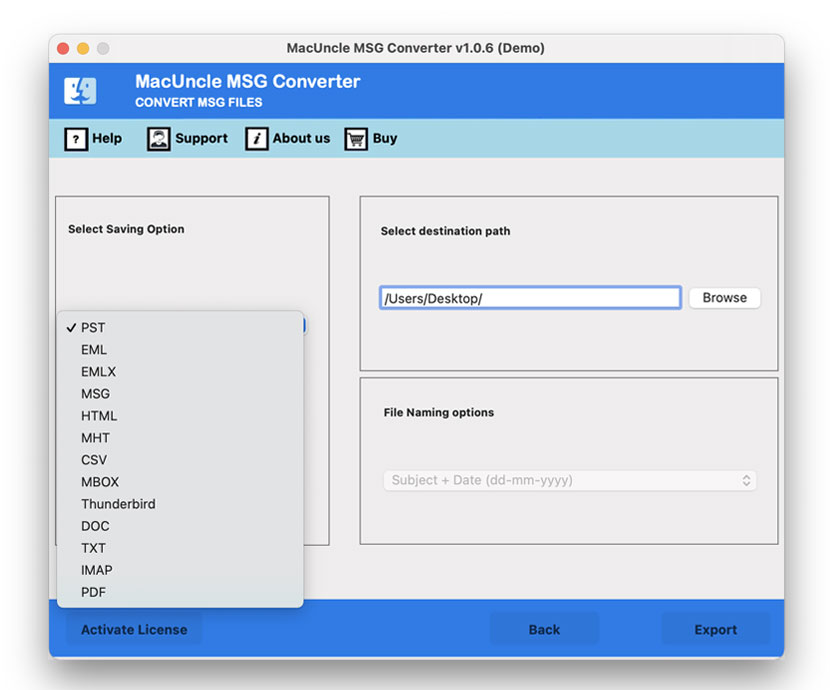
MSG Converter allows to convert batch MSG files into 12+ popular formats such as PST, EML, EMLX, etc. and allows to directly import into cloud email services.

  • MSG Converter Allows Email Export Options: PST, EML, EMLX, and MBOX
  • Enables to Export in Document Formats: HTML, MHT, CSV, DOC, TXT, etc.
  • Software Allows to Migrate MSG File into IMAP Supported Cloud Applications
MSG Converter Tool - 3 Simple Steps

MacUncle’s MSG format Converter Takes A Few Steps to Migrate MSG Mailboxes

Set Up MSG Converter for Mac

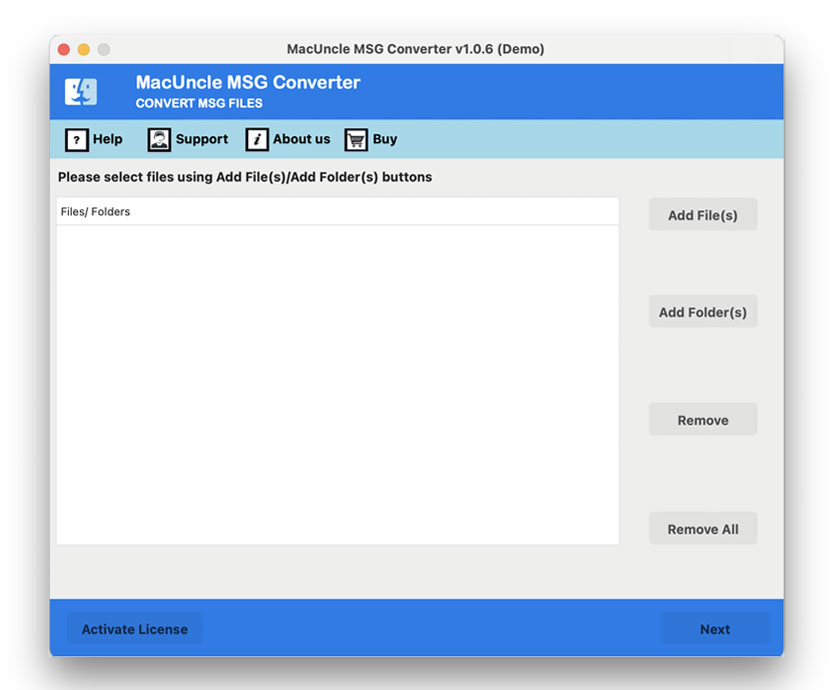
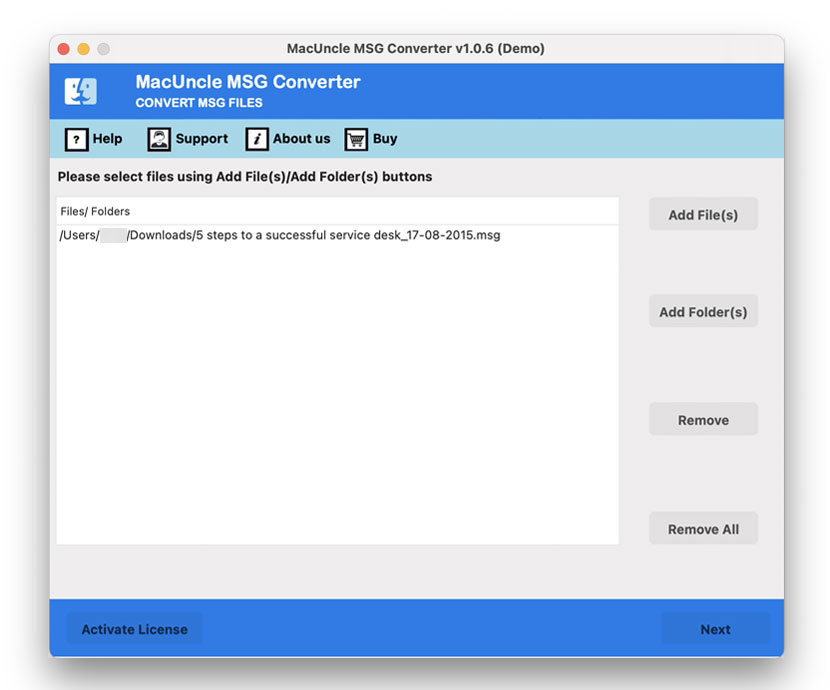
Download MSG Mail converter and Install the application on the system and upload the MSG file from the system to the software panel using Add File or Add Folder. Then press the Next button.

Select Export Option

Select one file format from the list of 12+ export options. Then select a naming pattern from the File Naming option and desired destination path as per the requirement.

Get the Output File

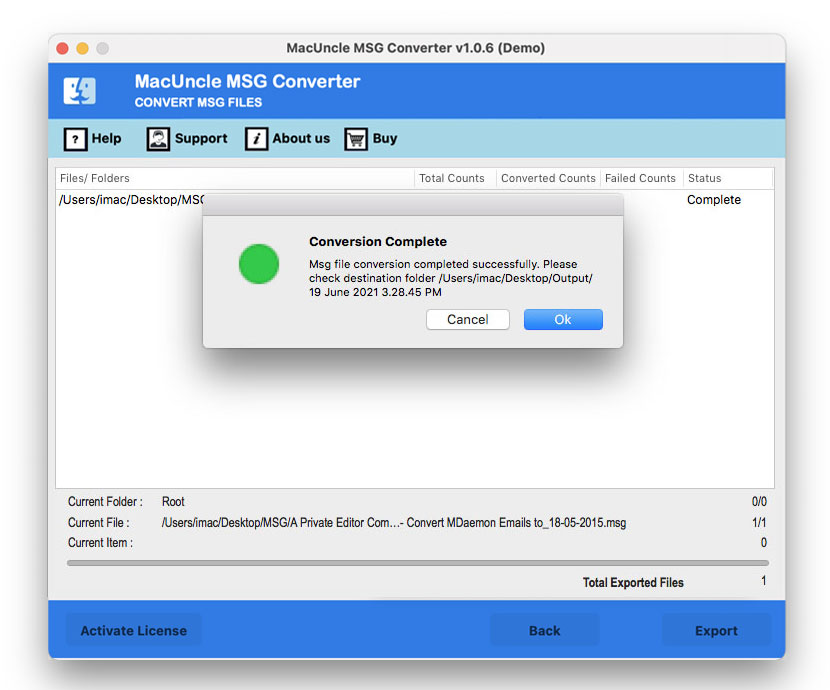
Hit the Export button to start the MSG conversion process. After completing the process, the software will automatically open the converted file in the selected location.

When to Use an MSG Converter: Common Use Cases

Discover common scenarios where MSG File Converter helps to manage, convert and share.

Access & Work on MSG File on Mac

If a Mac user, receives MSG files from Windows, opening them can be difficult without an Outlook. Switching the file format to a format supported in the Apple platform, more likely converting MSG to MBOX, can help in accessing emails in Apple Mail.

Producing Email Evidence

When IT or legal teams need to submit email evidence for court cases, eDiscovery, or audits, converting MSG files to PDF or DOC makes the content easier to review and share. With MSG Converter, get a universal supporting file format with 100% accuracy.

Converting Bulk MSG File at Once

With folders of exported Outlook emails and converting them one by one is not an option. The MacUncle tool here offers batch conversion, which can handle multiple folders of EML files in one run. Avail this feature with the Pro version of the tool.

Customisation on Demand

With the upgraded version of the MSG Converter, get the first-hand experience in customisation as per the situation. Get in touch with the MacUncle Support team to customise the application according to the workflow or business need.

msg converter

MSG File Management — Convert, Export & Migrate Without Limitations

12+ Export Options for MSG File

The MSG file Converter allows users to export MSG files into various email and document file formats. Aside from that, users can import MSG files into any IMAP-compatible email client.

Why Choose MacUncle MSG Converter?

  • Allows to Export in 4 Email File Formats
  • Export Complete Data into 6 Document Formats
  • Option to Migrate MSG File to Cloud Applications
  • Software has No Expiry Date; Comes with 1 Year Free Update
  • Avail 24X7 Free Technical Support for All Your Concerns
  • MSG Email Converter Full Version License: Standard and Pro

Aspects of MSG Converter for Mac OS

Read the Read Software Features to Export MSG Files with All Data Professionally

Convert MSG to 12+ Different Format

The software makes the conversion process effortless and effective. The MSG Converter for Mac allows the switching of files such as MSG to PST, MSG to PDF, MSG to EML, MSG to TXT, MSG to CSV, and MSG to Gmail. easily in a few simple steps.

Browse MSG File Using Two Options

The dual option is offered by MacUncle MSG Converter for Mac OS users. The options will let the users convert single as well as multiple MSG emails at one go. The options are Add File(s) and Add Folder(s) with which user can perform batch MSG conversion within a few simple clicks.

MSG Conversion in Batches

The two options, Add File and Add folder, will let users convert a number of MSG files at once. Users can select single and multiple MSG files or folders before the MSG conversion.

No Restriction on MSG file Sizes

MSG Converter does not impose any restrictions on MSG file size. This means that MSG files of any size can be converted easily using this software.

Get the Accurate Result

The conversion of the MSG file is now simple and effective using the MSG Mail Converter for Mac OS. Converting MSG to any other format gives a precise result without altering anything inside the file. The components and the attachments will remain the same after the conversion thereby giving an exact file with a different extension.

MSG Converter Offers File Renaming Option

The whole conversion of MSG file to another file format can be done easily. The MSG format converter tool offers advanced features in which one of the features is the file naming option which includes various file naming patterns for the converted MSG files. Using file naming options makes it easy for users to manage their files.

Freedom to Choose the Desired Location

MSG File Converter Tool saves the converted file to the default location that is on the desktop. This feature will help users find their converted MSG file. The software opens the folder automatically after conversion. If someone wants to change the location other than desktop, they are free to do so.

Developed for All Mac OS Users

MacUncle MSG Converter for Mac OS can be installed on macOS 10.10 Yosemite and all the latest editions of Mac based computers. It supports 10.10 Yosemite, 10.11 El Capitan, 10.12 Sierra, 10.13 High Sierra, 10.14 Mojave,10.15 Catalina, 11 Big Sur, 12 Monterey, 13 Ventura, 14 Sonoma, macOS 15 Sequoia, and macOS 26 Tahoe.

Software Specification

Get an Overview of Batch MSG Email Converter Features – DEMO and Licensed Version

Convert MSG Files in Batches

Version: v25.11.1
Size: 130.76 MB
Release Date: June, 2026
Software Download: Download Now Download Now


Trial Limitations: The free version comes with all the features and converts 25 mails of *.msg, to convert all data, upgrade to the full version.


Hard Disk Space: 400 MB of free hard disk space required
RAM: 512 MB of RAM (1 GB is Recommended)
Processor: Apple Silicon M-series (M1 or later)


Platforms: macOS 26 Tahoe, macOS 15 Sequoia, 14 Sonoma, 13 Ventura, 12 Monterey, 11 Big Sur, 10.15 Catalina, 10.14 Mojave, 10.13 High Sierra, 10.12 Sierra, 10.11 El Capitan, and 10.10 Yosemite.


Product Guide: Software Guide   Installation   Uninstallation   EULA  


Know About MSG Converter Software Interface

Learn about software operation by clicking any image.

add msg file
choose an option
set a location
convert msg files

Software Feature Comparison MSG Converter

Understand the Difference Between Freeware and Pro Version of MSG Converter

Features

Trial Version

Full Version

MSG Conversion Limit

25 Items / Folder

Unlimited

Data Integrity

Works Without Outlook

Cloud/IMAP Migration

File Size Restriction

Privacy & Security

File Naming Control

Compatible with All Latest Mac OS Versions

24*7 Free Technical Support

Price

Free

$29

 Download

 Buy

MSG Converter Software - Video Tutorial

Video Tutorial to Know the Step-by-Step Process for Exporting MSG Files

We Specialize in Assisting Customers

Check Ratings and Reviews of MSG Converter.

Performance

90%

Customer Satisfaction

93%

Output Accuracy

100%

Frequently Asked Questions

Find Answer Here Regarding MSG Converter

4 Steps to Use Batch MSG Message Converter

  1. Step 1: Download MSG File Conversion Tool and Install on Mac System
  2. Step 2: Select MSG Files/Folder from the System
  3. Step 3: Choose One Export Option from the List of 12+ Options
  4. Step 4: Press Export Button to Start MSG Conversion

Wait until the MSG conversion is finished before attempting to open a folder.

There is no limitation on MSG file size for the conversion using MSG file converter.

Yes, the batch MSG converter application permits to convert single as well as multiple MSG files.

Yes, of course, the tool maintains all email attachments during MSG file conversion.

The list of folders will be displayed; however, to get a complete content preview, use the MSG Viewer.

Yes, the Utility is compatible with all latest as well as previous editions. It works easily with macOS 10.15.

What Customers Are Saying

MSG Converter Full Version Users Reviews